
How to make transactions
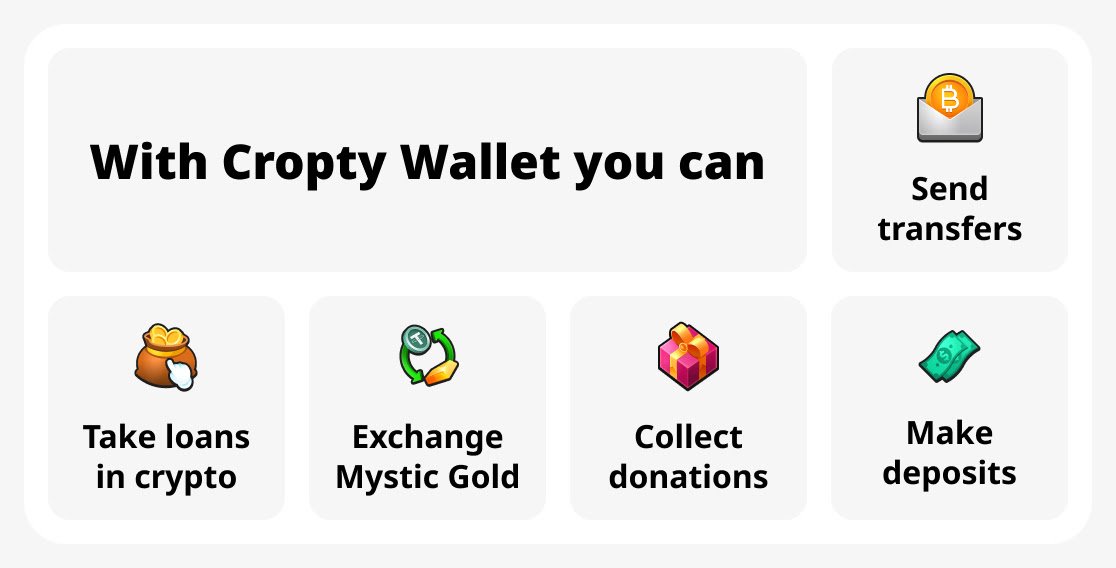
Cropty Wallet is not just a cryptocurrency wallet, but also a multifunctional application that allows you to send transfers, make deposits, take out loans and collect donations.
Well, the most interesting part is that with Cropty Wallet you can exchange Mystic Gold for USDT and vice versa - buy Mystic Gold for cryptocurrency!
Where can funds be transferred
Cropty has a rich functionality, get to know it better on the wallet website.
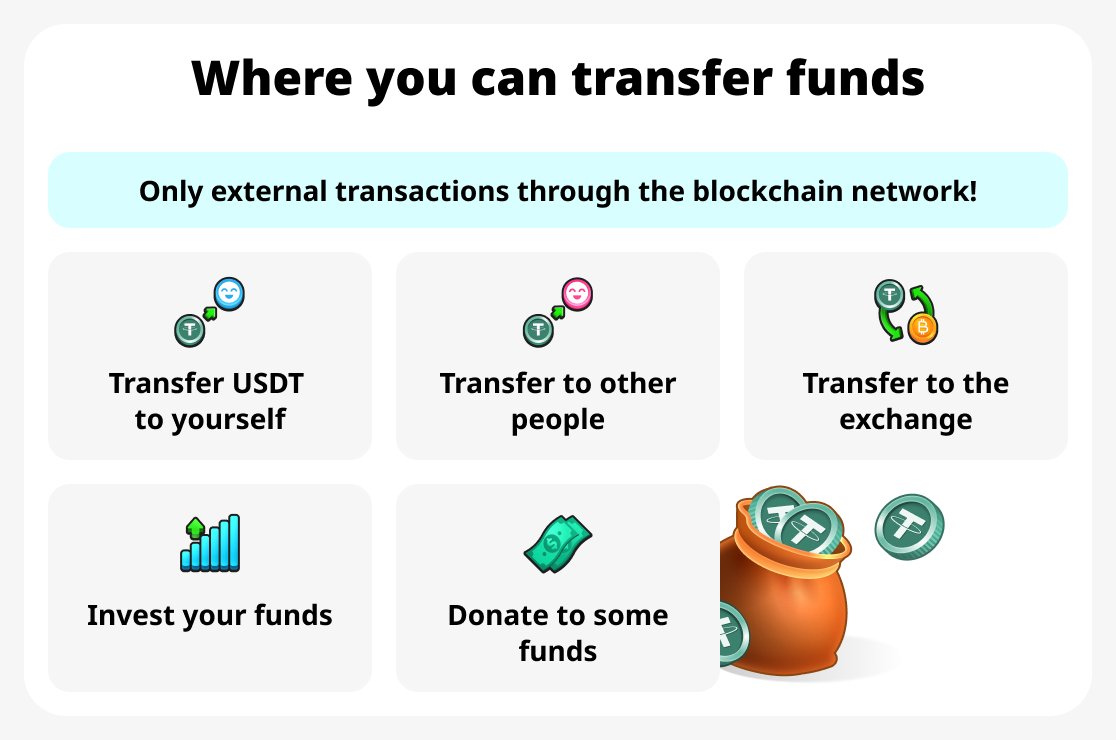
You can transfer funds to make an outgoing transaction in various ways and for different purposes:
- To yourself. You can transfer money to any of your other wallets, outside of Cropty. The token is not important.
- To another person. For example, to a friend who is into cryptocurrency or to pay for a service or product.
- To the exchange. To yourself, to a friend, or for trading/storage purposes.
- As an invest. For example, use your cryptocurrency to provide liquidity, put coins in staking, etc.
- As a donation to charities and foundations. If you are not yet familiar with cryptocurrency, we recommend that you use this method by donating a small amount to charities. We have compiled a list of such organizations at the end of the article. Choose one of them or any other that accepts donations in cryptocurrency.
How to send cryptocurrency
If you have funds in your account, you can make transactions.
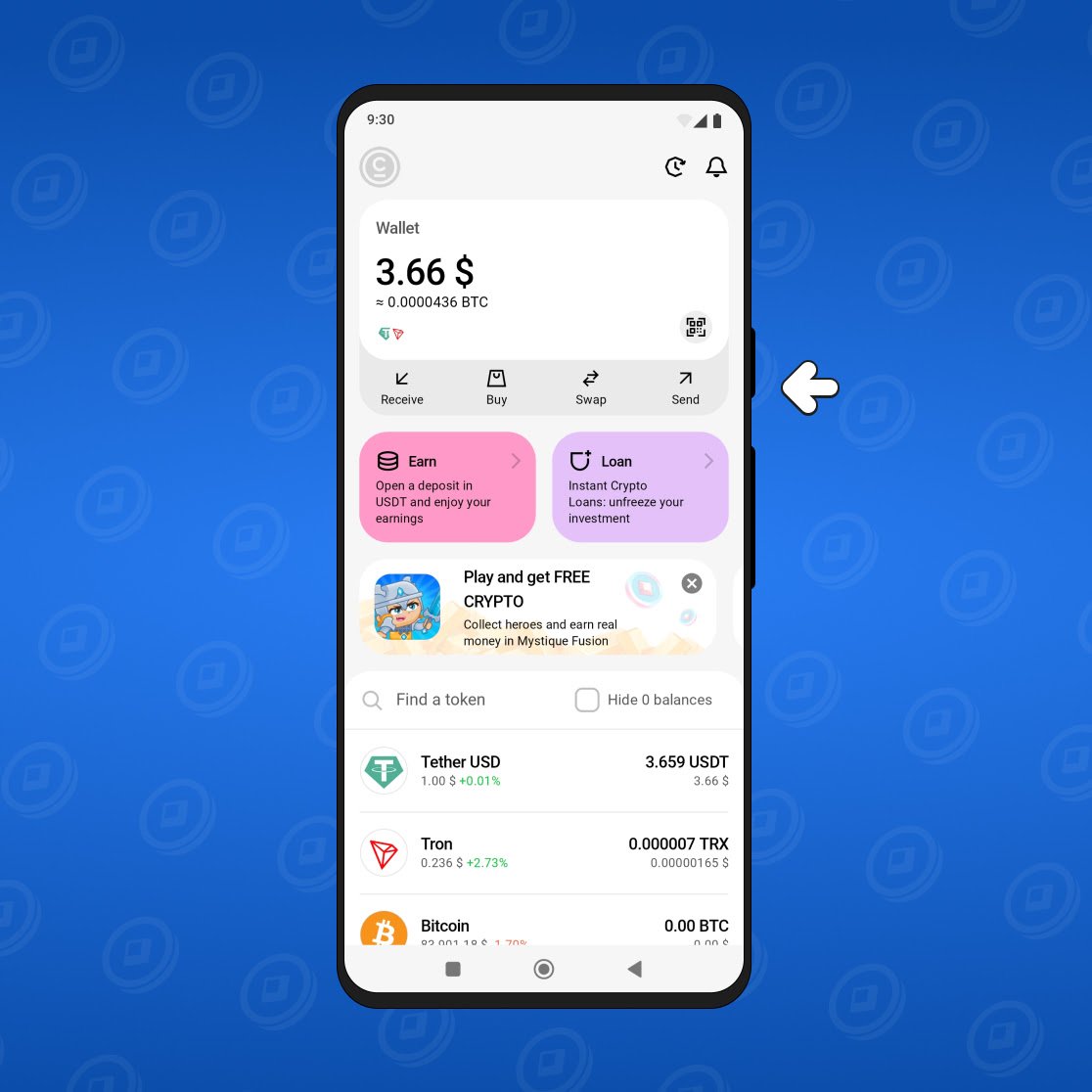
To send cryptocurrency, select 'Send' on the main screen of the Cropty Wallet app.
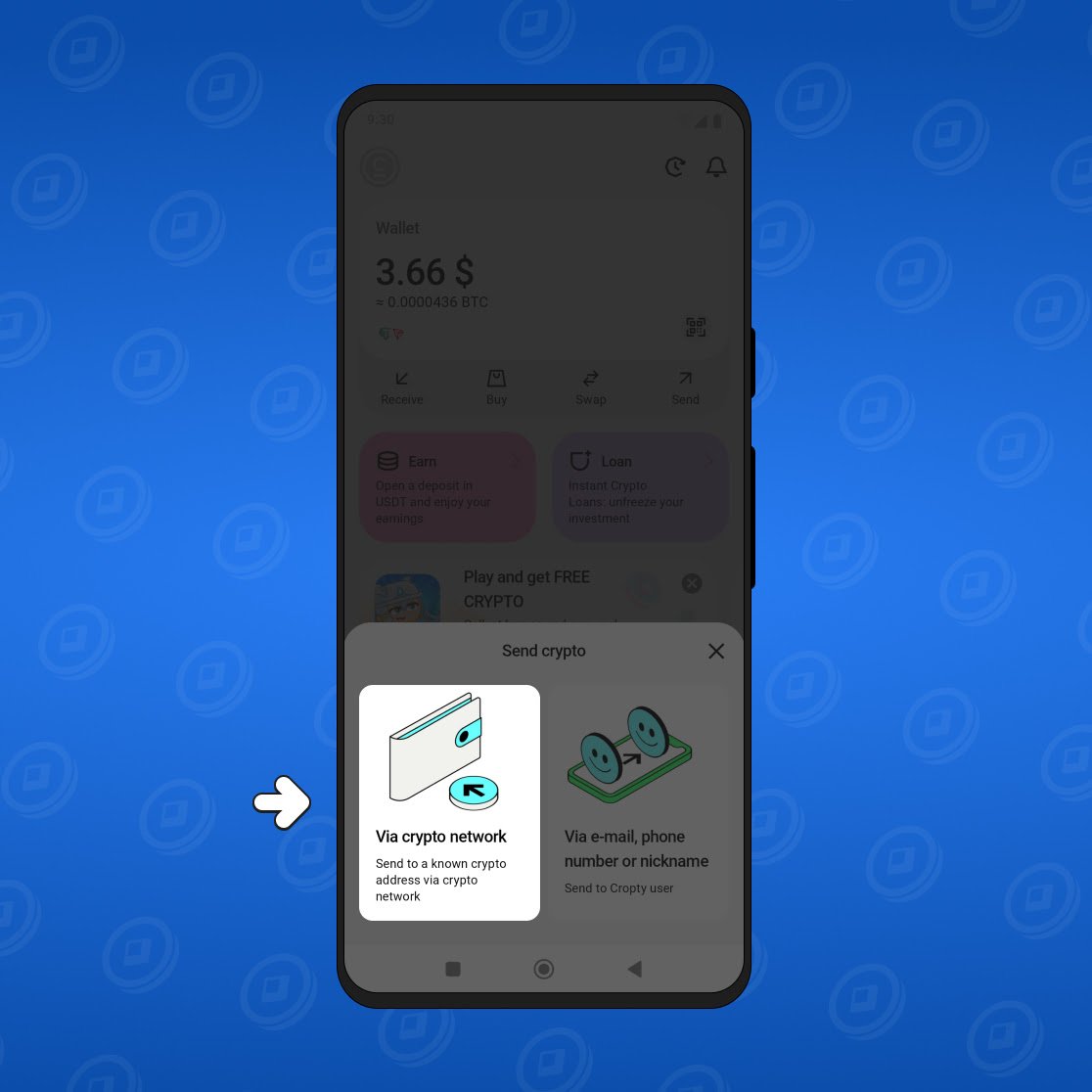
Next, choose a method of sending: "via crypto network".
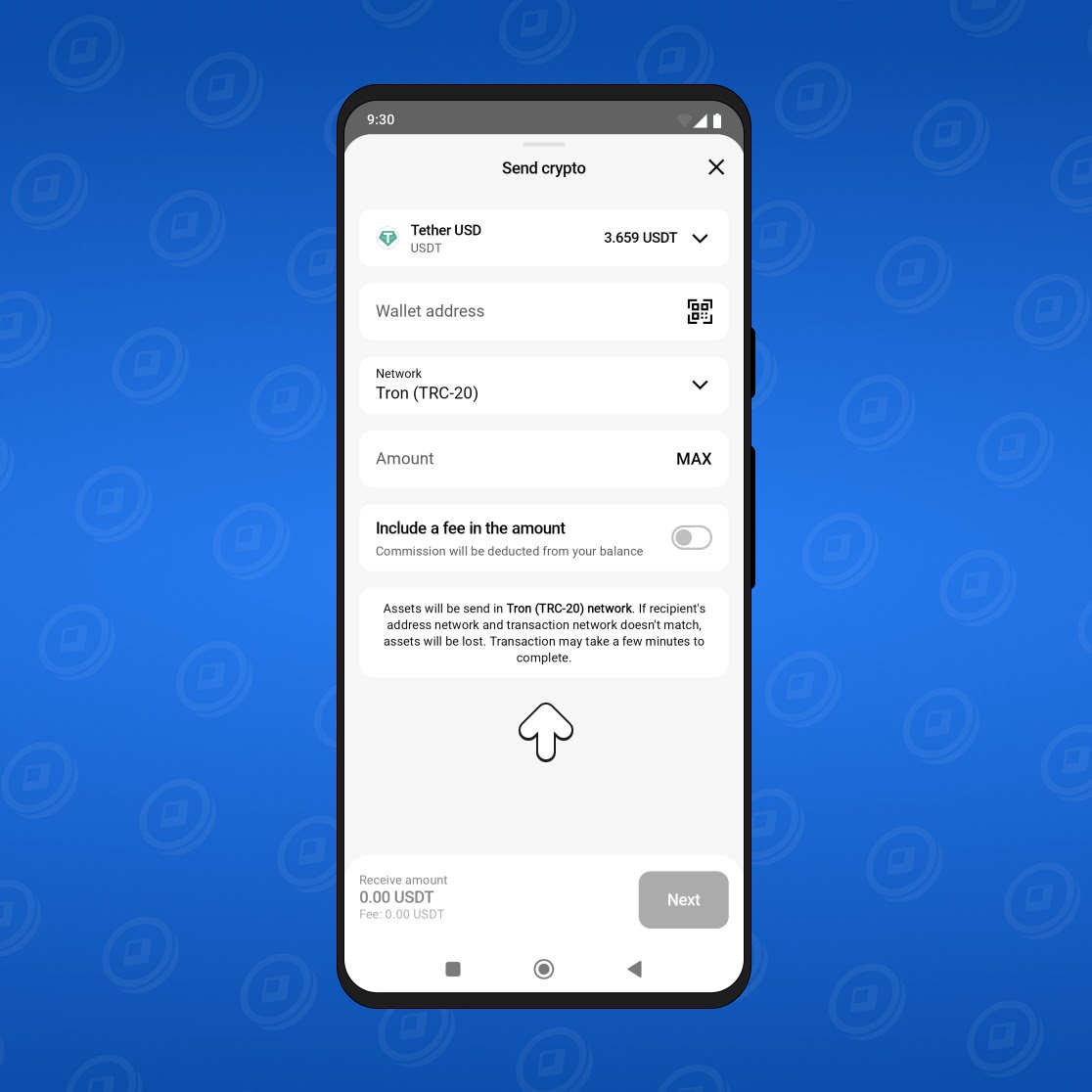
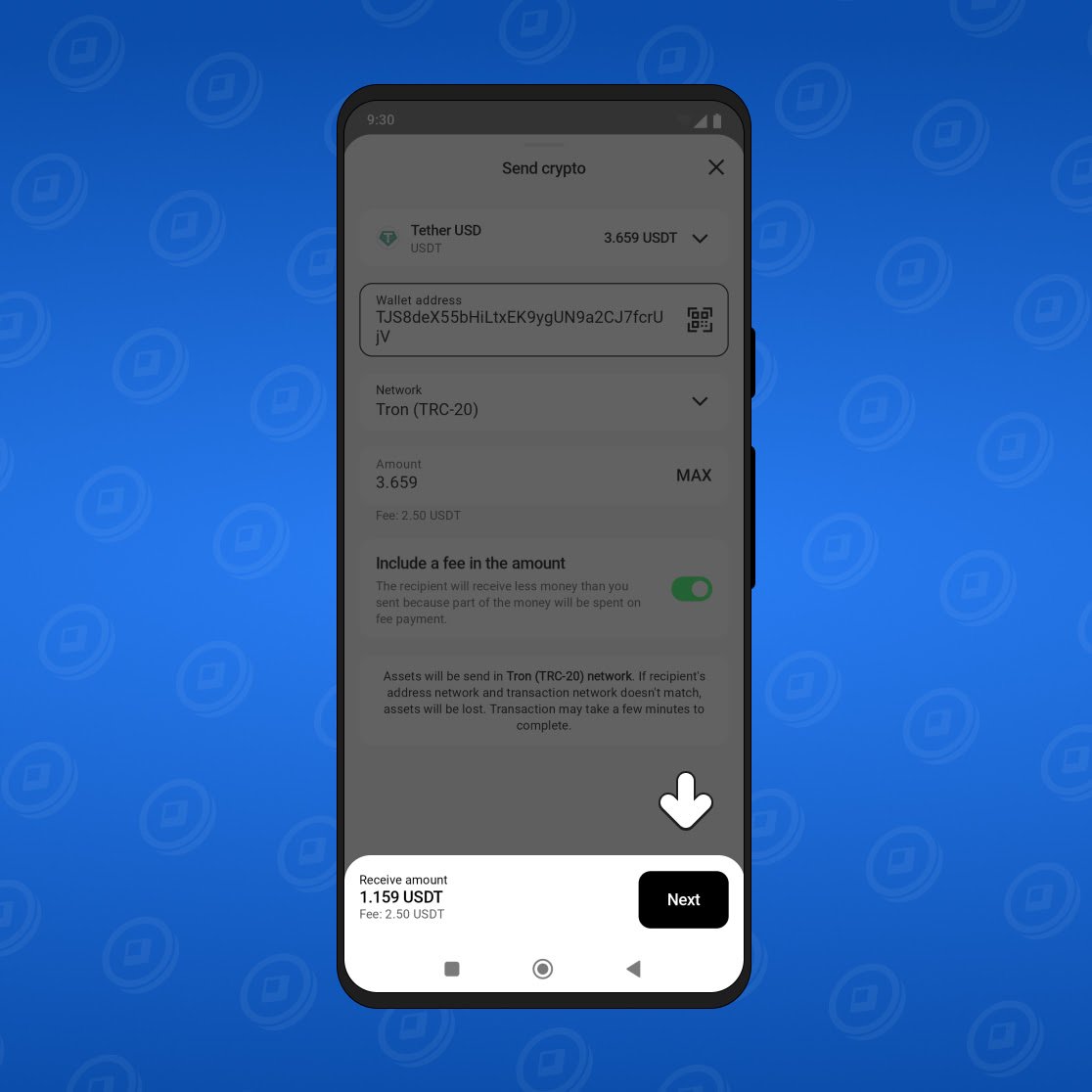
In the appeared window, enter the network, the wallet address to which you are sending funds, and the amount.
When all the data is entered, you will be able to complete the transaction.
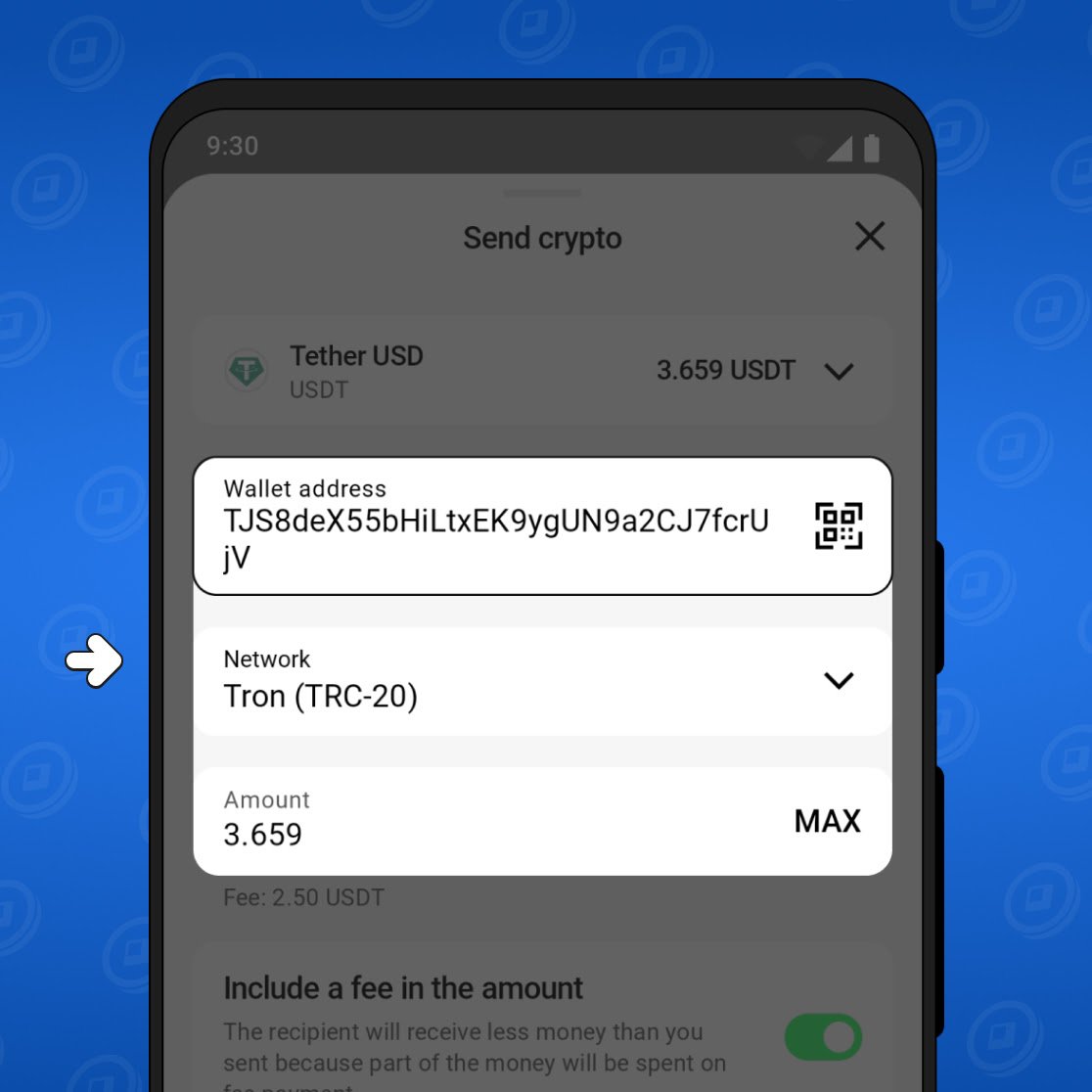
Click "Next."
Then you need to confirm the operation. A confirmation code will be sent to your email or in the Telegram messenger. Enter it in the box and click "Next."
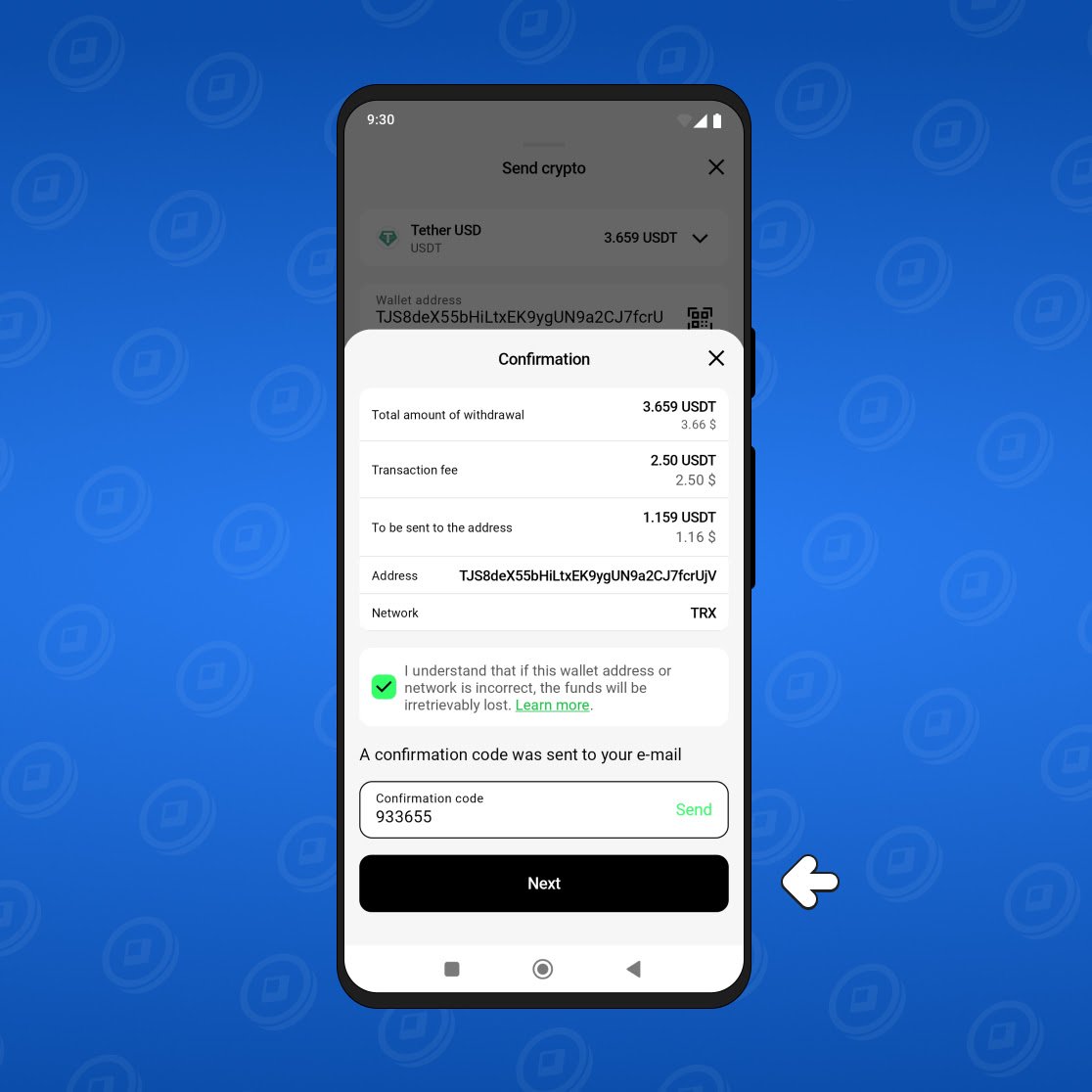
Done! The transfer has been completed, and the funds will soon be credited to the recipient's balance.
How to top up the wallet
You can easily top up your account directly in the Cropty Wallet app. Mainly, you need to follow these steps:
- Get your wallet address. To do this, go to the “Receive” section in the Cropty Wallet app and select the currency.
- Select a network for deposit.
- Check the accuracy of the entered data. Pay attention to the network and wallet address.
- Make a transfer. To do this, copy the Cropty cryptocurrency wallet address and use it when making the transfer from the exchange or a third-party exchanger.
Here is a video that will help you better understand how transfers work:
Read the instruction article with a detailed explanation of all the listed steps.
You can also create donation funds and thereby replenish your balance. You also have the option to customize a link in your profile and publish it on your social networks to collect more donations.
Organizations that accept cryptocurrency payments
- Red Cross
- Save the Children
- International Medical Corps
- Habitat for Humanity International
- Binance Charity
- The Giving Block
- Endaoment
- Khan Academy
- No Kid Hungry
- Give Directly
- Rainforest Foundation
- Children International
- Hefer international
- World Food Program
- Médecins Sans Frontières
- Refuge point
Conclusion
Making transactions with Cropty Wallet is very easy! Moreover, the operations themselves are performed very quickly, so you won't have to spend much time waiting.
Enjoy using the service!