
Basic and full verification
Mystique Fusion — a game in which transparency and integrity are top priorities. The business system is designed to create conditions for stable development and fair interaction among all players. To maintain a high level of security and minimize fraudulent activity, the game includes an identity verification procedure — verification.
Verification serves two key purposes:
- Protects users by ensuring the security of accounts and data. Basic verification is required to complete the qualification!
- Ensures the integrity of the affiliate network and prevents fraud and artificial manipulation of structures. Full verification is required to attain the Sapphire rank!
Mystique Fusion offers two verification levels: basic and full (extended). Each serves its own purpose and unlocks the corresponding features.
Basic verification
Verification is required to ensure that you are a real and motivated participant in our partnership program and genuinely want to build a business with us.
Additionally, once you complete verification, we will be able to better protect your account from unauthorized access and help restore it if any issues arise.
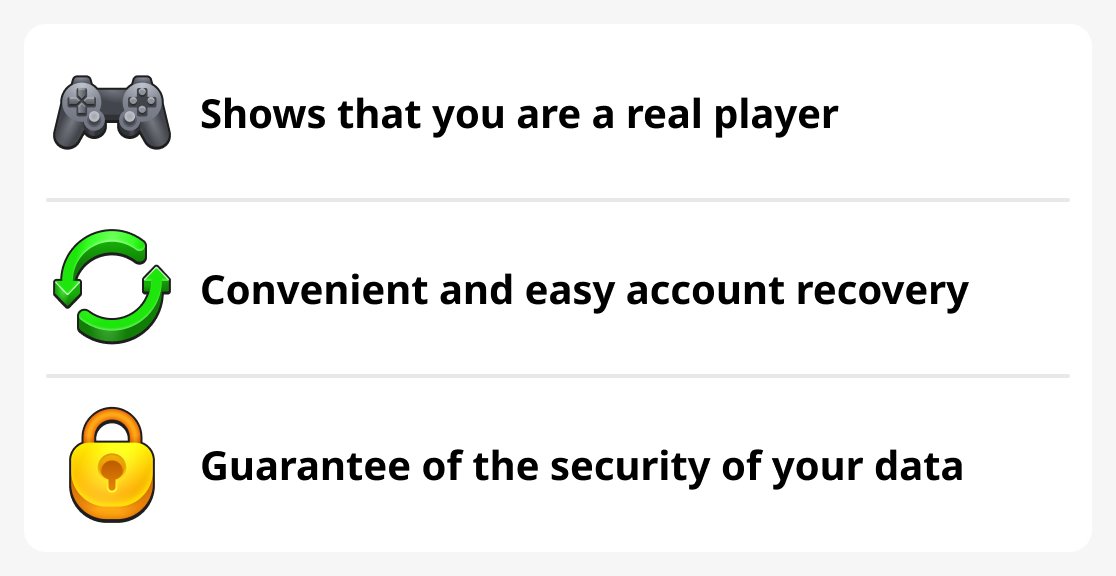
Important! We guarantee that your data will not be shared or used for any purposes other than protecting your account.
How to complete basic verification
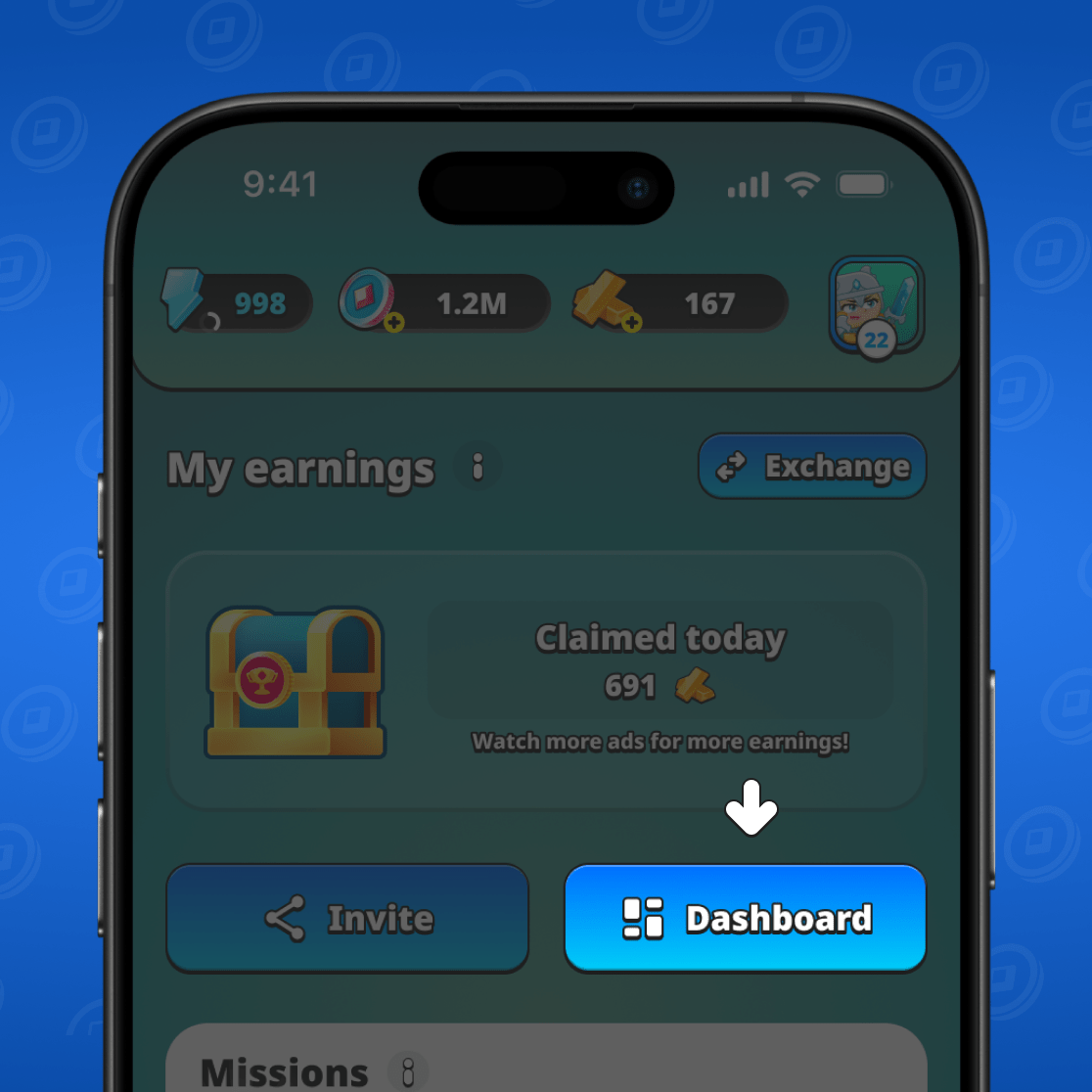
To complete verification, first log into the game, go to the BIZ section, and select "Dashboard".
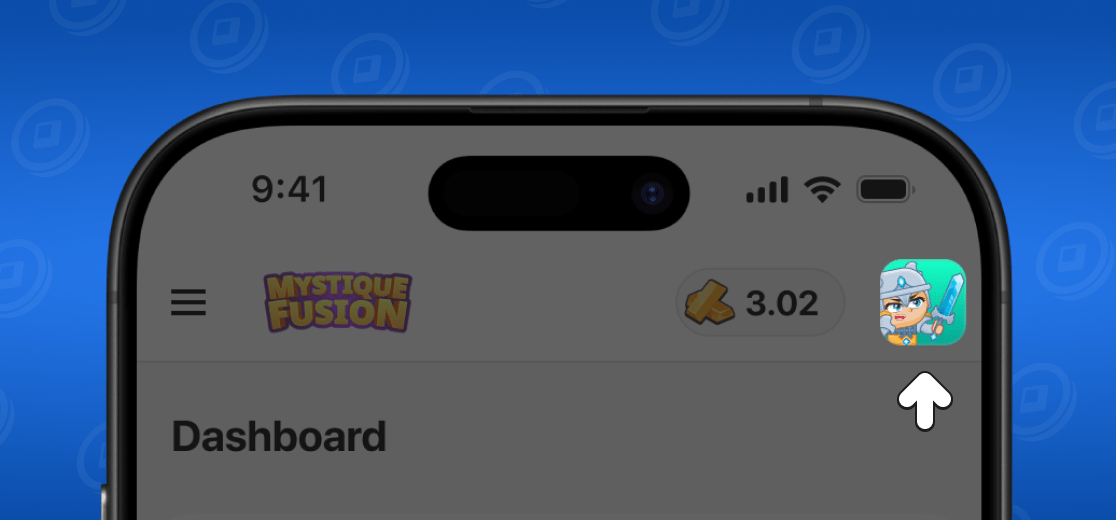
Once you open the dashboard, click on your profile.
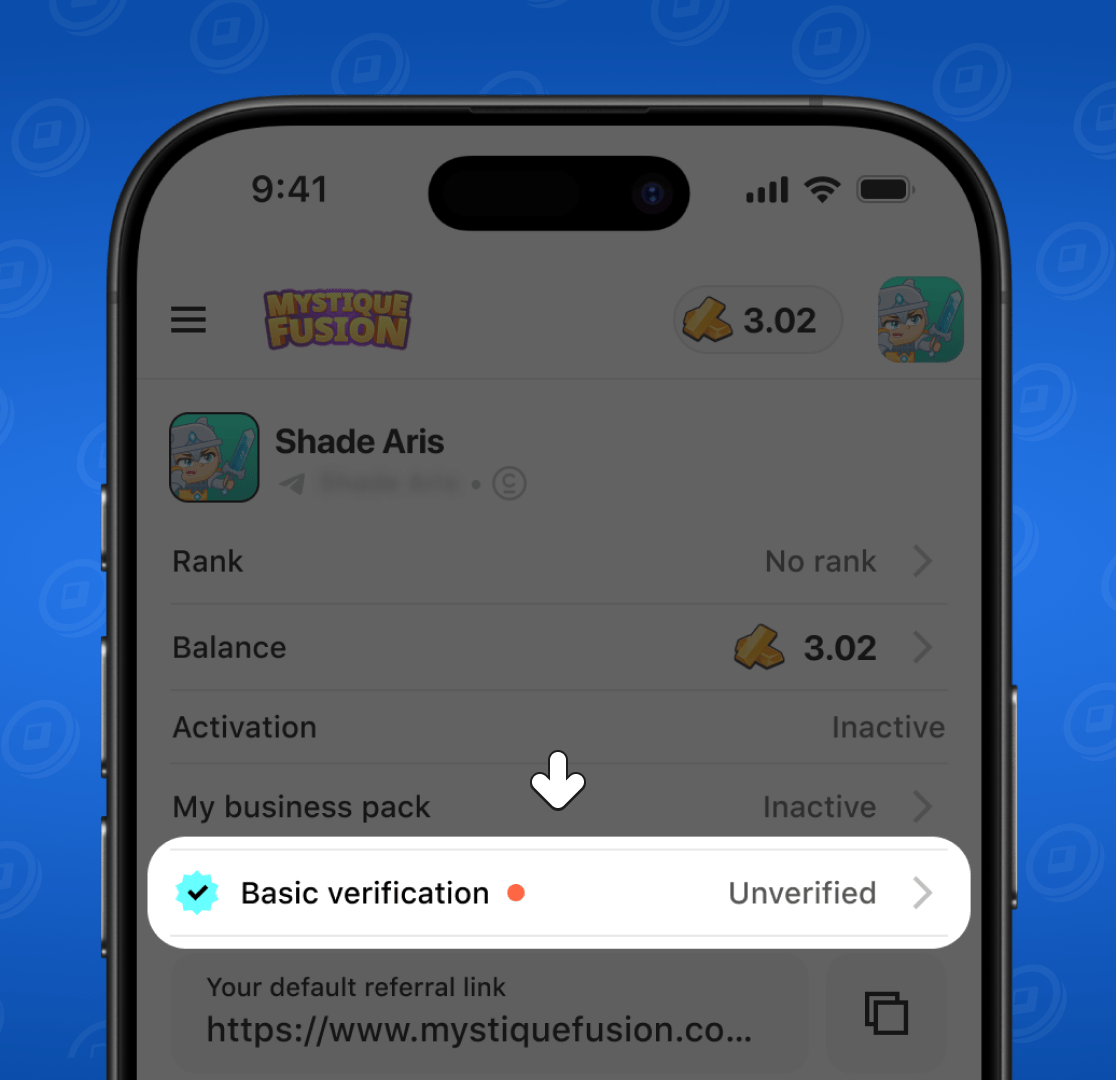
You will see an additional menu. Select "Basic verification".
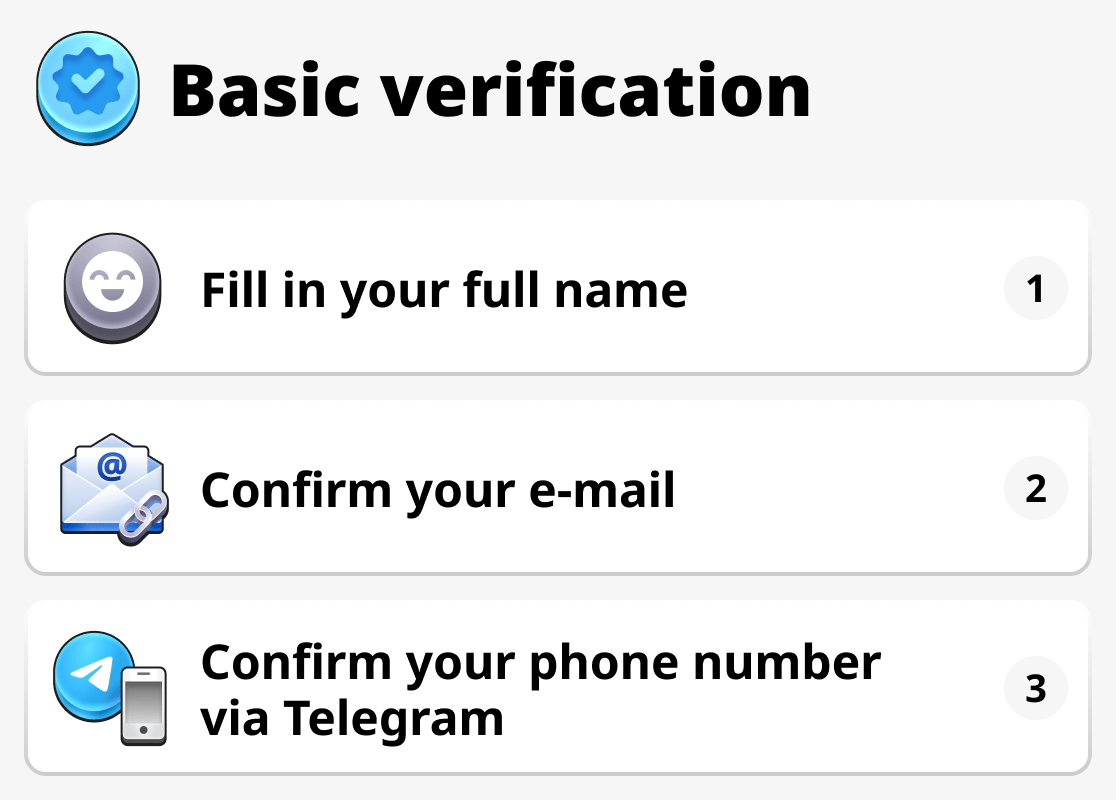
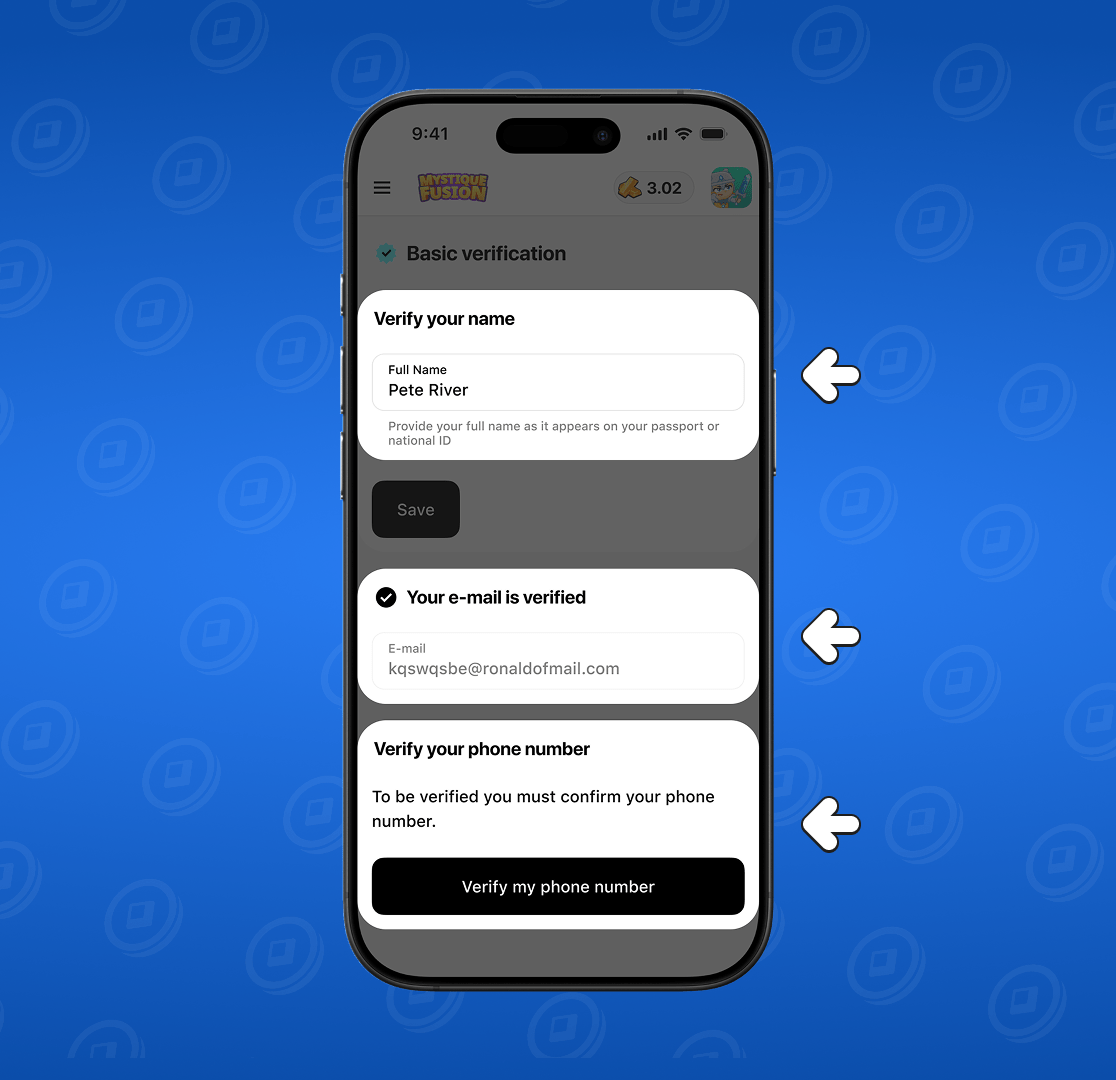
You need to complete three main steps:
1. Enter your full name exactly as it appears on your ID.
2. Confirm your email address.
If you haven't linked an email address to Cloud Save, just enter your email in this box, get a code sent to your mailbox, and then enter the code in the corresponding box.
3. Confirm your phone number.
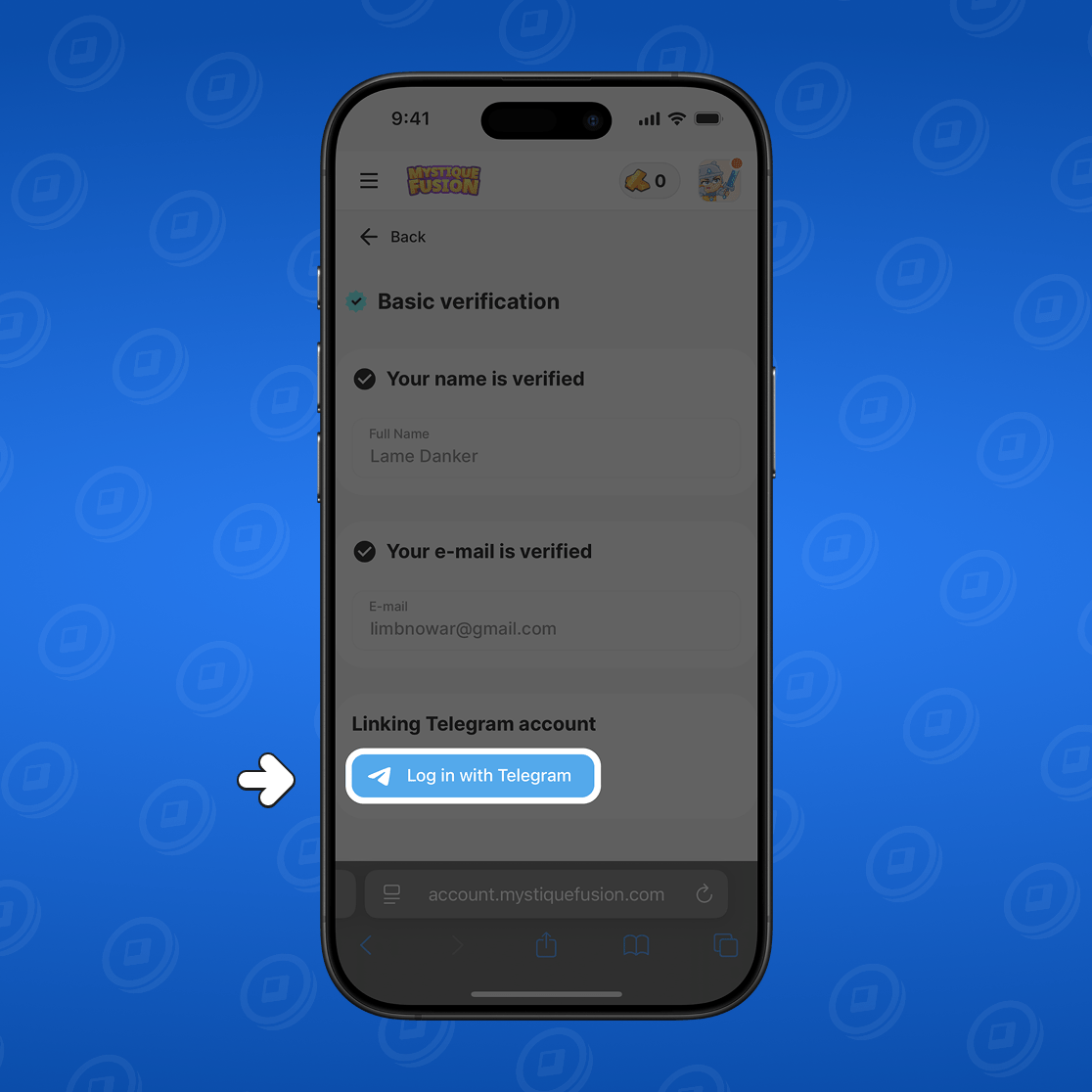
First you'll be prompted to connect Telegram if you haven't done so yet. This is necessary to verify your phone number, which is a required part of the verification process.
First, log in to your Telegram account through the dashboard.
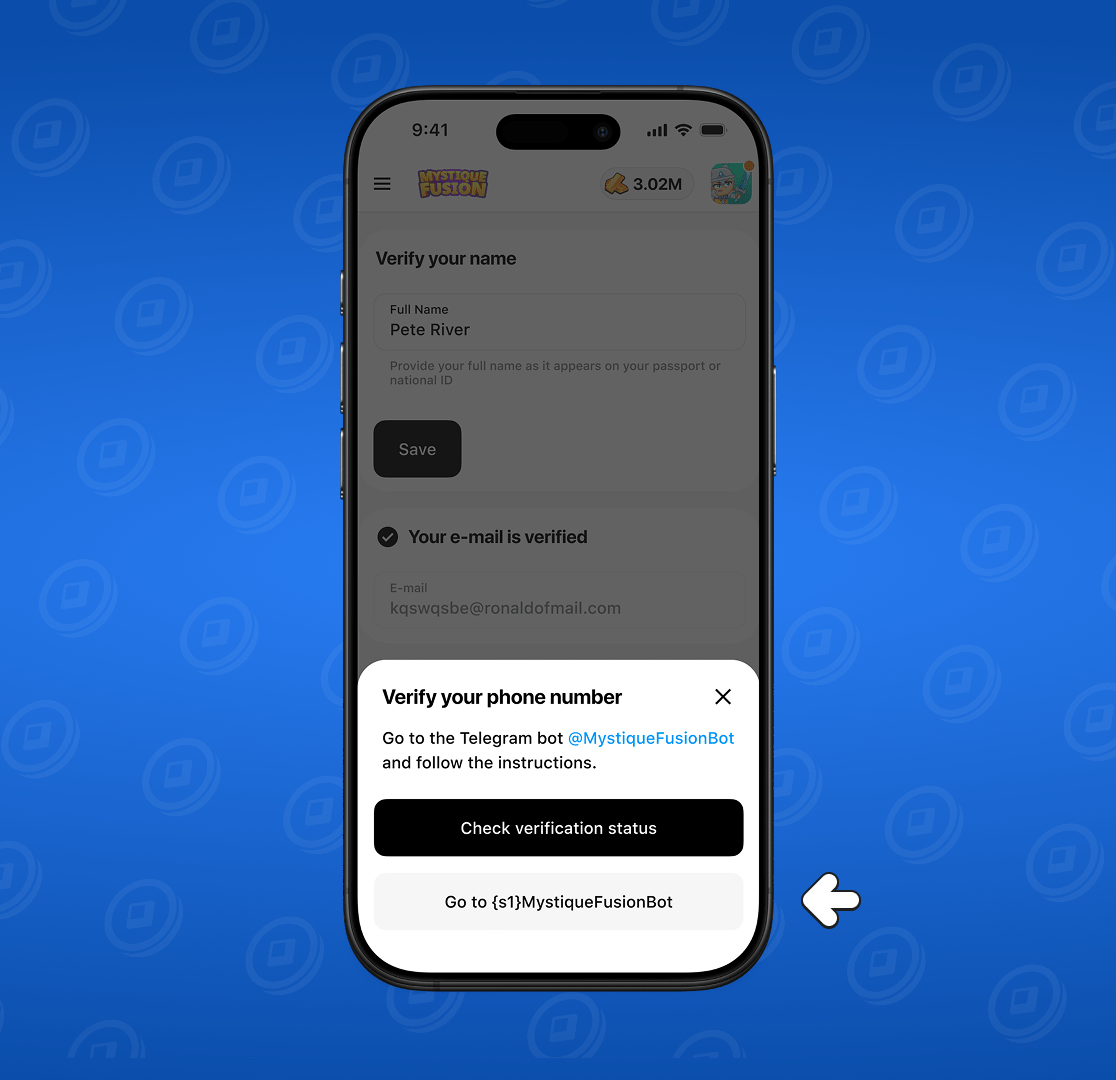
After signing in, a new window will appear. Click the "Verify my phone number" button.
Next, click "Go to MystiqueFusionBot".
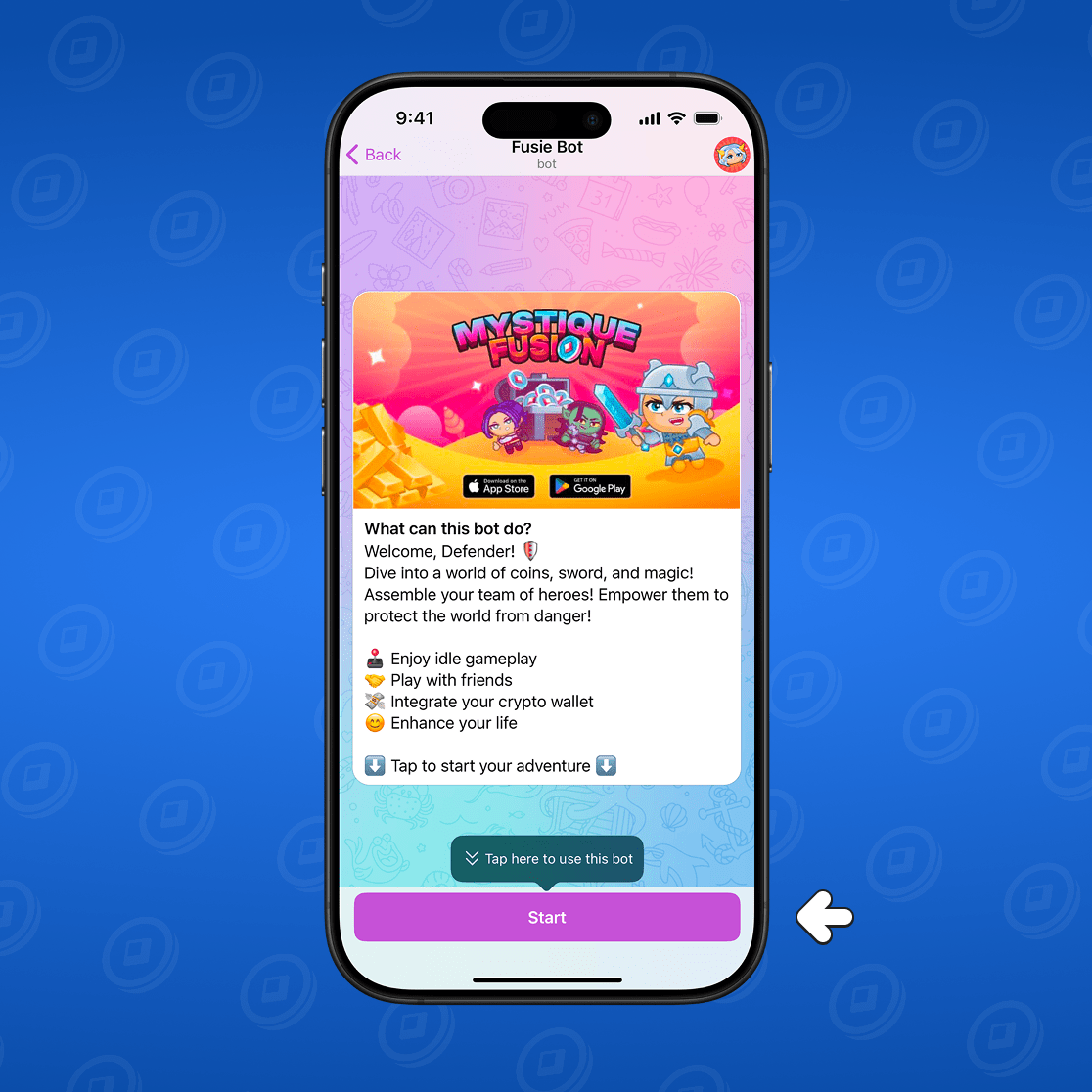
To start a conversation with the bot, click "Start".
In the chat with the bot, select "Send my phone number" below the message input box.
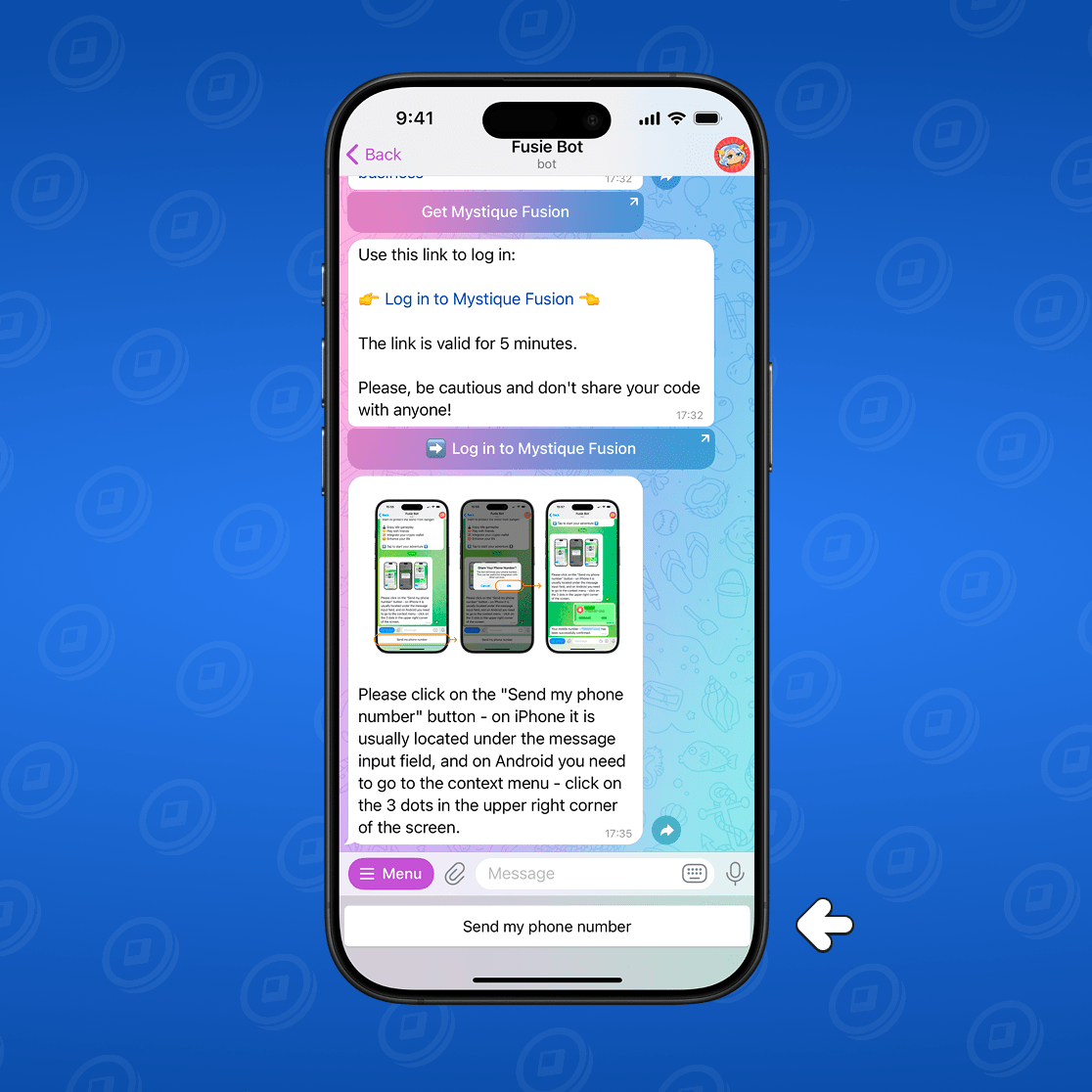
Important for Android users: You can also send your phone number by tapping the three dots in the top-right corner of the screen in the chat with the bot and selecting "Share number".
Done! Your phone number has been verified, and basic verification is complete!
Full (Extended) Verification
Full verification is the next level of security and trust. It is required for everyone who aims to build a network, scale their income, and advance further up the business ranks. To obtain the Sapphire rank in our partner program, completing full verification is mandatory!
How to complete full verification
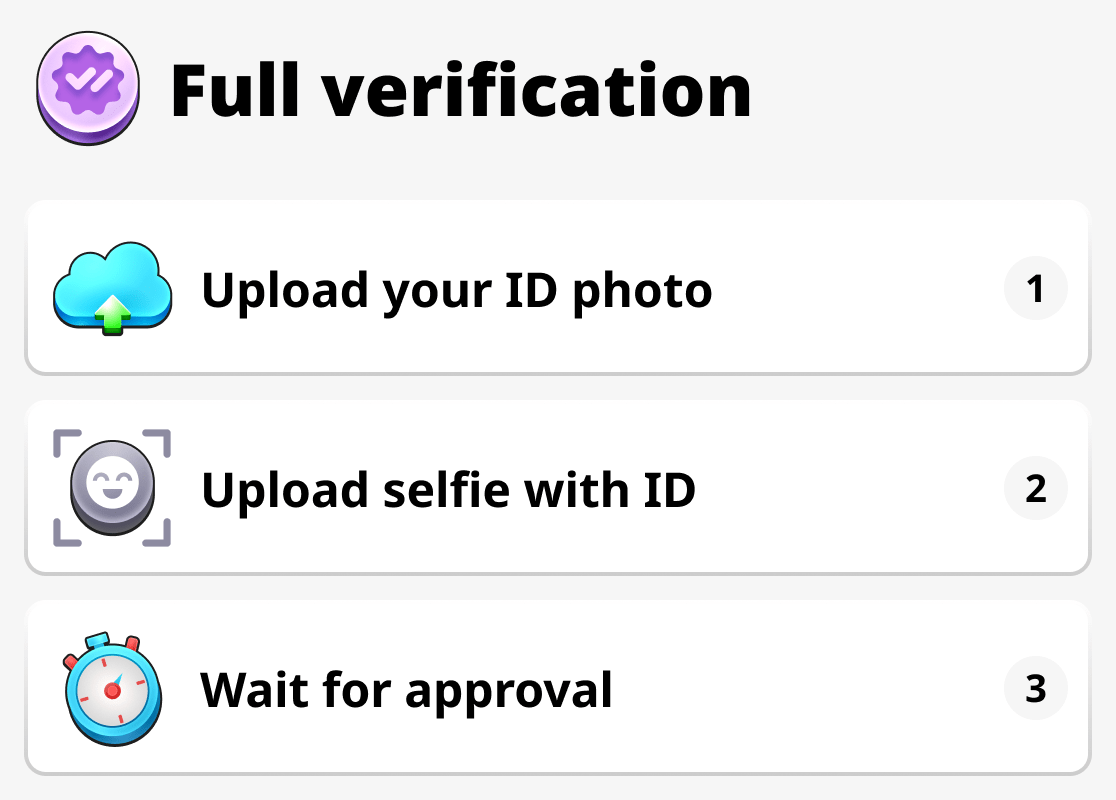
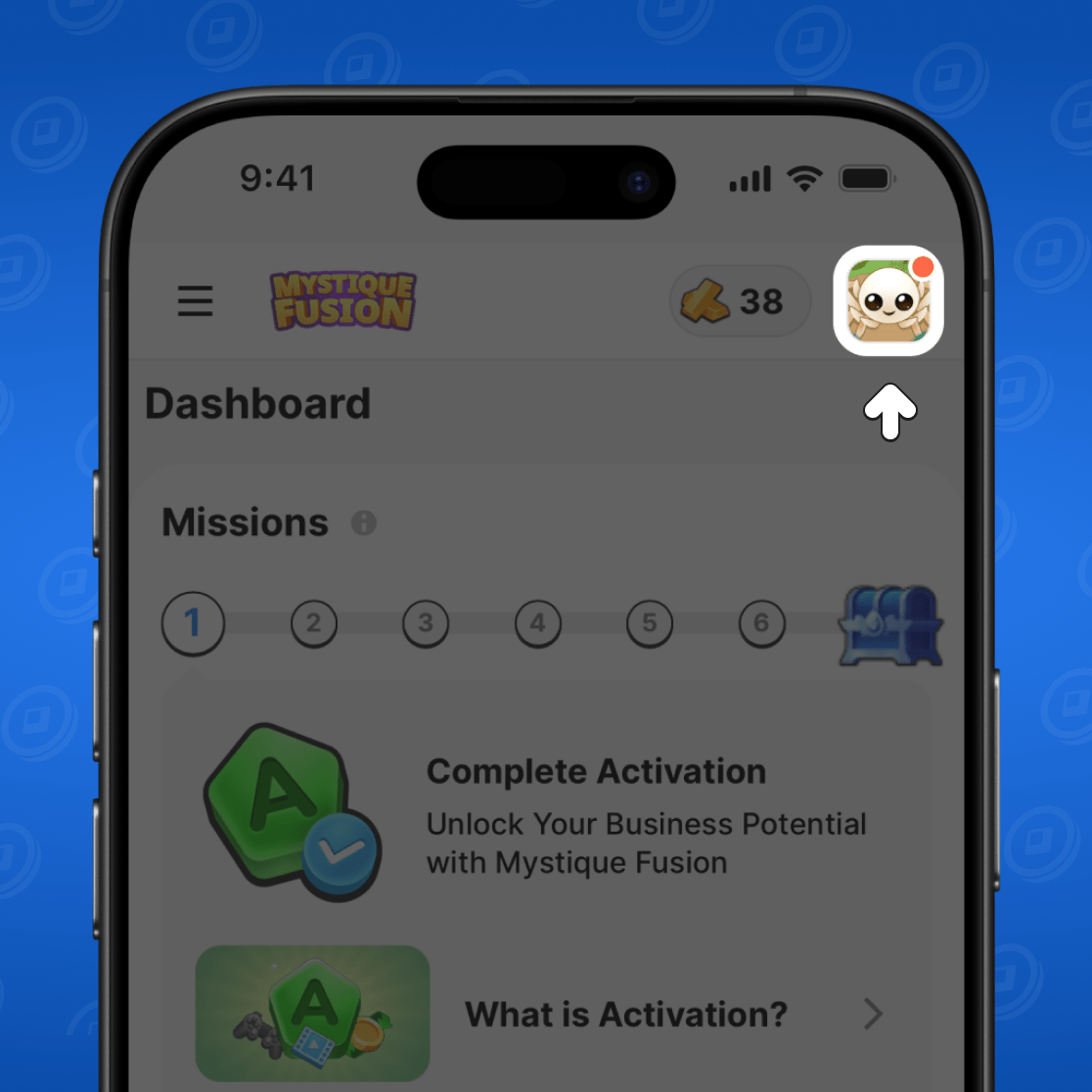
Click on your profile in the Dashboard.
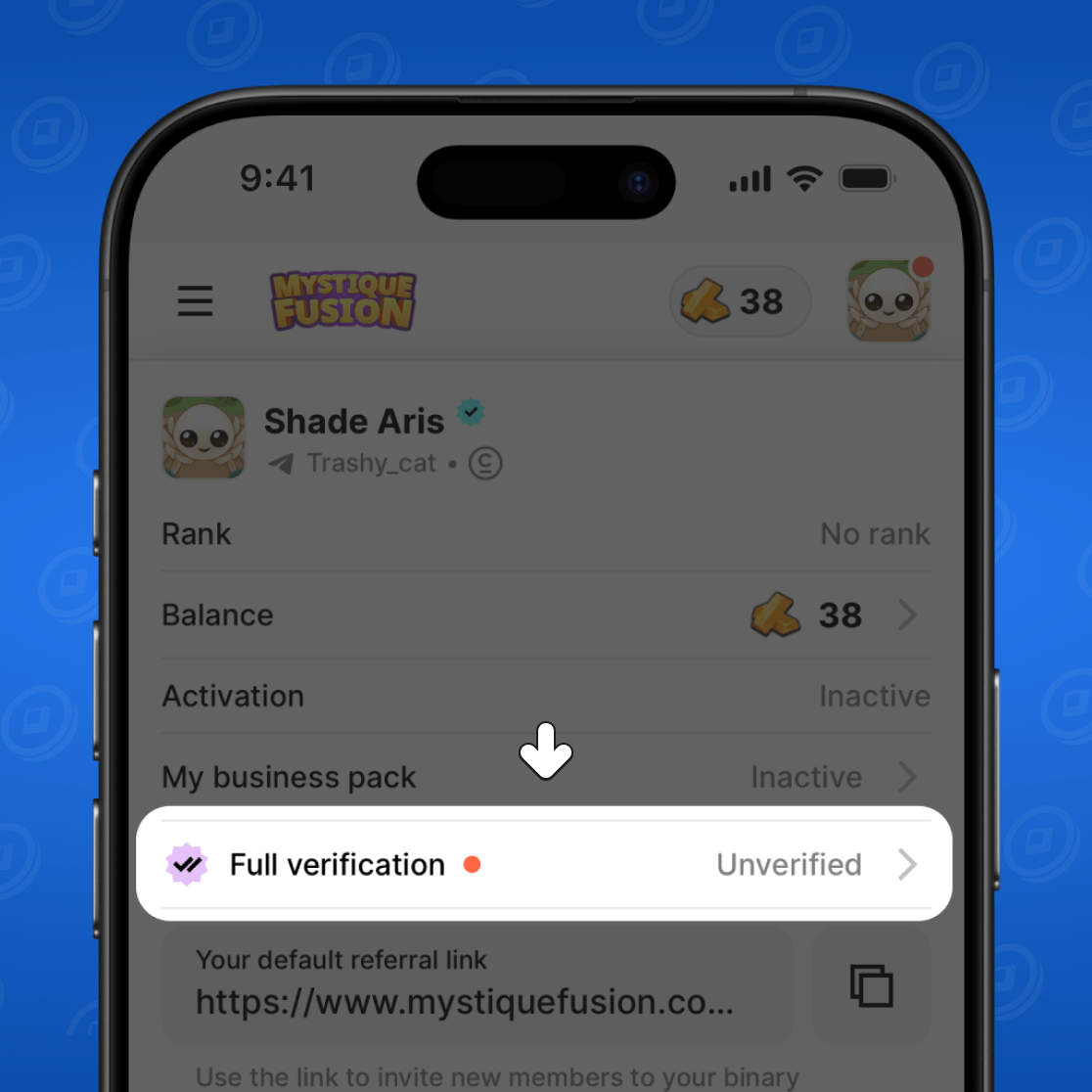
Then click on "Full Verification".
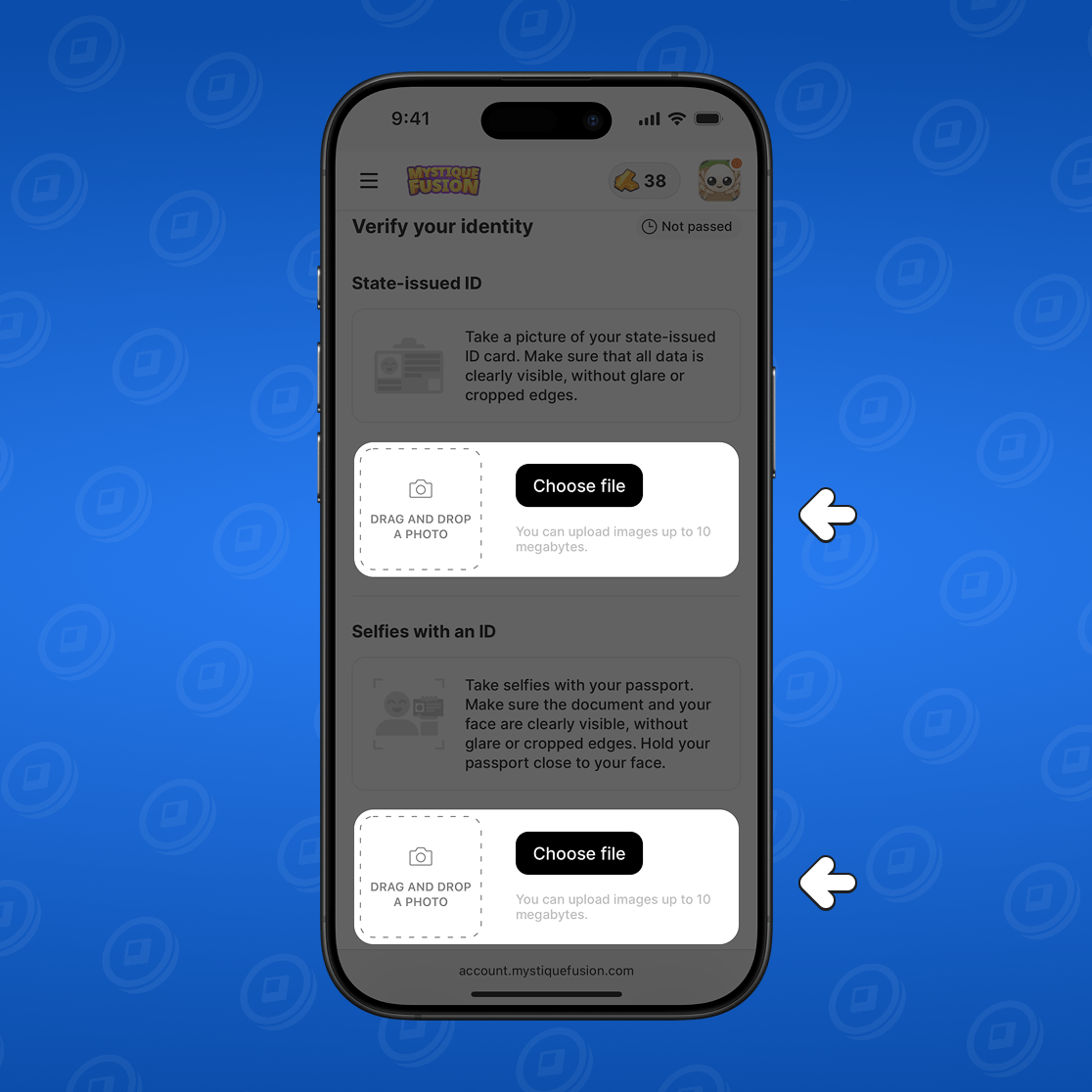
Upload a photo of your ID and a selfie with it.
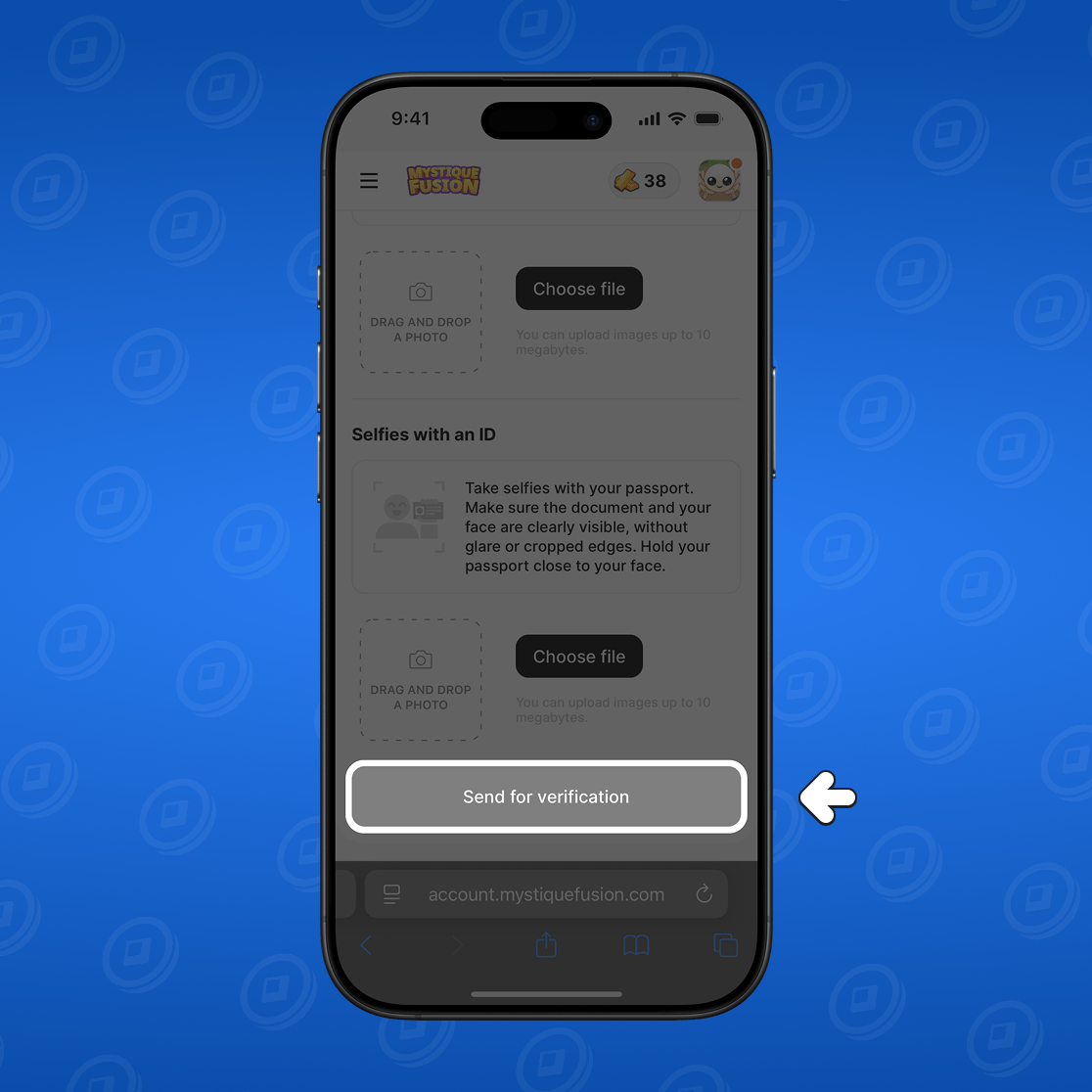
Click "Send for verification".
Wait for confirmation. Sometimes this takes several days.
We do not share your data with third parties!
Conclusion
Verification on Mystique Fusion — it’s not just a data check. It’s part of the ecosystem that helps maintain a fair and sustainable business structure, protect users, and ensure the fair distribution of bonuses.
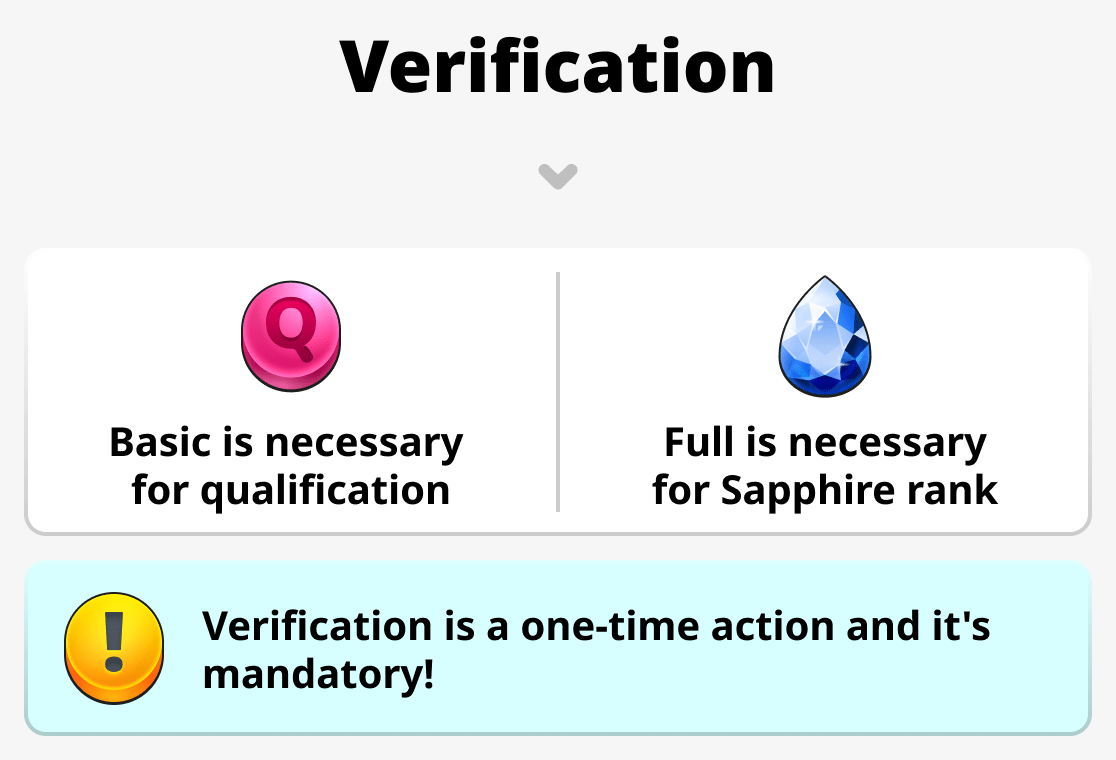
- Basic verification allows you to protect your profile and unlocks access to basic business tools. With it you can get a business status and the first Onyx rank!
- Full verification is the key to further development. By completing it, you will be able to obtain the Sapphire rank, where you will receive more Mystic Gold. You will also be able to reach a new level of interaction with partners!
If you want not just to play but to build a stable and reliable business in Mystique Fusion, completing both levels of verification is required!