
Clans and clan battles
Clans in Mystique Fusion allow players to team up and fight other clans on the battlefield. It is one of the key mechanics available to all players from the very start.
By joining a clan, you can find like-minded allies and conquer the world of Mysteria together! And if you want to try your hand as a true commander — create a clan, gather strong fighters, and carve a path to riches!
All about clans
How to join a clan
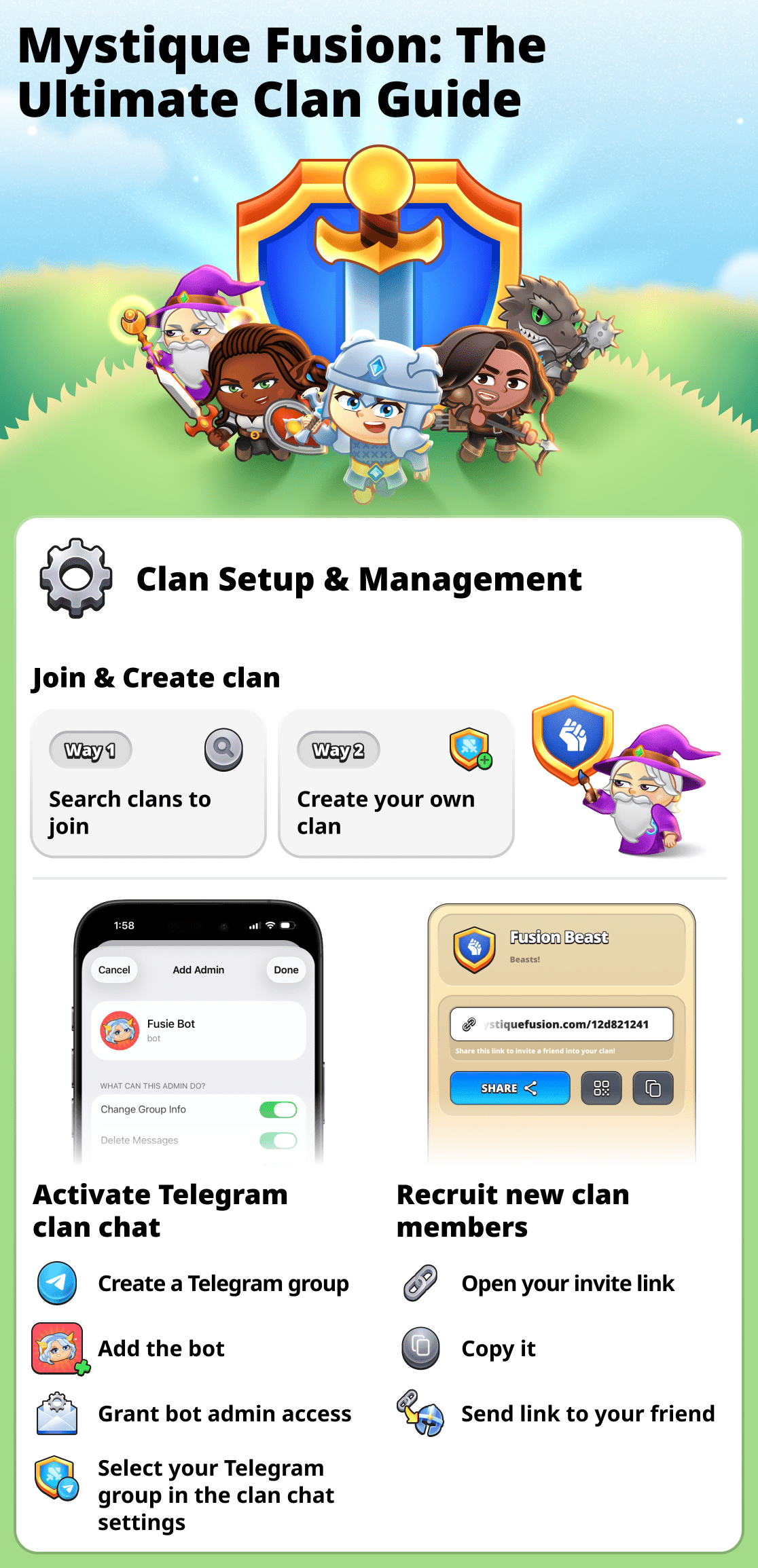
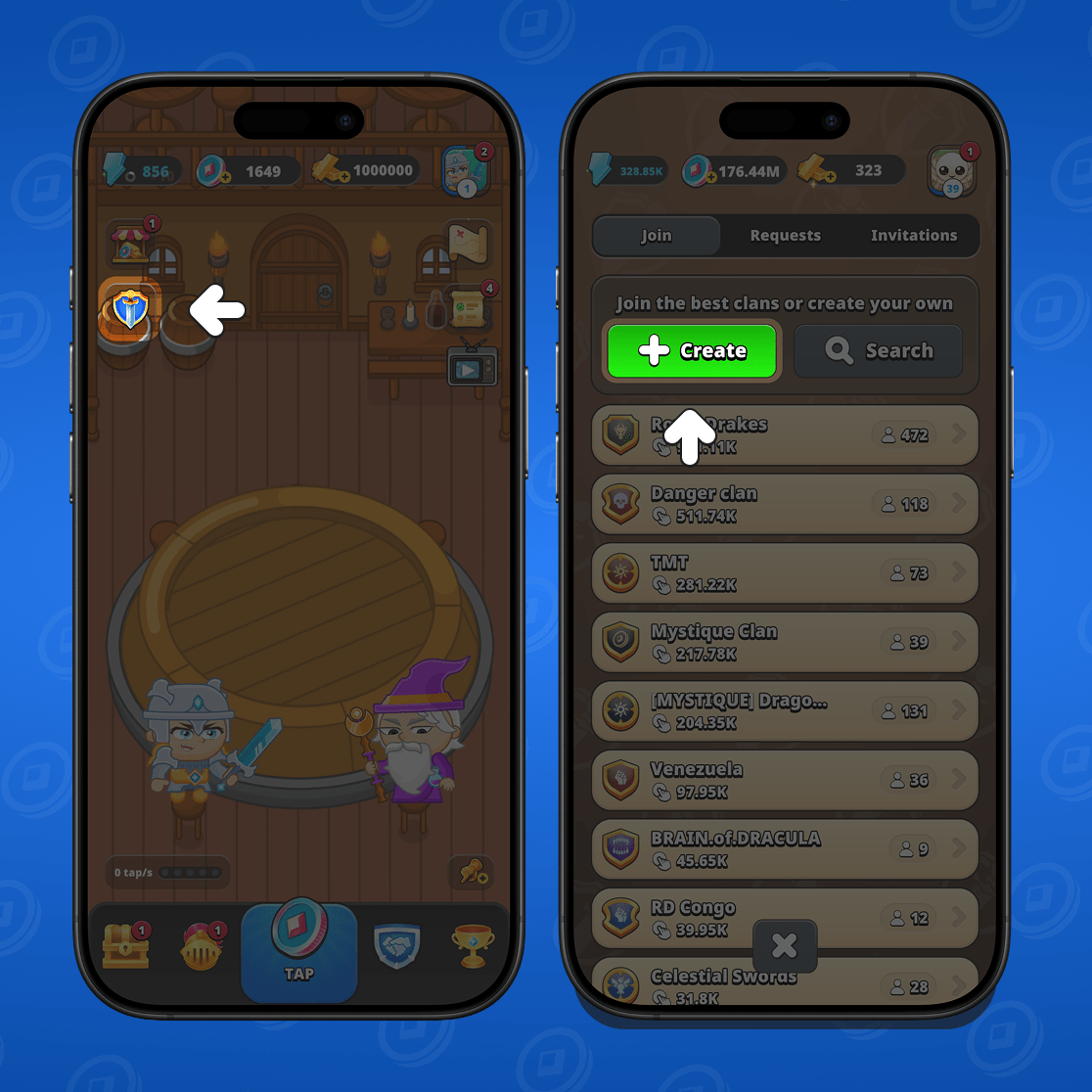
To join a clan, find a suitable one in the list of existing clans. On the game's main screen, go to the "clans" section.
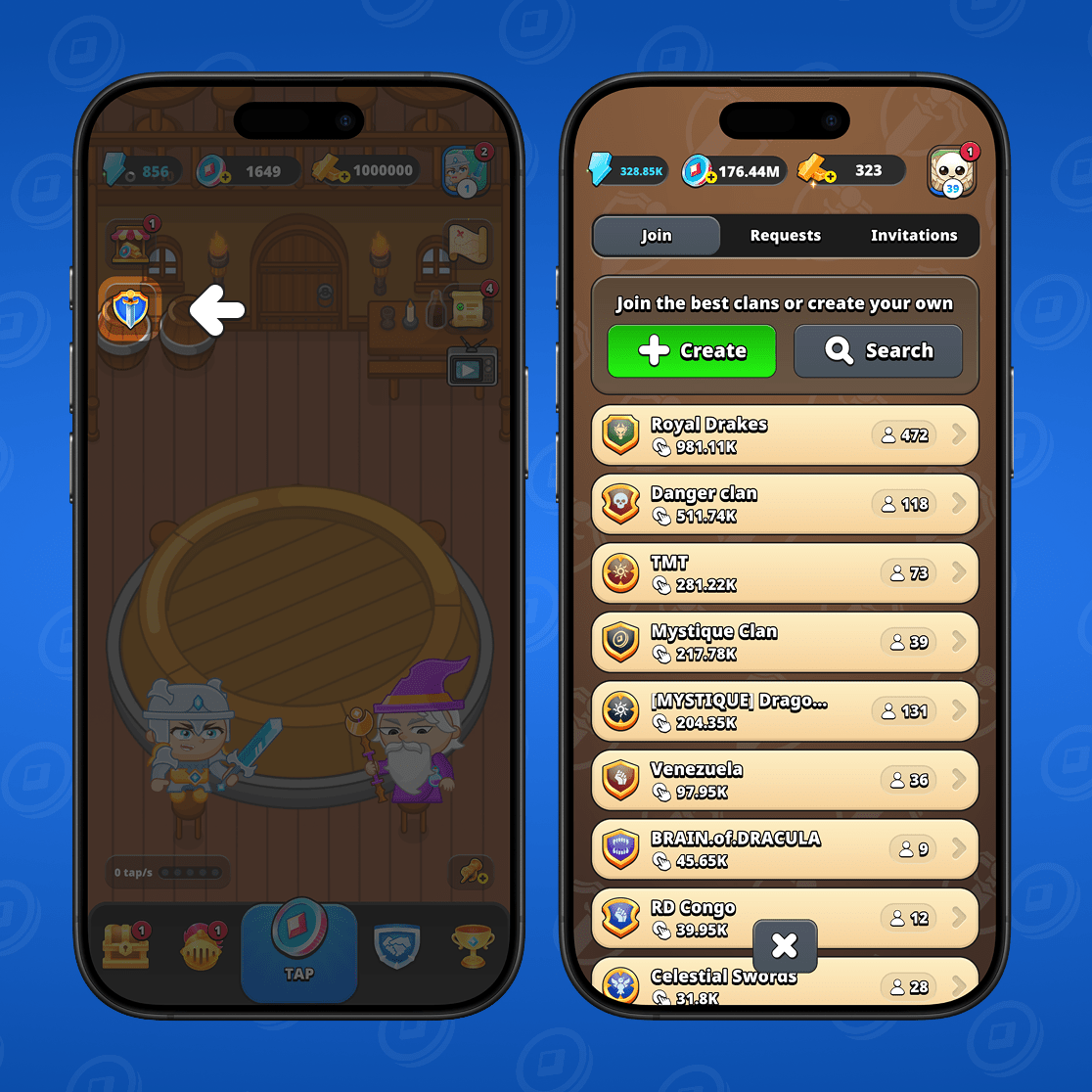
You will see the full list of clans. You can choose any clan to view its information or use the search to find a specific clan by name.
When you open the clan card, you will see all information about it. You will be able to find out:
- How does the clan perform in battles;
- What is the total tap power of all clan members;
- How many total members are there in the clan;
- what kind of clan is it (open or closed);
- What profile level do you need to join.
After reviewing the information, if the clan suits you, simply click "join clan".
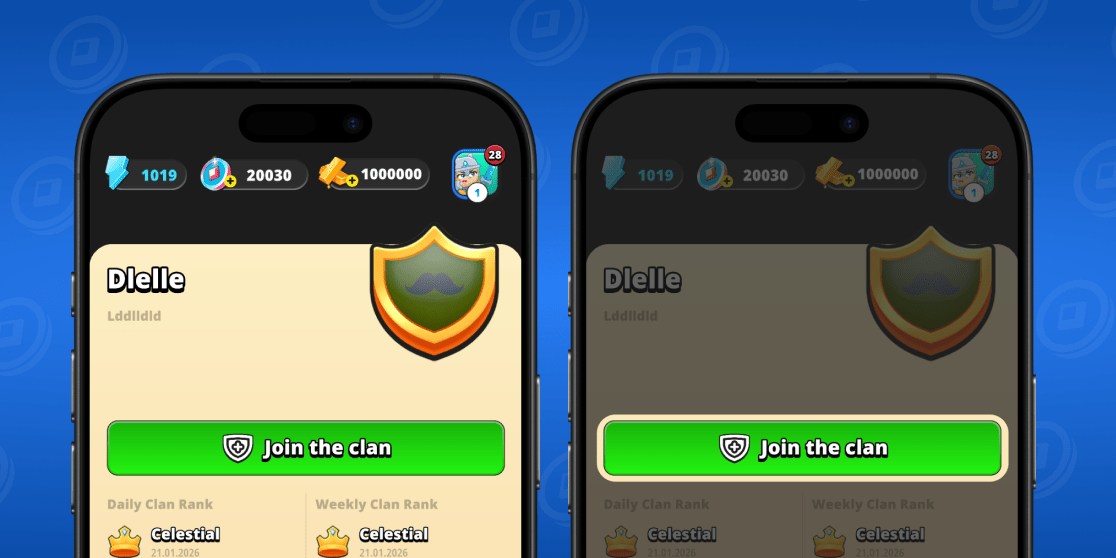
If the clan is open, you meet the requirements and there are available spots, you will immediately become a member of the clan. If the clan is closed, your request to join will be sent to the clan leader. After the leader reviews and accepts the request, you will become a member.
How to send a gift to a clan member
You can send a gift to another member of your clan. It can be Fusion Coins, Mystic Gold, keys, or hero shards.
To send a gift, open your clan's menu. Then click the gift icon next to the clan member.
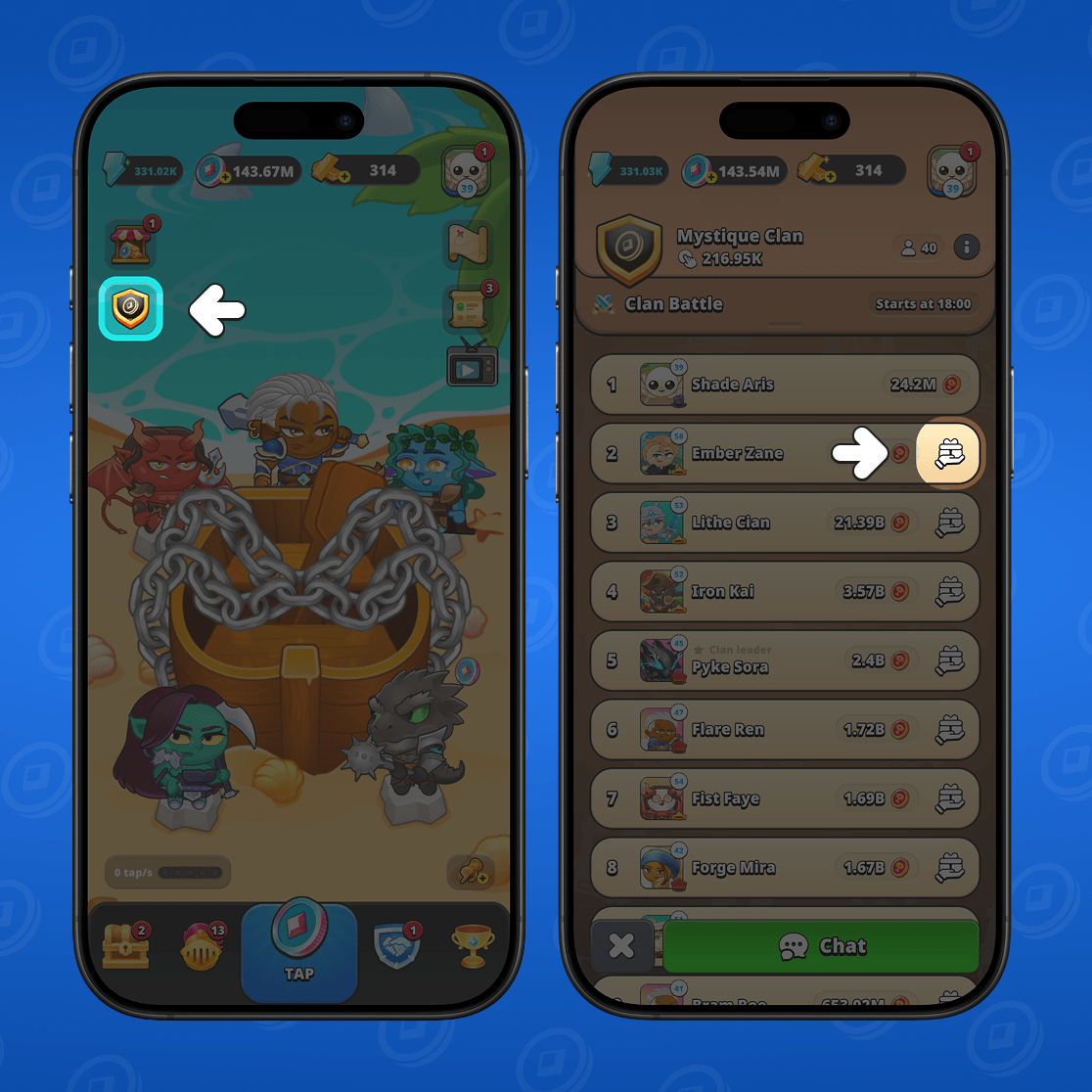
Select the type of resource you want to send and the amount, then click "send".
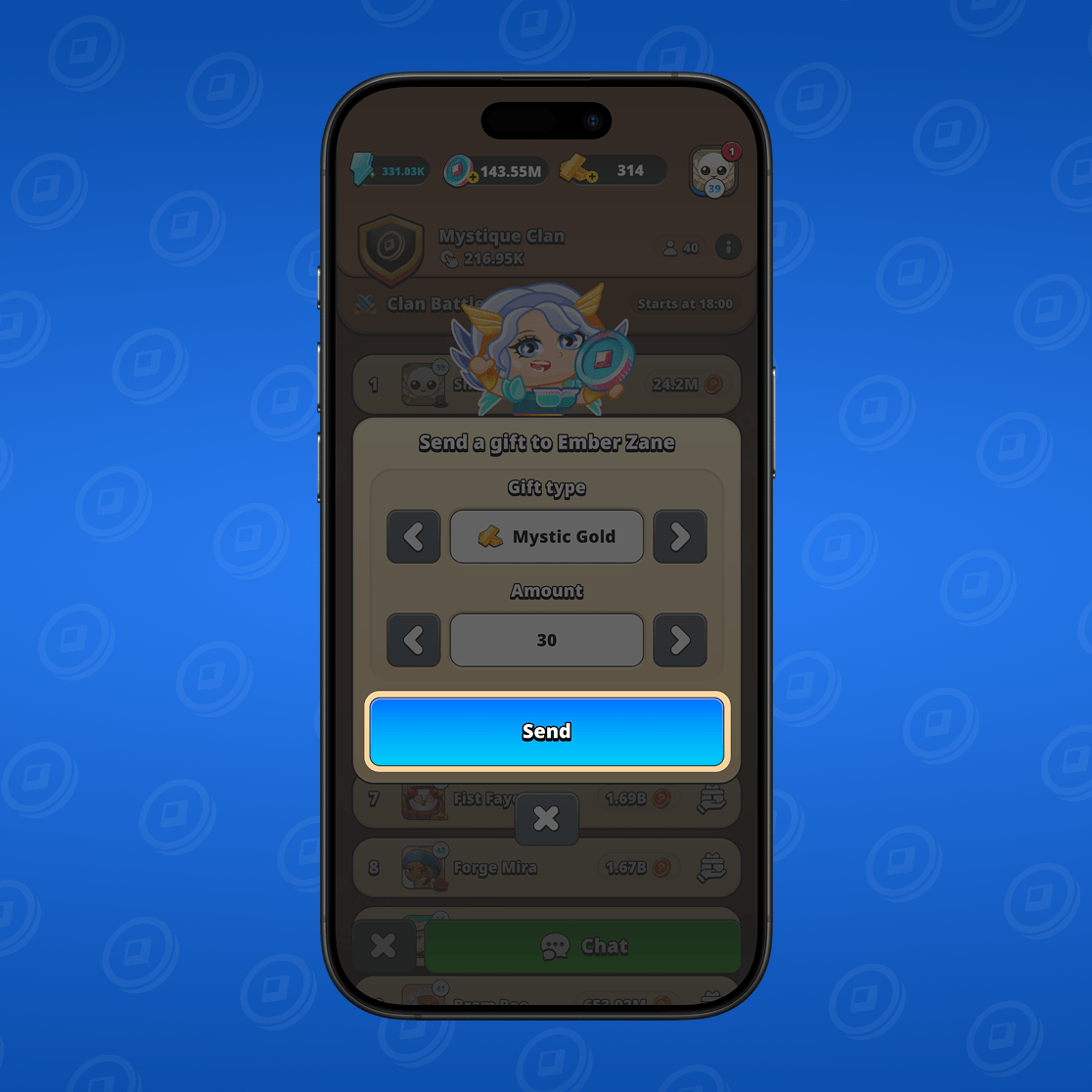
Done! The gift will be sent to the recipient.
How to leave the clan
If you want to leave the clan, go from the game's main menu to the "clans" section. Then go to the clan information.
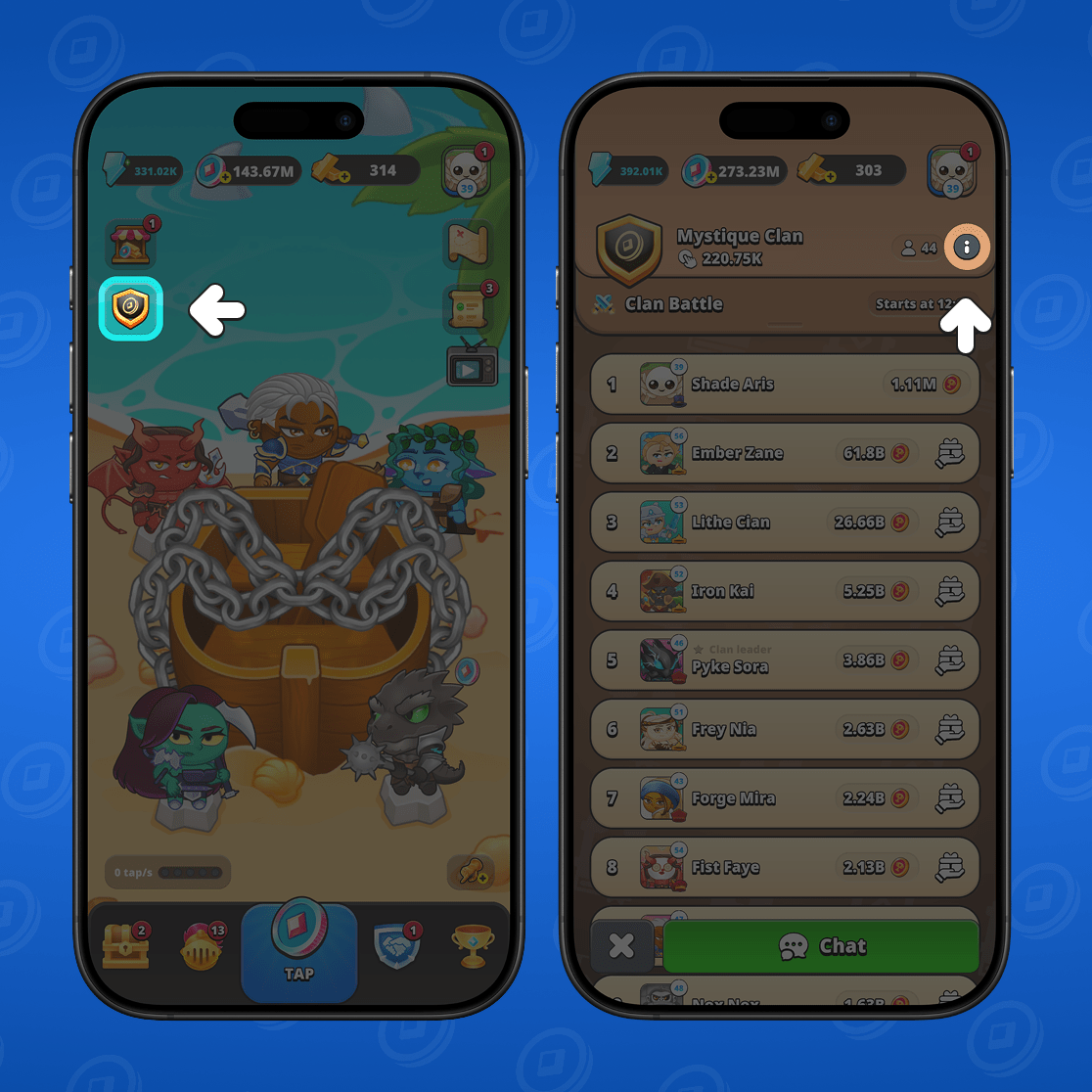
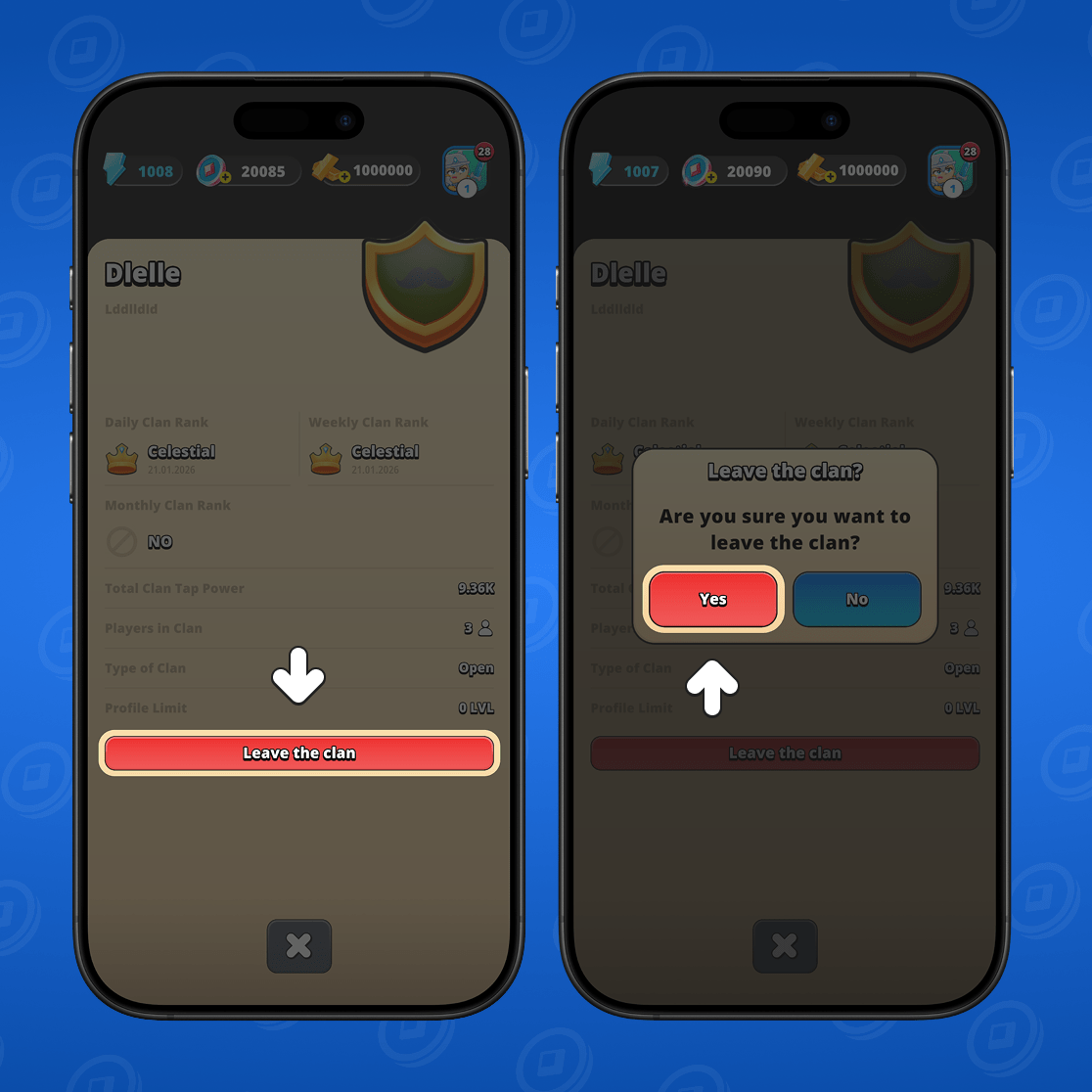
The clan card will open. Select "leave clan". Then click "yes" in the confirmation window.
How to create a clan
If you've decided to create your own clan, first, from the game's main window, go to the "clans" section. Then choose "create".
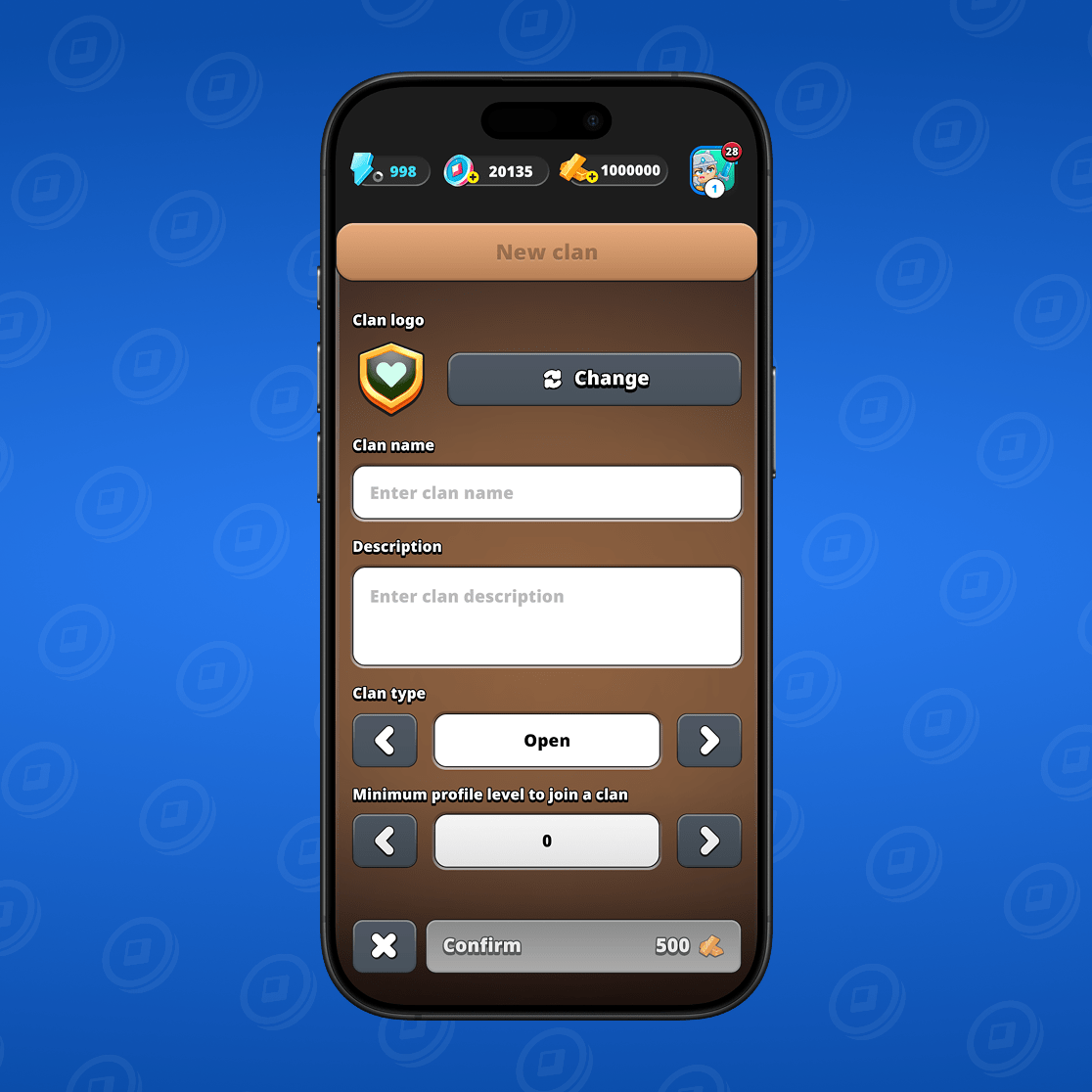
The clan creation window will open. Enter a name, customize the emblem, enter a short description, choose the clan type (closed or open), and specify the minimum player profile level required to join.
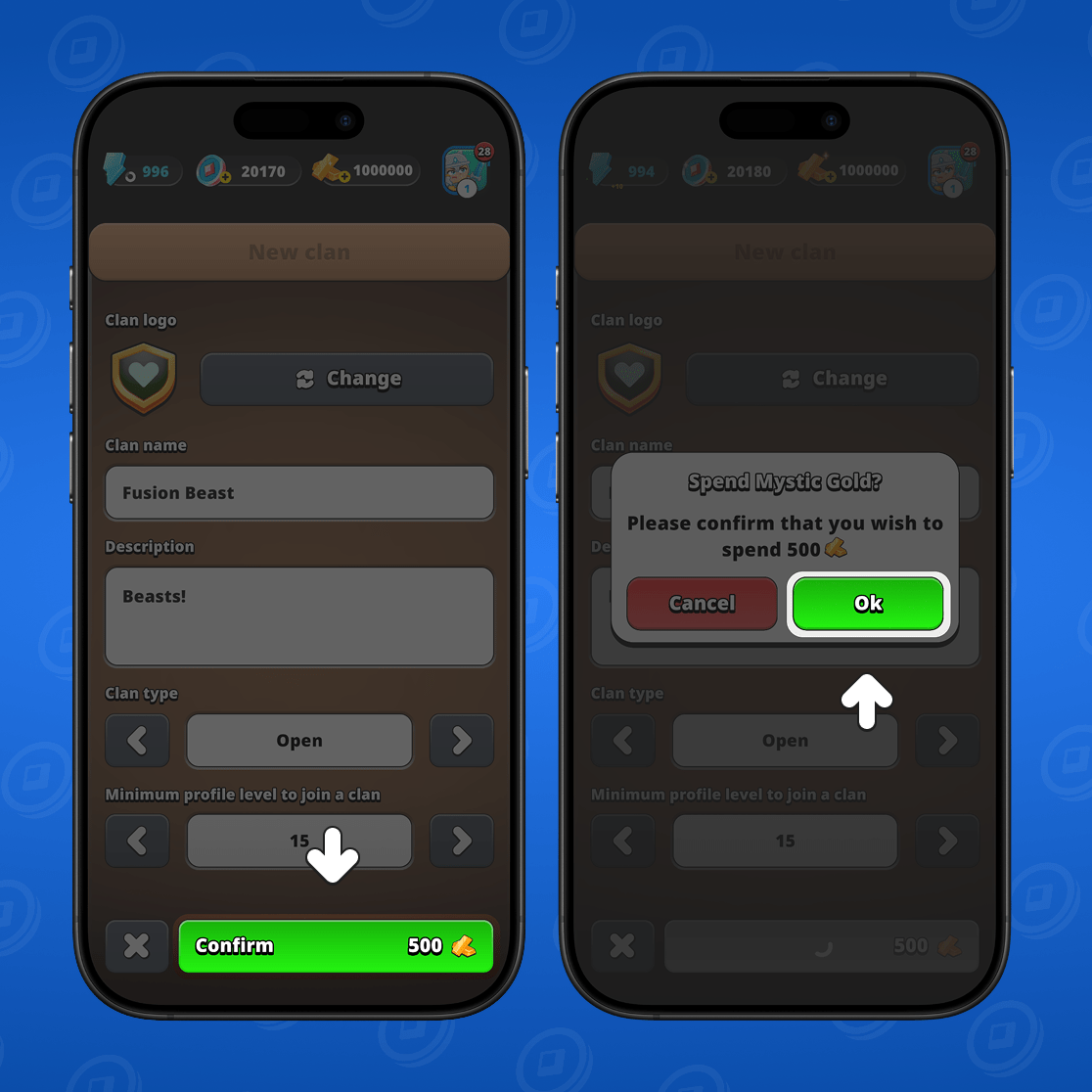
When everything is ready, click "confirm". Note that creating a clan requires payment of a certain amount of Mystic Gold.
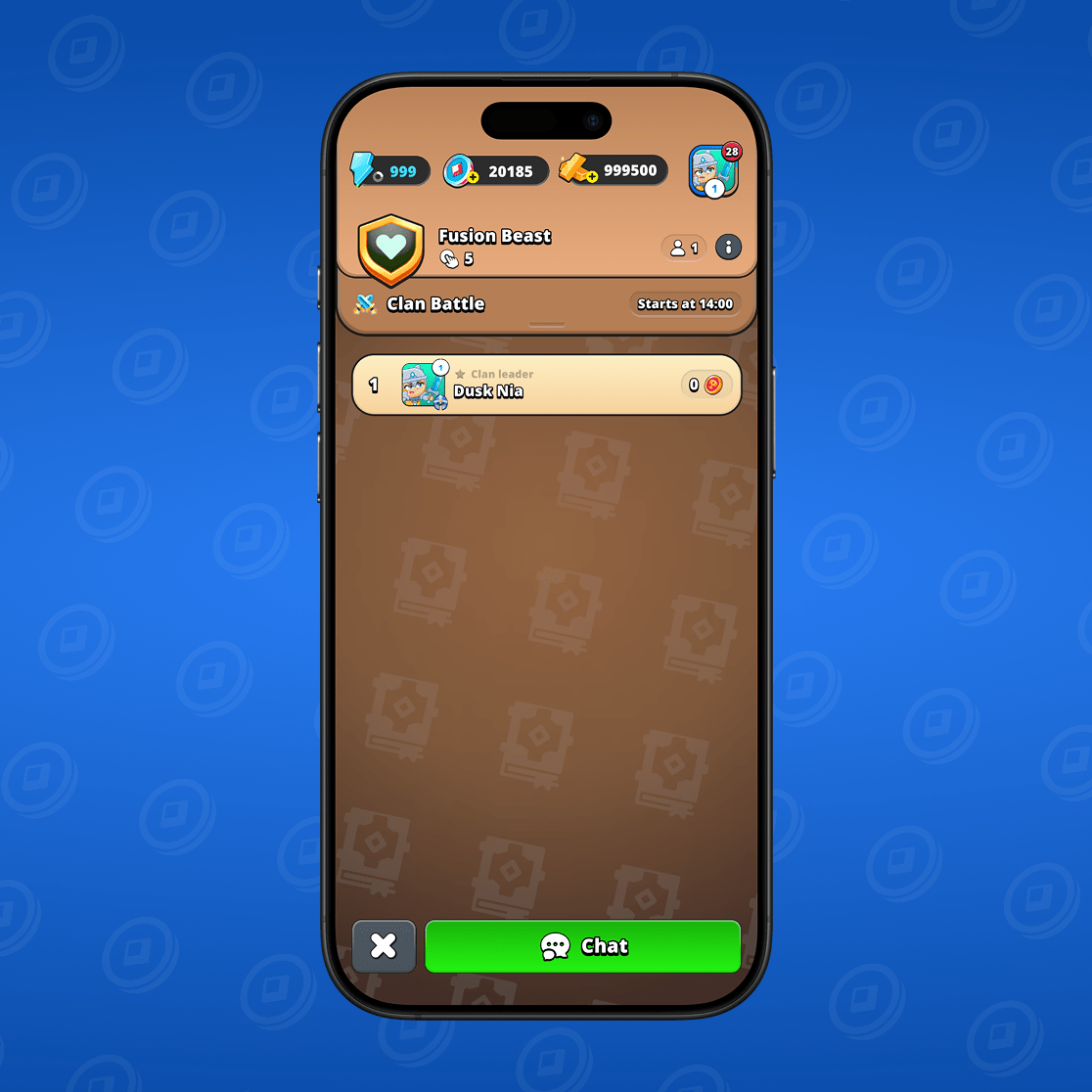
Done. Clan created! Now you can invite your friends to it and accept anyone who wants to join.
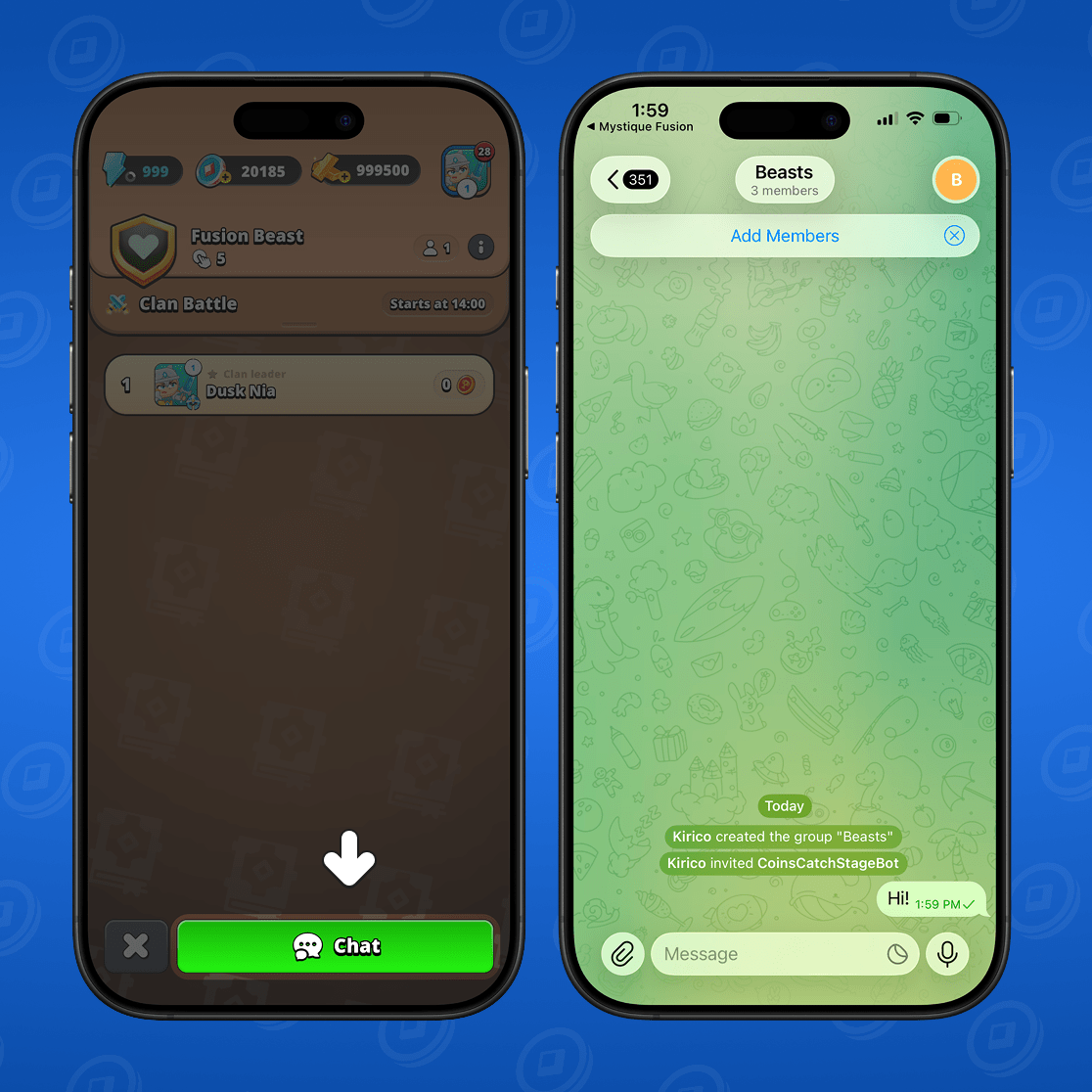
How to activate clan chat
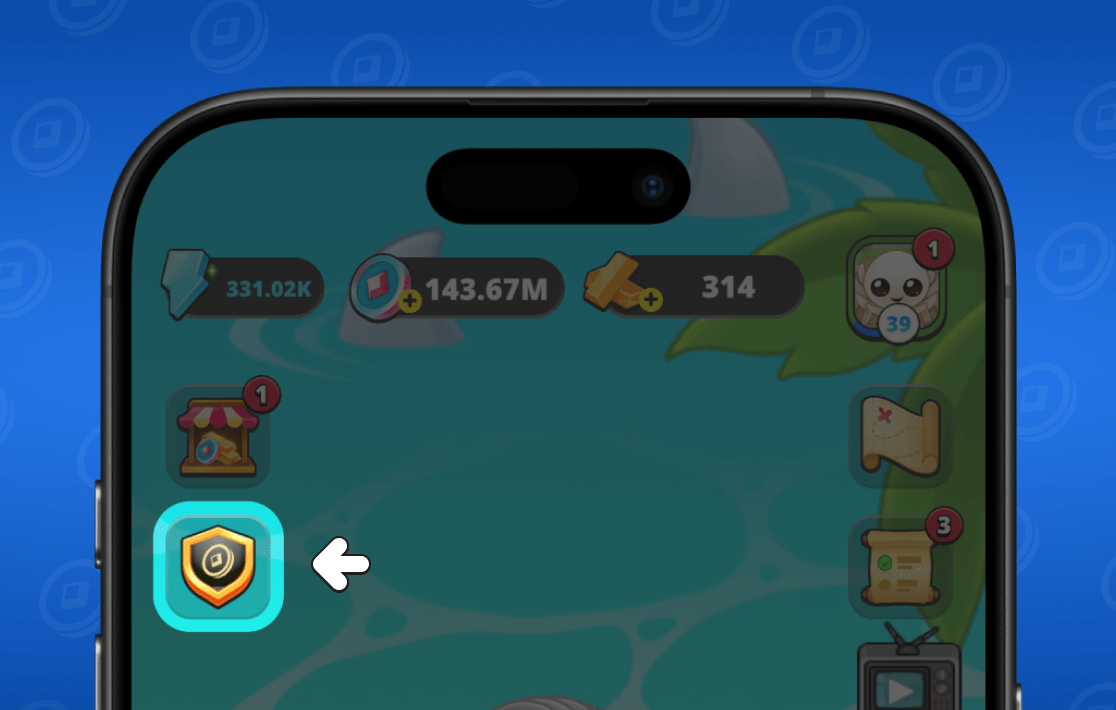
If you are the clan founder, you can enable the clan chat to facilitate communication between members. To do this, go to the "clans" section in the game's main menu.
Then select "chat".
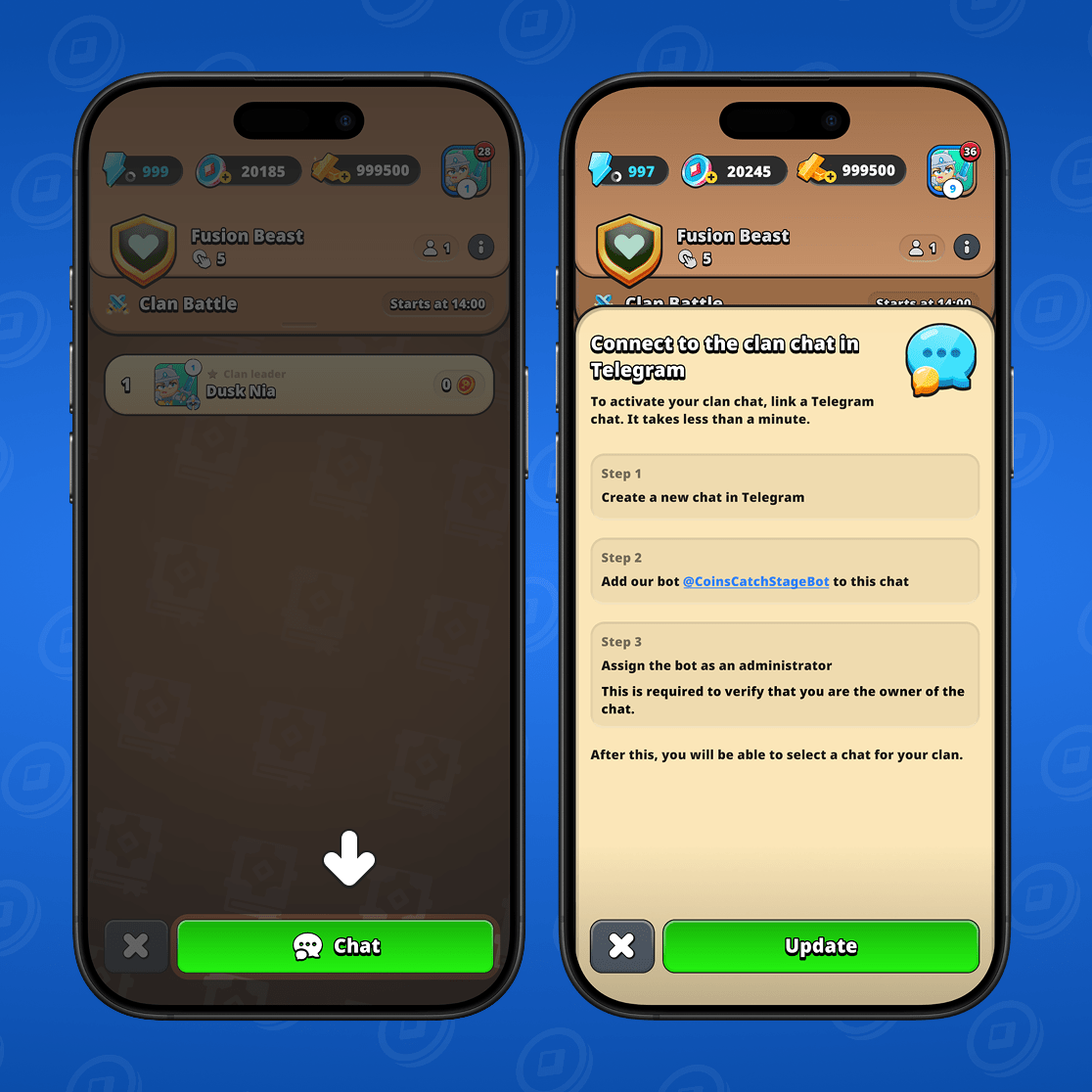
You will see detailed instructions on what you need to do to create a clan chat.
You will need:
- Install the Telegram messenger (if you haven't done so already);
- Create a new group in the messenger;
- Add a special bot to this group;
- Complete setup in the game.
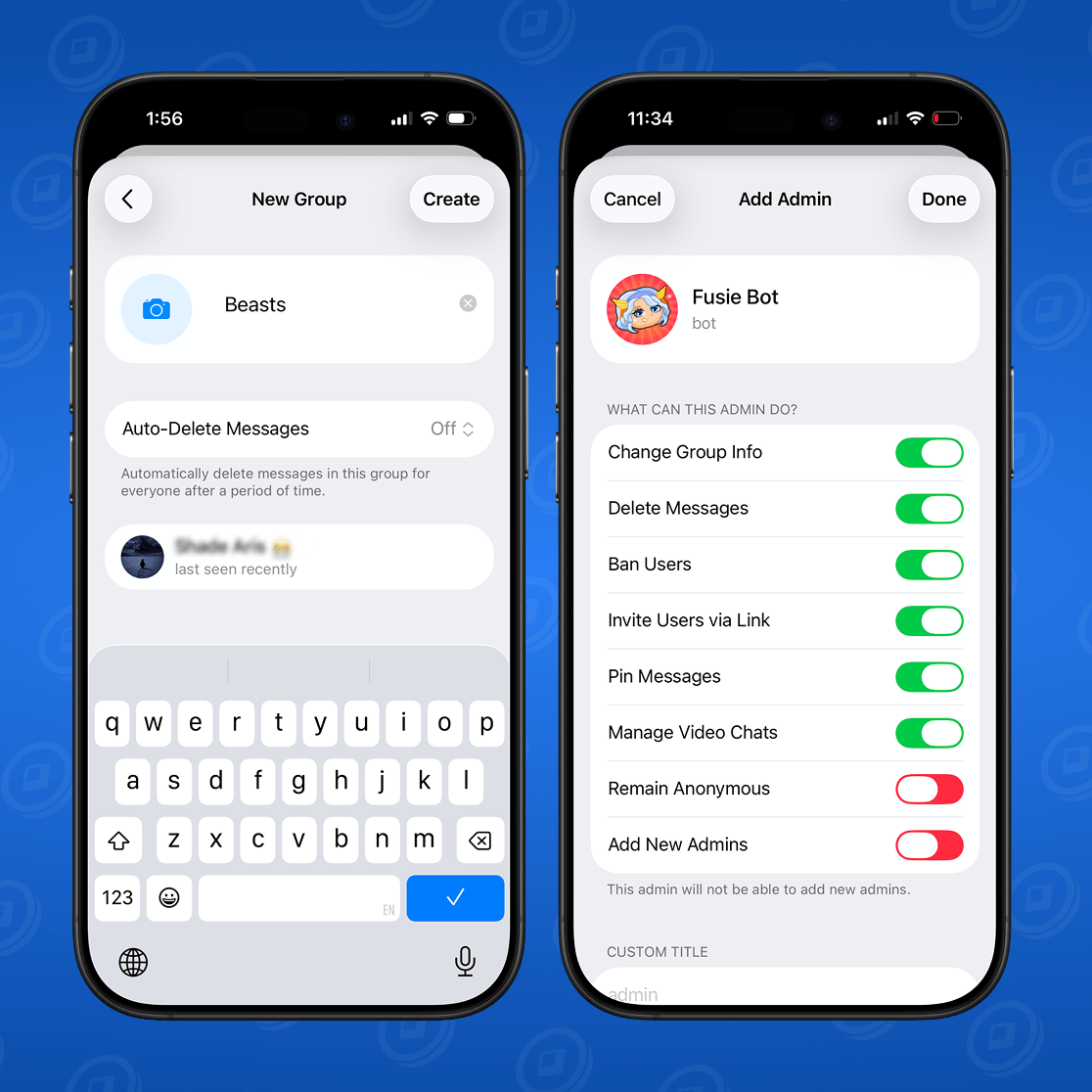
Open the Telegram messenger and create a new group. Add the special bot to this group and make it an administrator.
Return to the game and click the "update" button. A chat with the same name you gave it in Telegram will appear in the list. Select that chat and click the "save".
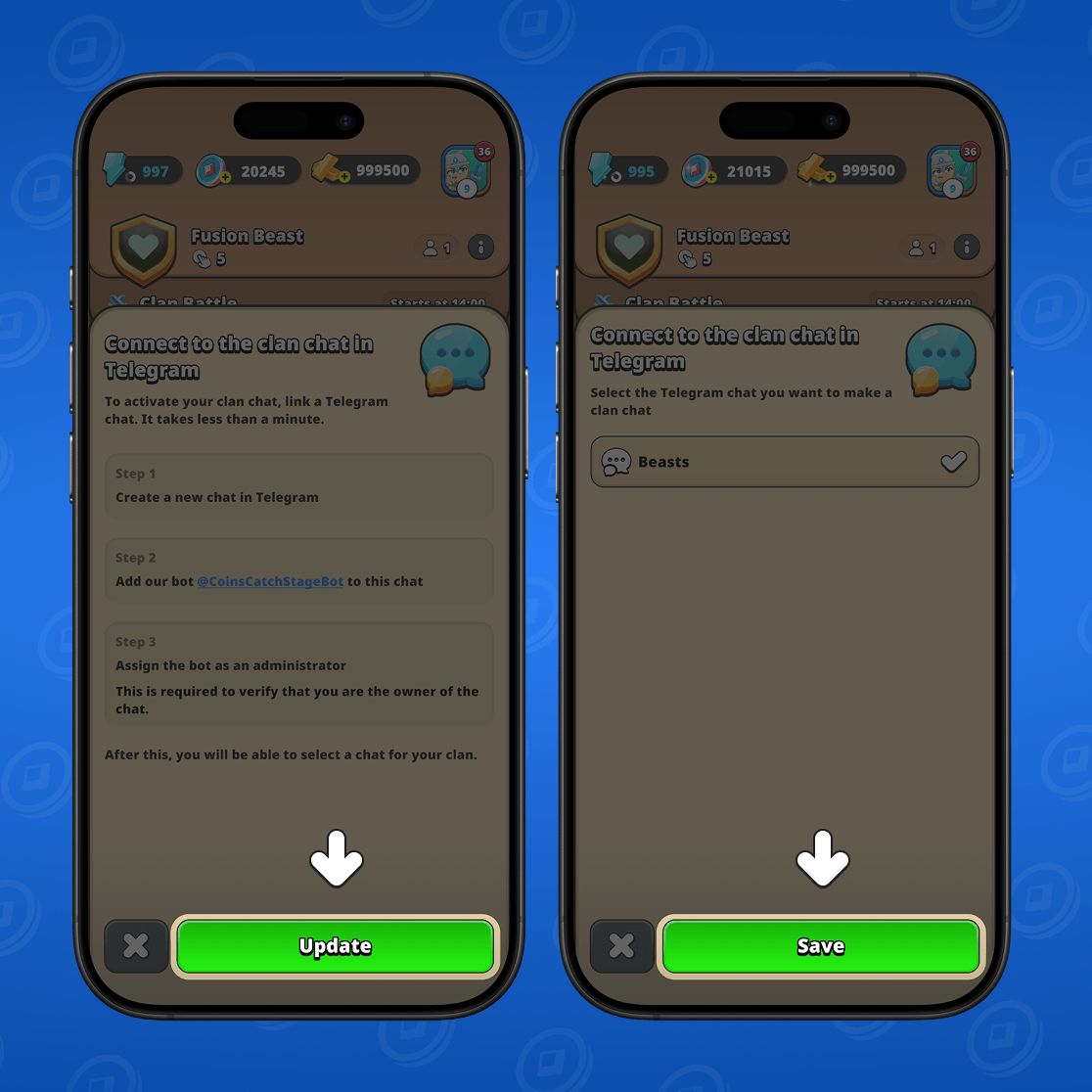
Done! Your clan now has a chat. When players press the chat button in the game, they will be automatically redirected to the Telegram chat you created and can communicate there.
How to invite a new member to the clan
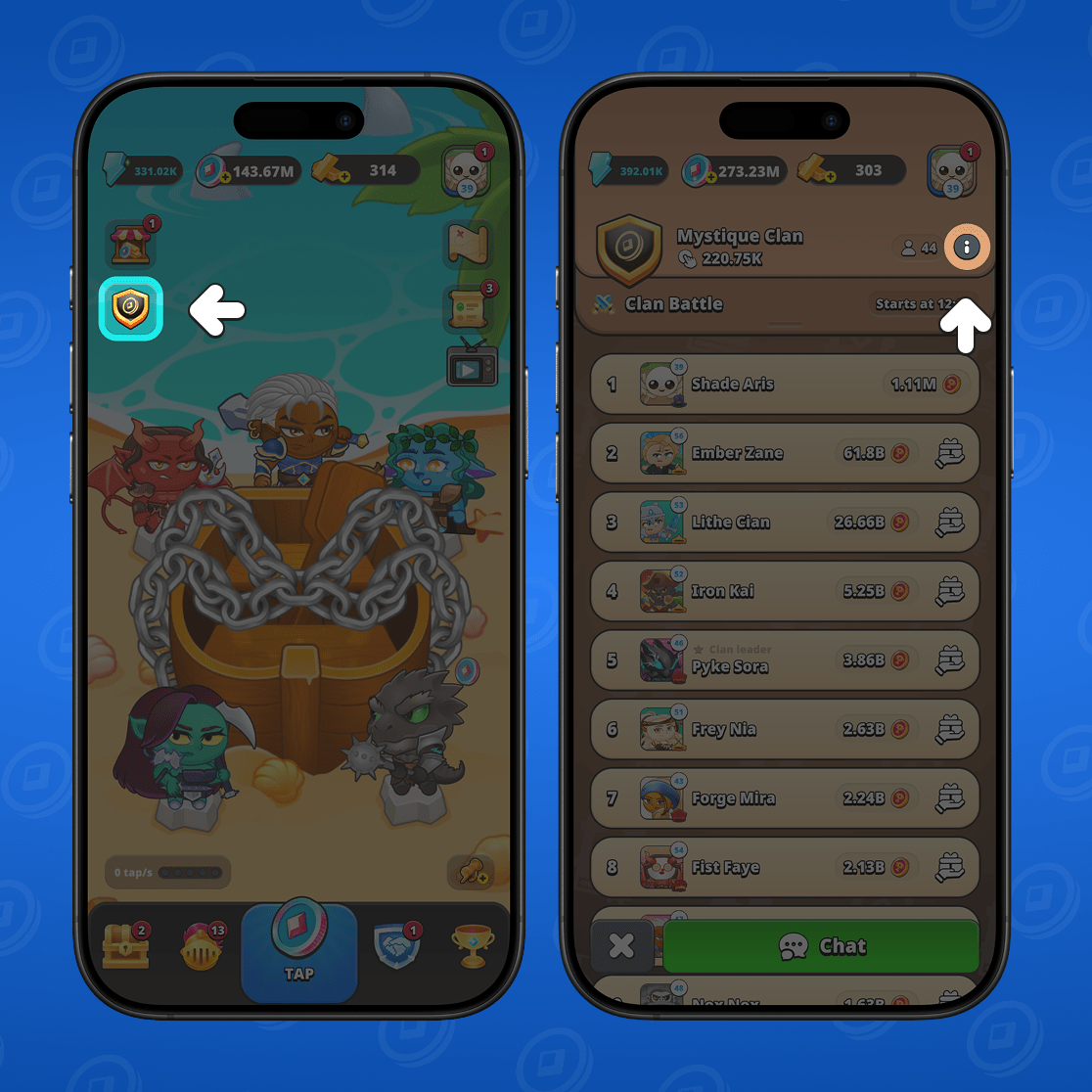
To invite a friend to a clan, go to the "clans" section in the main menu. Then go to the "clan Information" menu.
Next, select "Invite to clan". You will see your clan's invitation link. Copy it by clicking the corresponding button, and send it to your friend via any messenger.
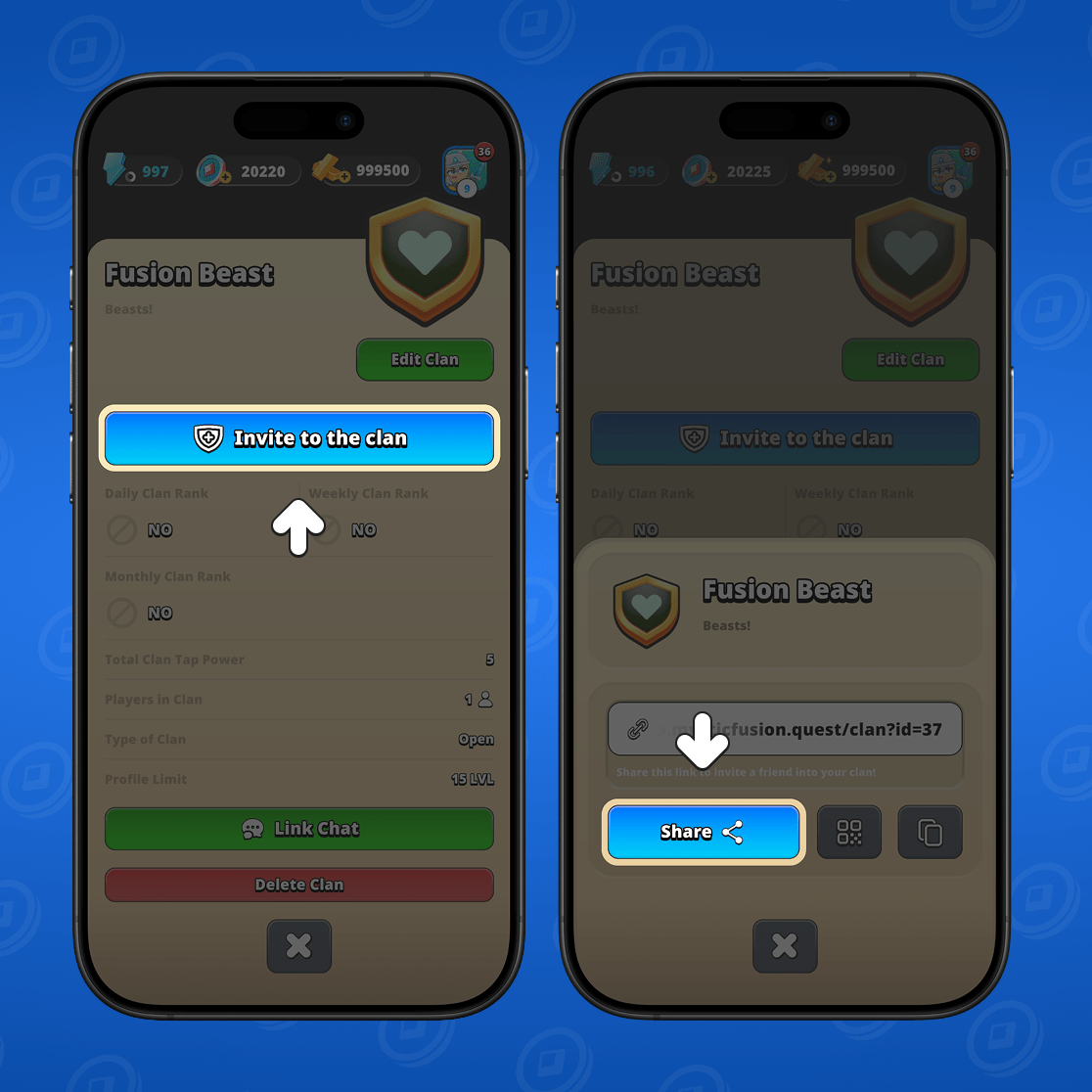
By following the link to the game, your friend will be able to join your clan immediately.
How to delete a clan
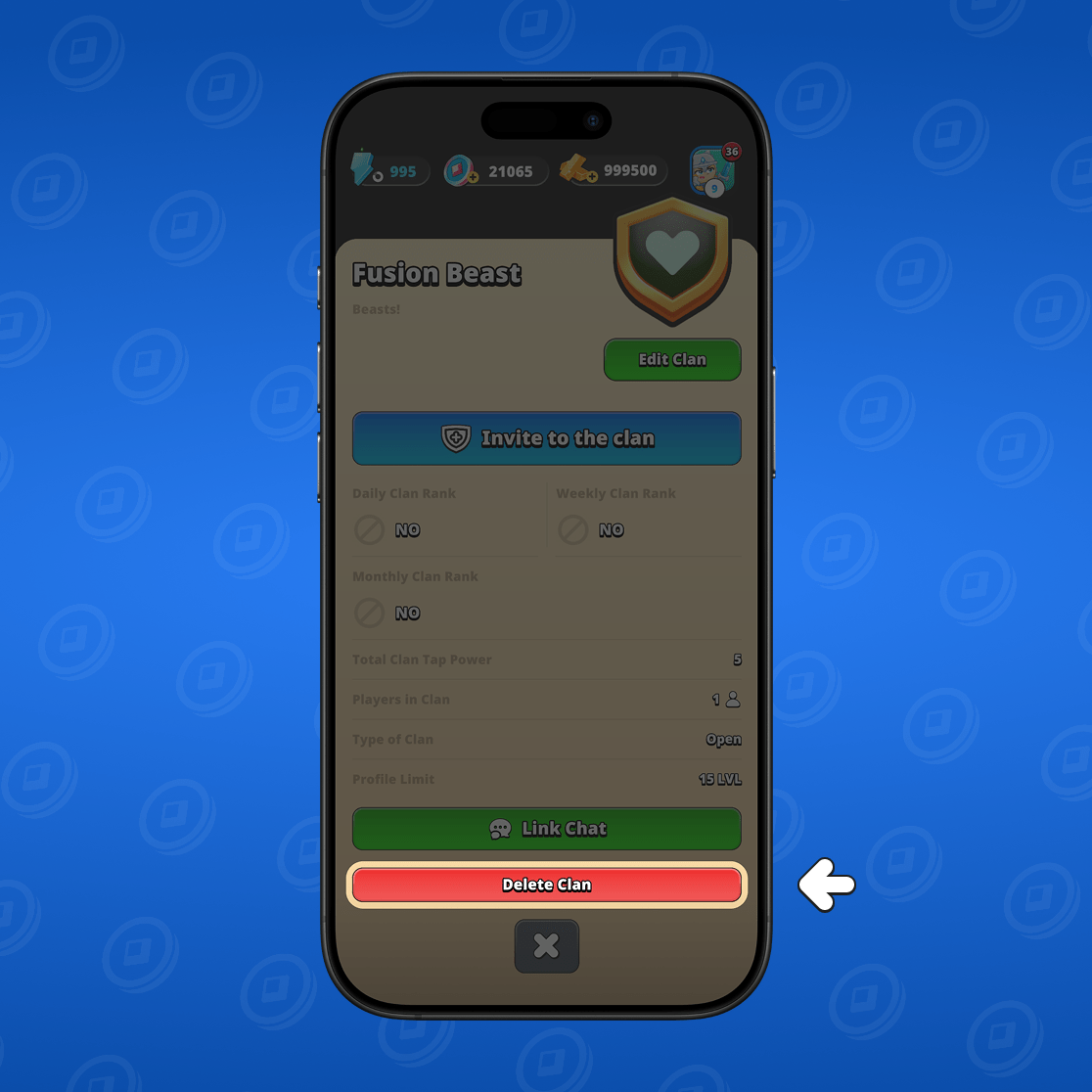
If you are the leader of a clan and want to delete it, open the game's main menu and go to the "clans" section. Then open the clan information.
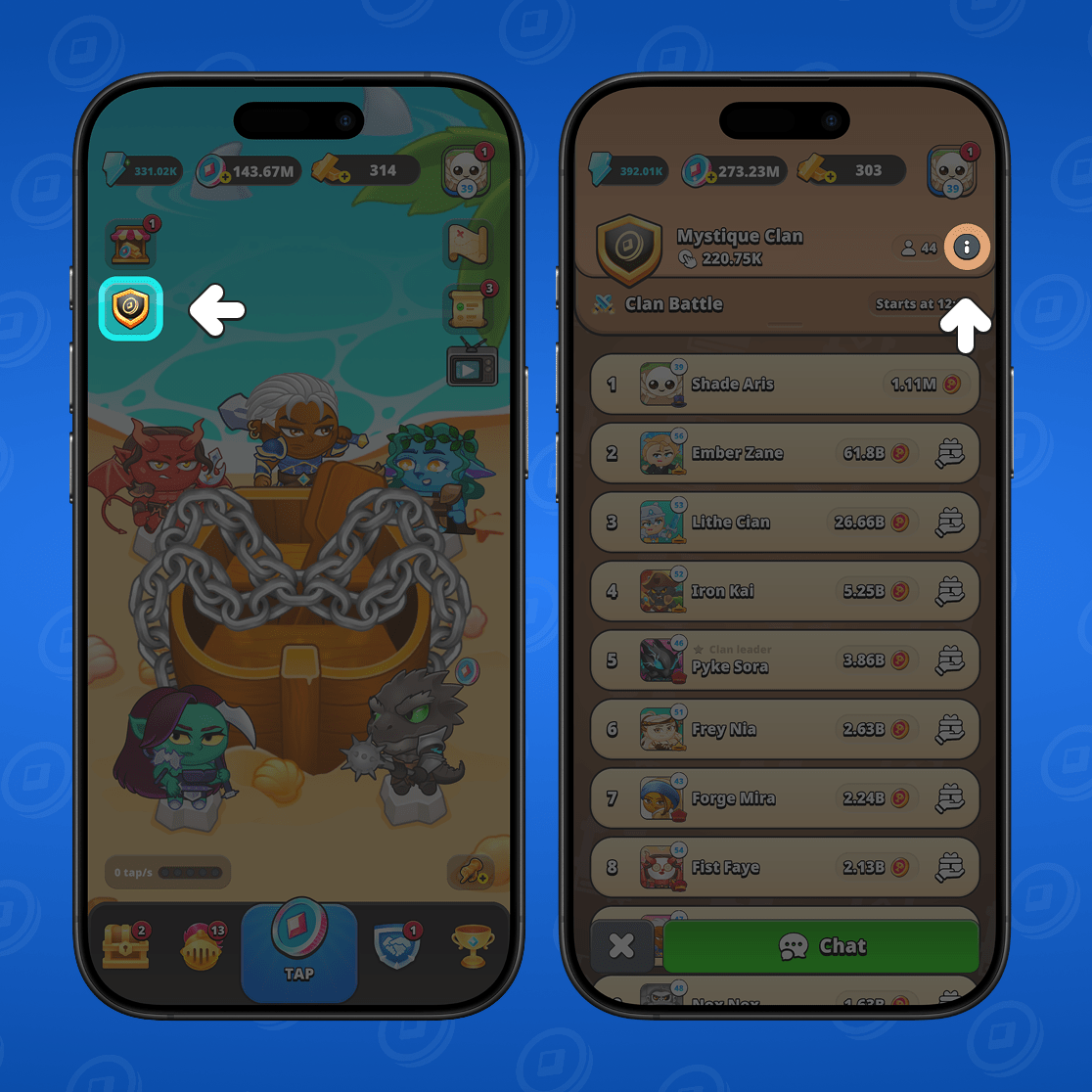
Next, select "delete clan" and click "yes".
A dialog window will open. In it you will need to enter the word "Delete" and click "yes".
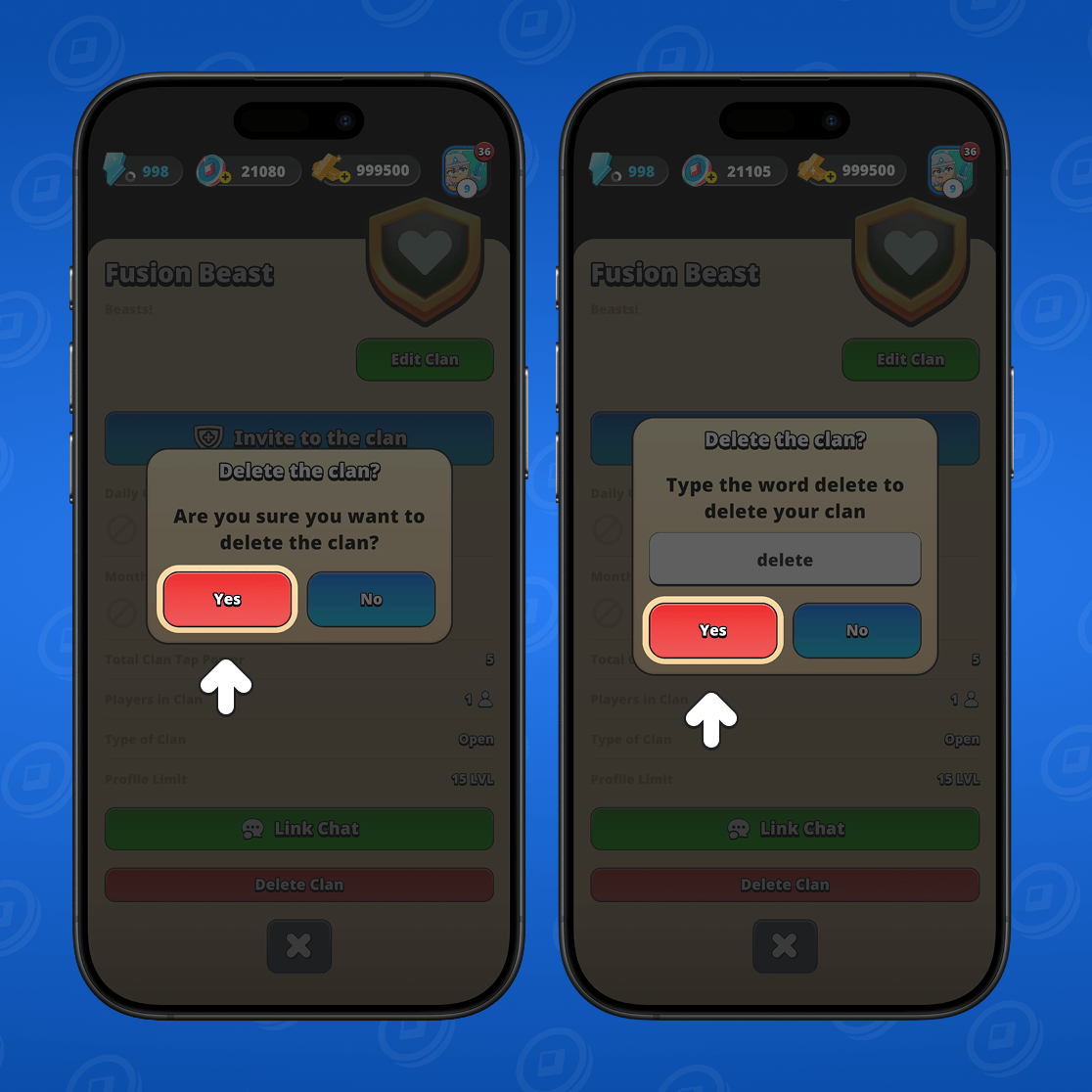
Done! The clan has been successfully deleted.
How to change clan information
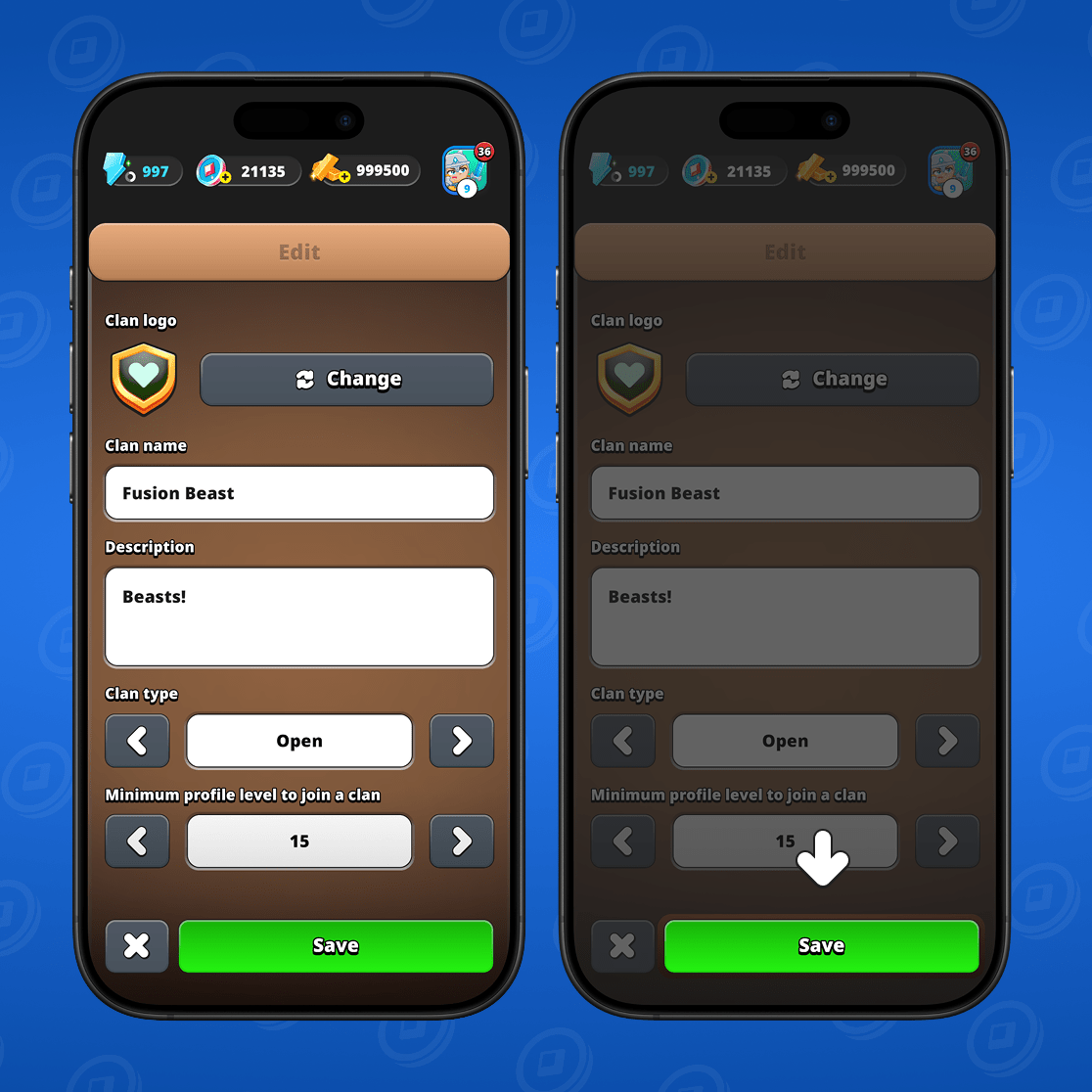
You can always change the information about your clan if you are its leader. To do this, go from the game's main menu to the "clans" section.
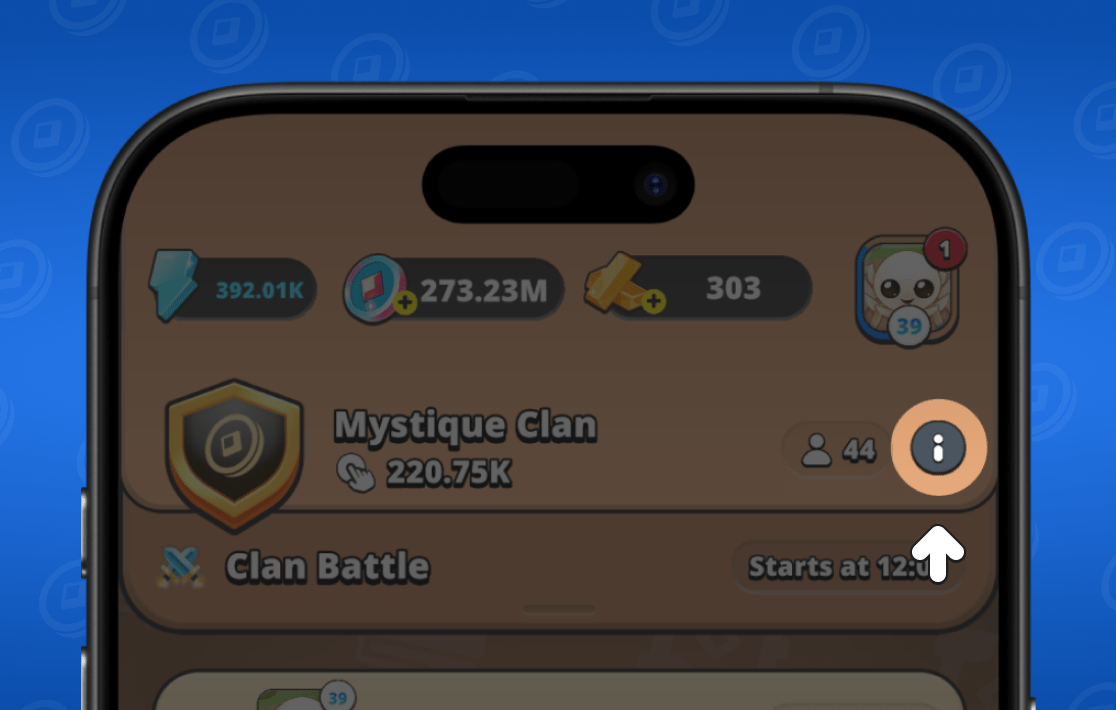
Next, select "edit clan".
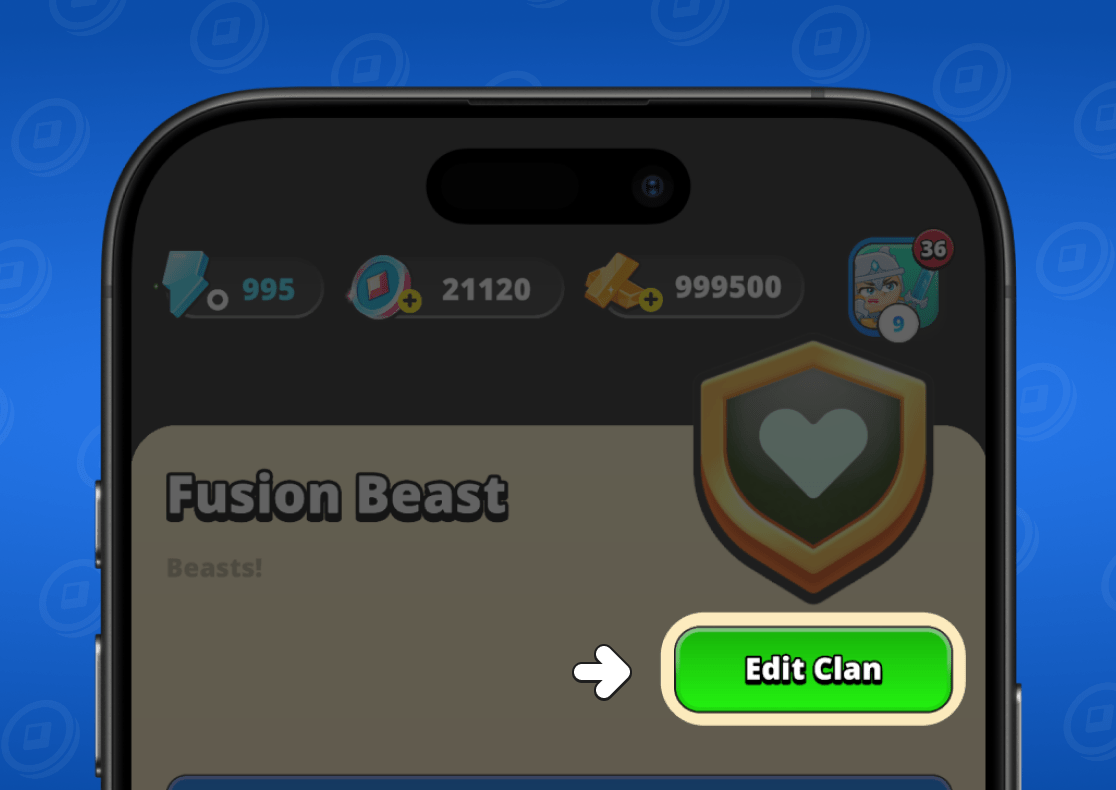
The clan settings menu will open. Here you can change the emblem, description and much more. Once you've made all changes, just click "save".
All about clan battles
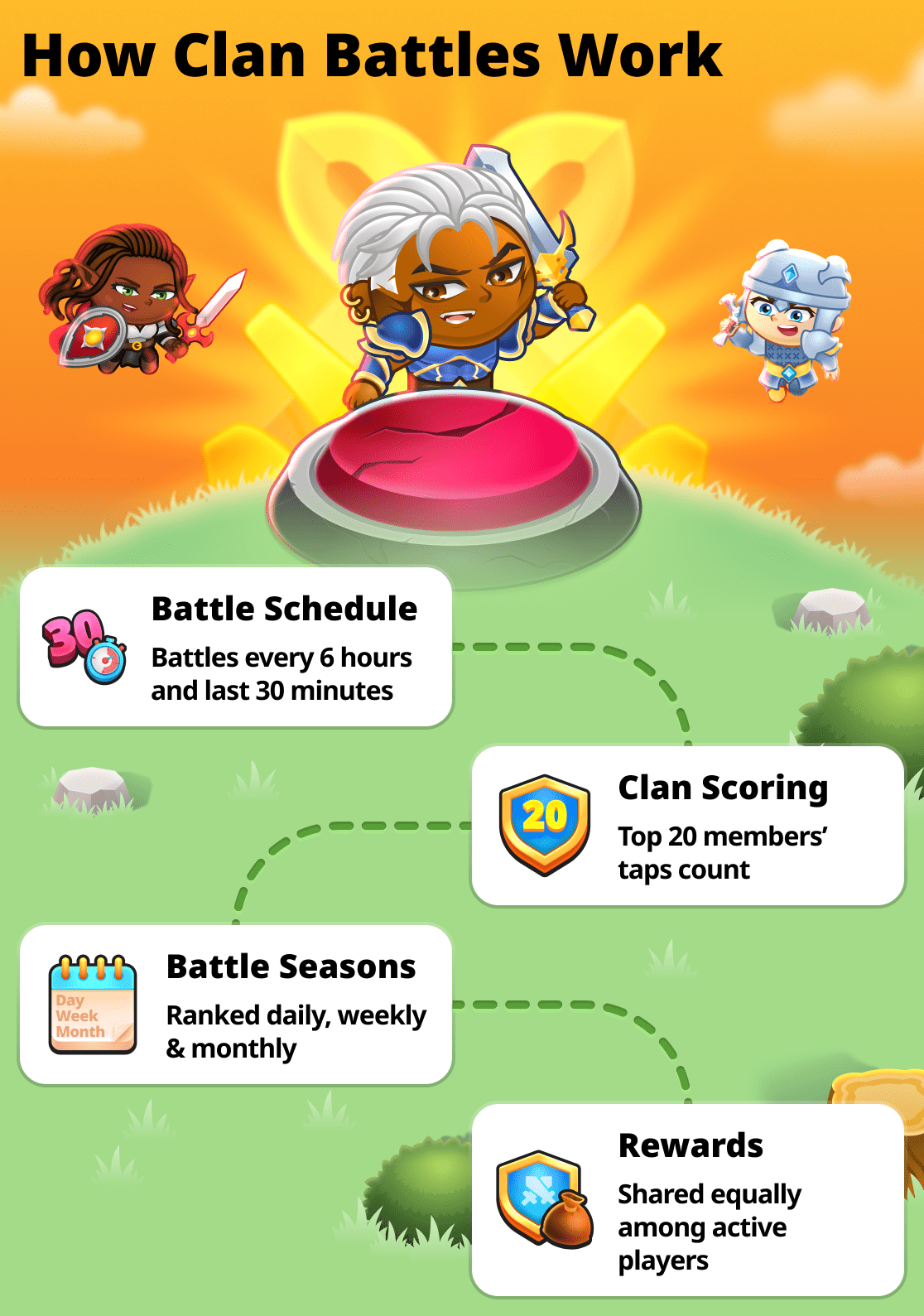
Clan Battles are special events held several times a day. During the event, all clan members should tap as actively as possible to earn points. When the event ends, the points of all clan members are totaled.
This way, after each battle every clan takes its place in the rankings, and the players who took part will receive rewards for it at the end of each season.
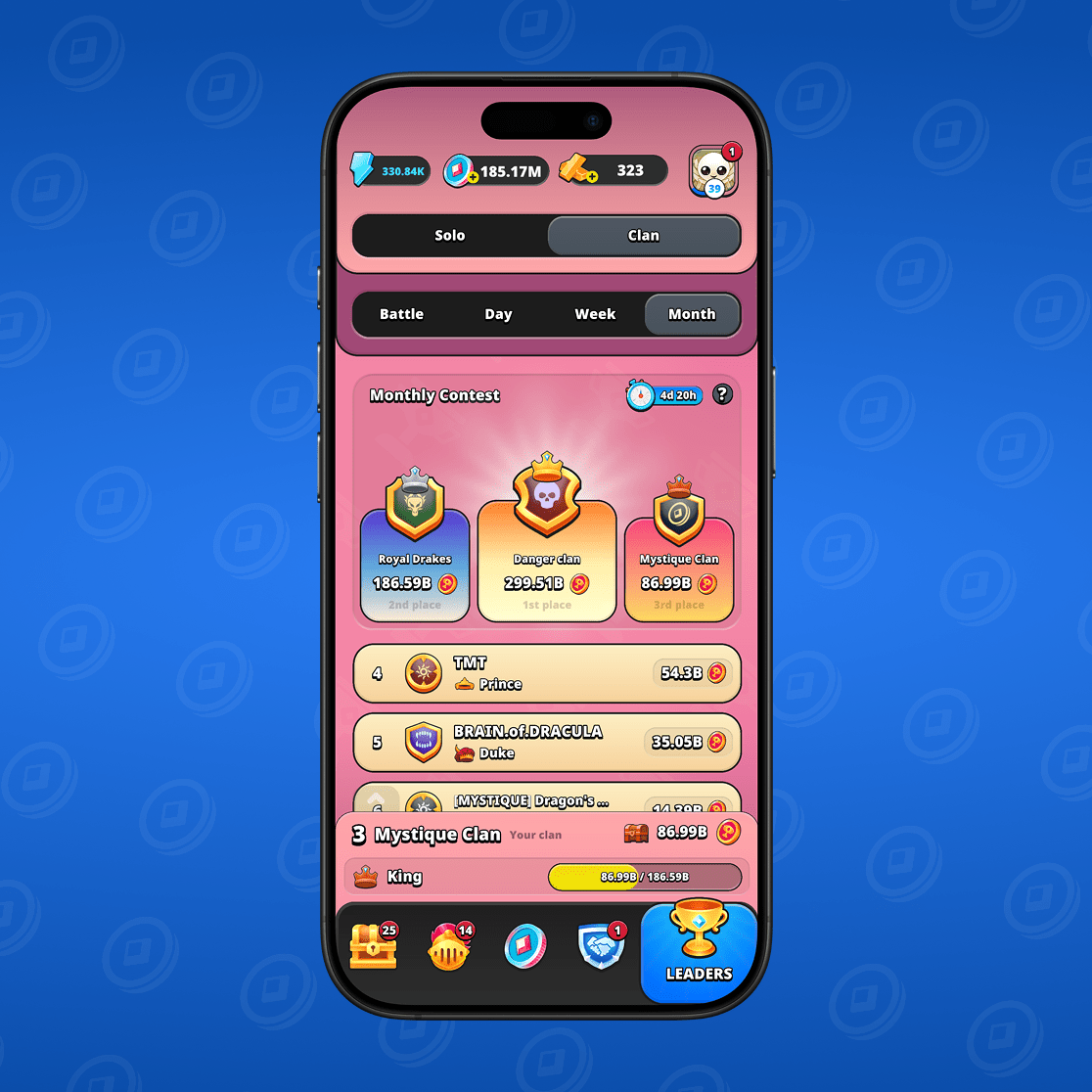
You can view all information about clan battles by going to the "leaderboard" section and selecting "clan".
Clan Battle Seasons
Battles are held across three seasons: daily, weekly, and monthly. At the end of each season, clan members receive a reward based on their contribution.
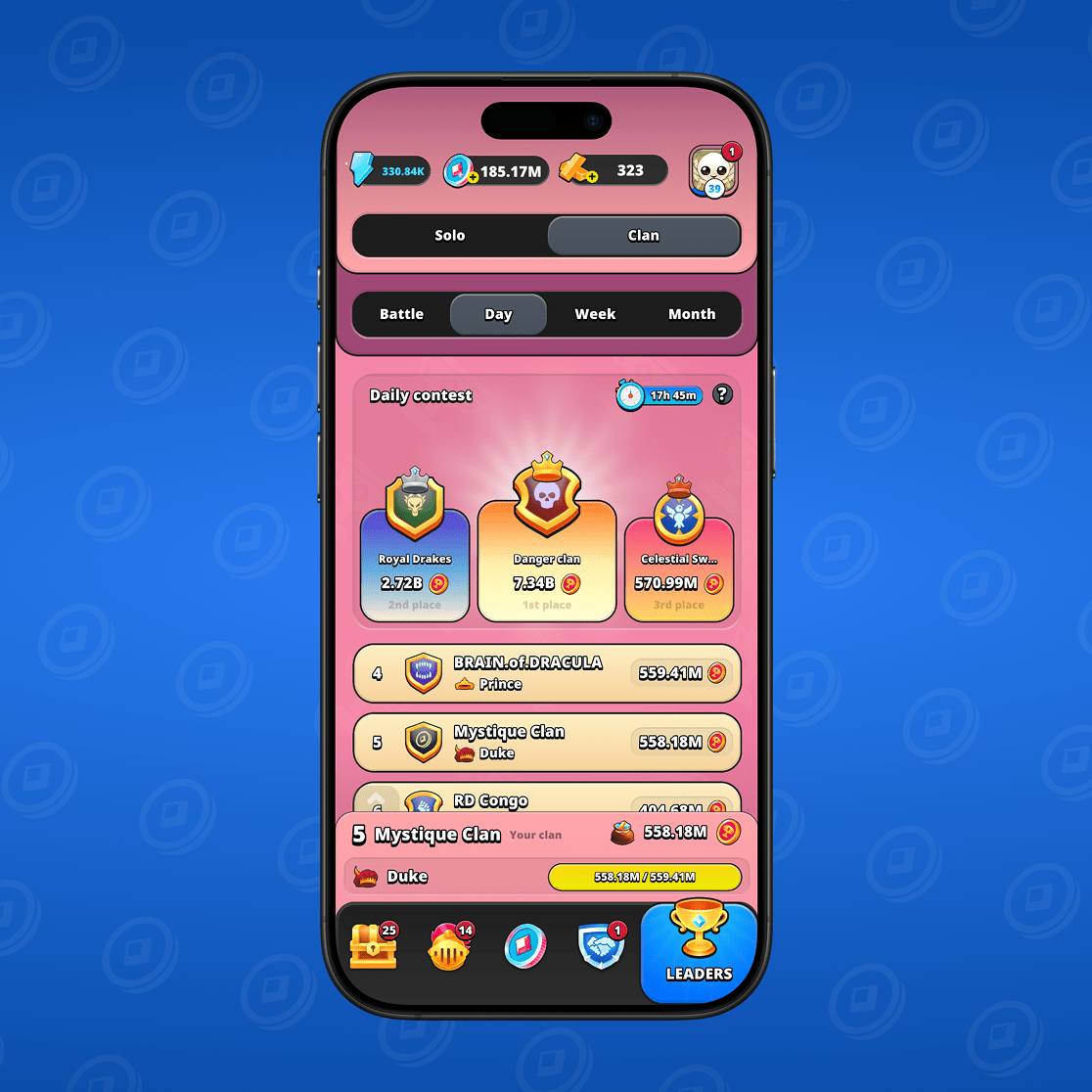
Daily season
The results of all clan battles that took place during the day are summarized here. Accordingly, at the end of the day, all clan members receive seasonal rewards.
Weekly Season
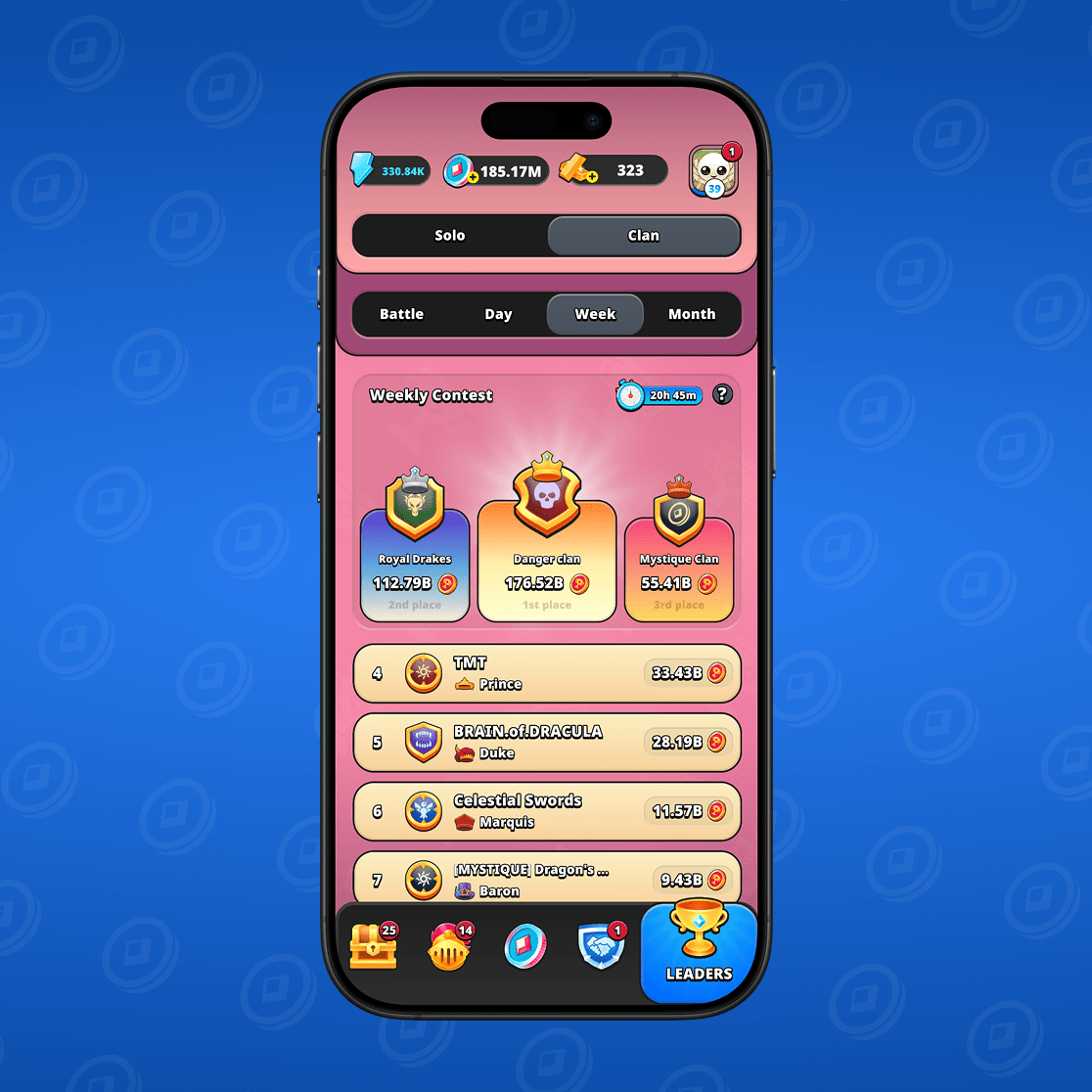
This is where the results of all daily seasons are compiled. At the end of the week, all clan members receive their rewards.
Monthly season
This is where the results of all weekly seasons are collected. At the end of the month, all clan members receive their rewards.
Where to view the battle schedule
The schedule of battles can be viewed in the active battle window. To do this, go to the "leaderboard" section and select "clan" and "battle".
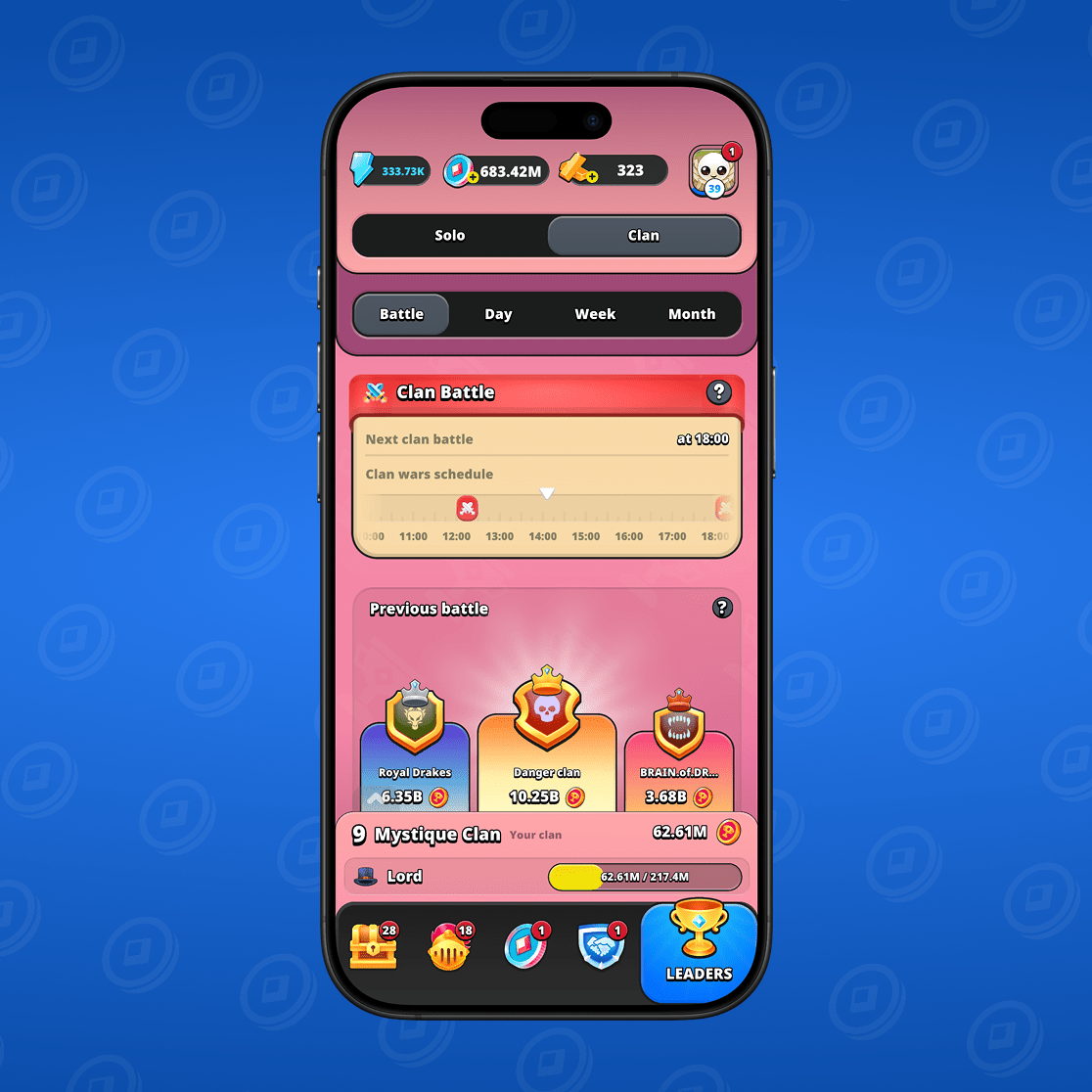
You will see the schedule of clan battles and be able to find out the exact start time of the next one. If a battle is already underway, this will be noted here.
Clan battles take place every 4 hours and last for 30 minutes.
General rules
- To participate in a clan battle, you must be a member of a clan;
- During the battle, tap the button rapidly;
- Only the taps of the clan's top 20 players affect the clan's overall rating;
- Only taps made during the clan battle count;
- In the daily season, the top 4 clan battles are counted;
- The 25 best clan battles are counted in the weekly season;
- In the monthly season, the clan's 110 best battles are counted;
- At the end of each season, all clan members who made at least one tap during the clan battle receive a reward. Rewards are paid from the common fund and divided equally among all clan members.