
Expeditions
Expeditions in Mystique Fusion are a special mechanic that allows players to send their heroes to explore the exciting world of Mysteria and receive valuable resources for doing so, such as energy, Fusion Coins, hero shards, keys, the Glove of Power and even Mystic Gold! All of these resources are necessary for your progression in the game!
How to open expeditions
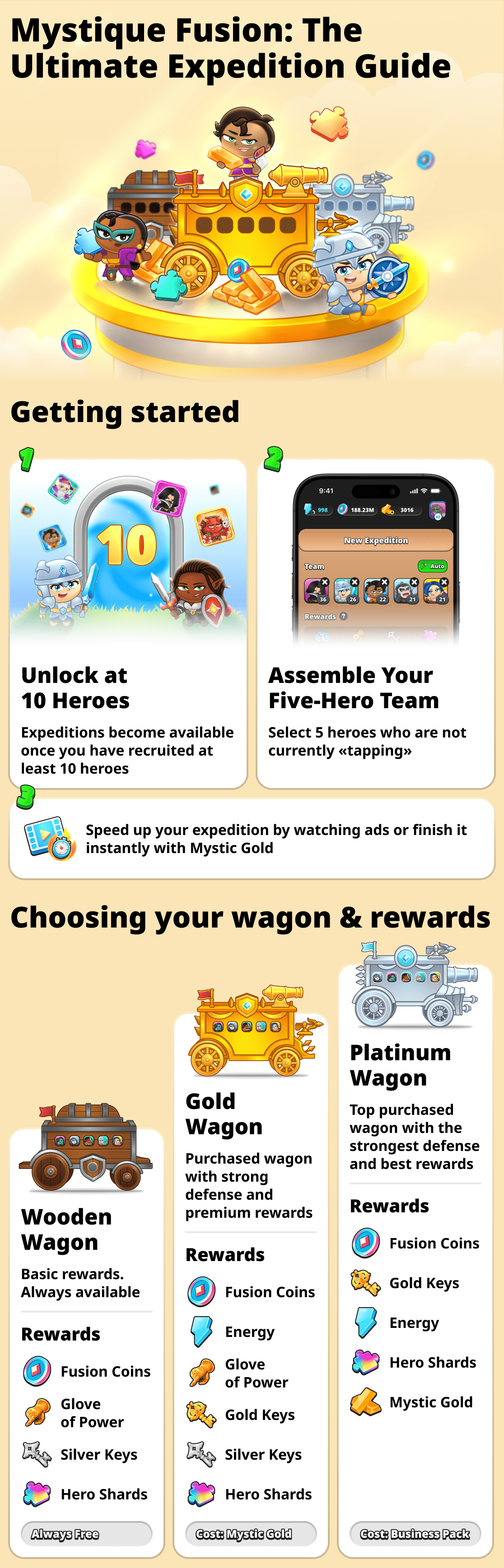
Expeditions are one of Mystique Fusion's core mechanics, but they aren't available right away. To unlock Expeditions, you must first unlock at least 10 heroes. Once you do, expeditions will become available and you can take part in them.
Types of expeditions and rewards
You can send your heroes to different corners of Mysteria. As is well known, the kingdom's wild lands hold various treasures — but the higher the reward, the more dangerous it is.
That’s why you can equip up to three wagons for your heroes: Wooden, Golden and Platinum.
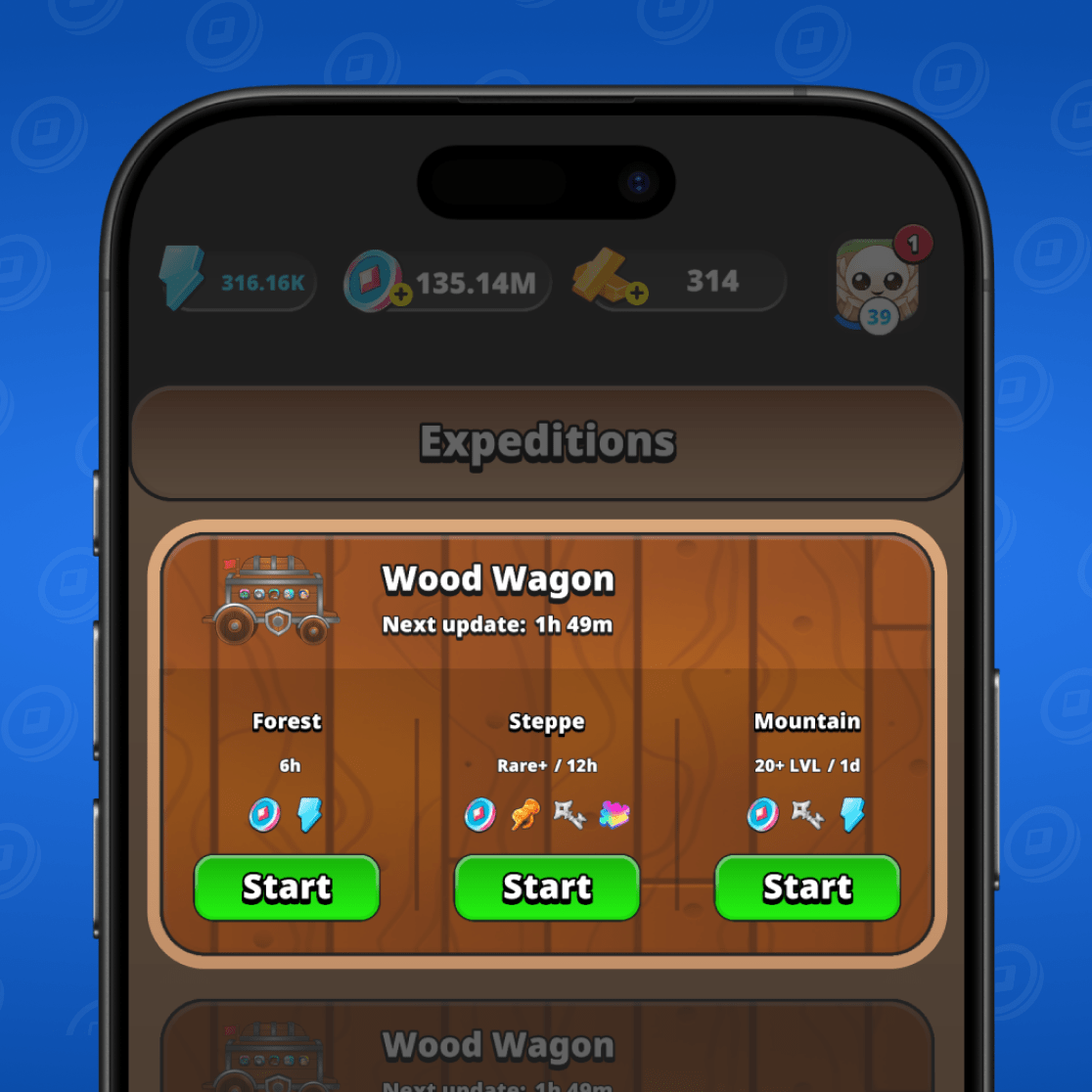
Wooden wagon is the basic vehicle. With it you can send your heroes to relatively safe locations. Upon completion of an expedition you will receive a small reward. This can include energy, Fusion Coins and hero shards.
Expeditions in the wooden wagon are always available and completely free!
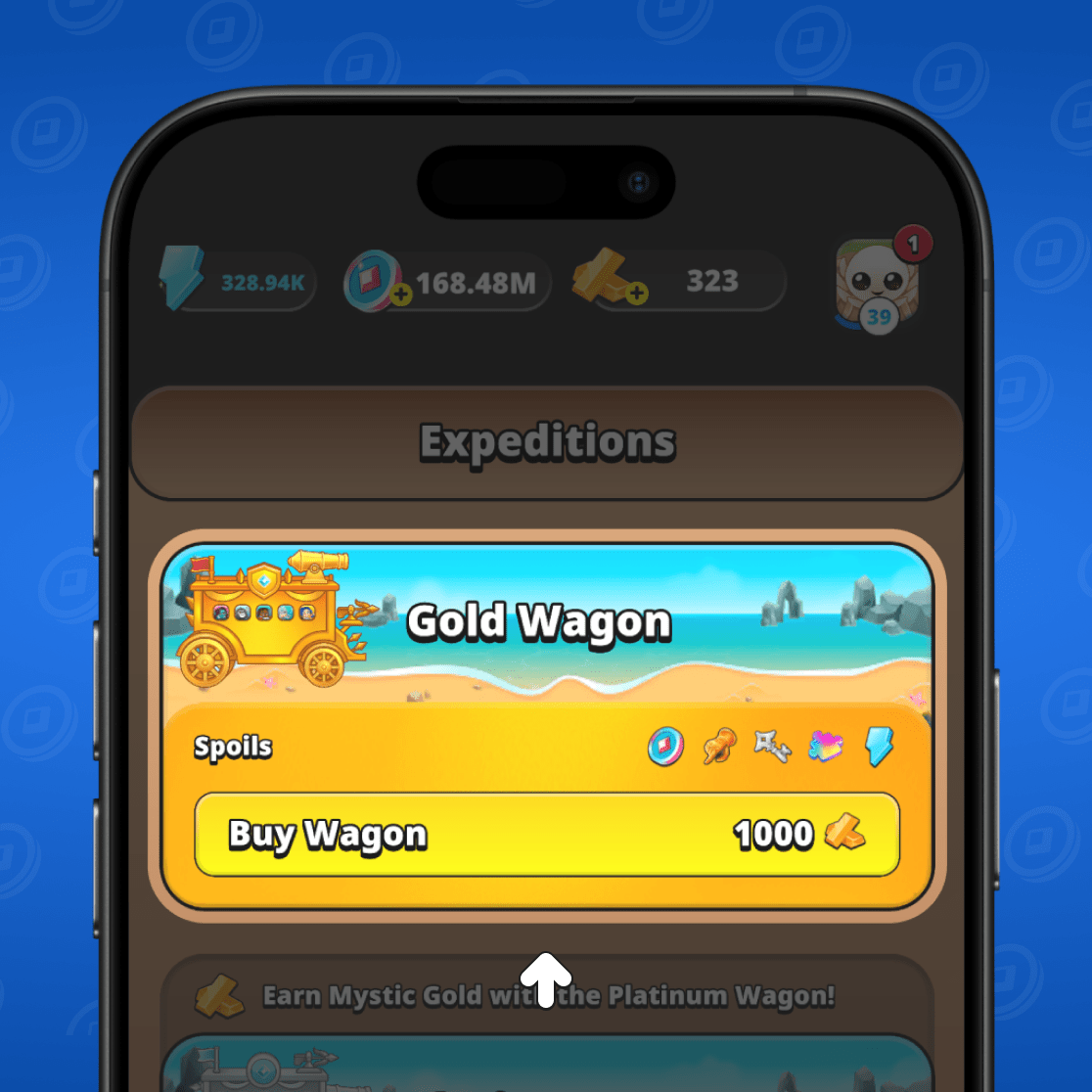
Gold wagon — this is already a more advanced level. Defense is higher and there’s more weaponry, so the heroes in it will be able to visit more dangerous locations. Upon completing an expedition in the gold wagon you will receive a generous reward. This can include Energy, Fusion Coins, hero shards, keys and the Glove of Power.
The Gold wagon must be bought first. It is purchased with Mystic Gold!
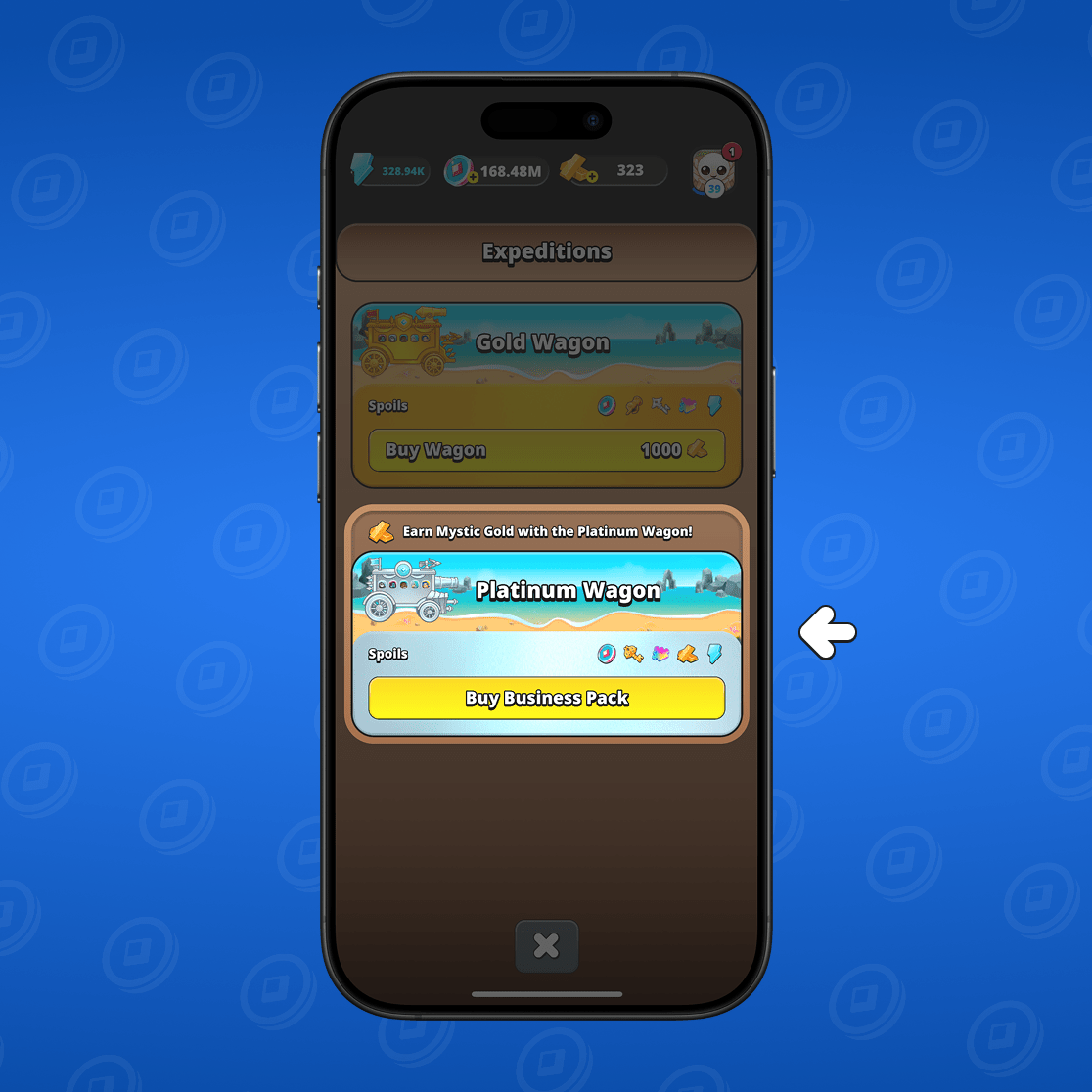
Platinum wagon is the most secure. In it, your heroes can boldly explore the kingdom's most dangerous lands. Upon completion of the expedition, you will receive a large reward. This may include energy, Fusion Coins, hero shards, keys and Mystic Gold.
To outfit the heroes for an expedition in the Platinum wagon, you should purchase Business pack!
How to run expeditions
How to send heroes on an expedition
If you have already unlocked 10 heroes, expeditions are available to you! To send heroes on an expedition, first go to the «Heroes» section.
Next, select "Expeditions". The menu will be at the bottom of the screen.
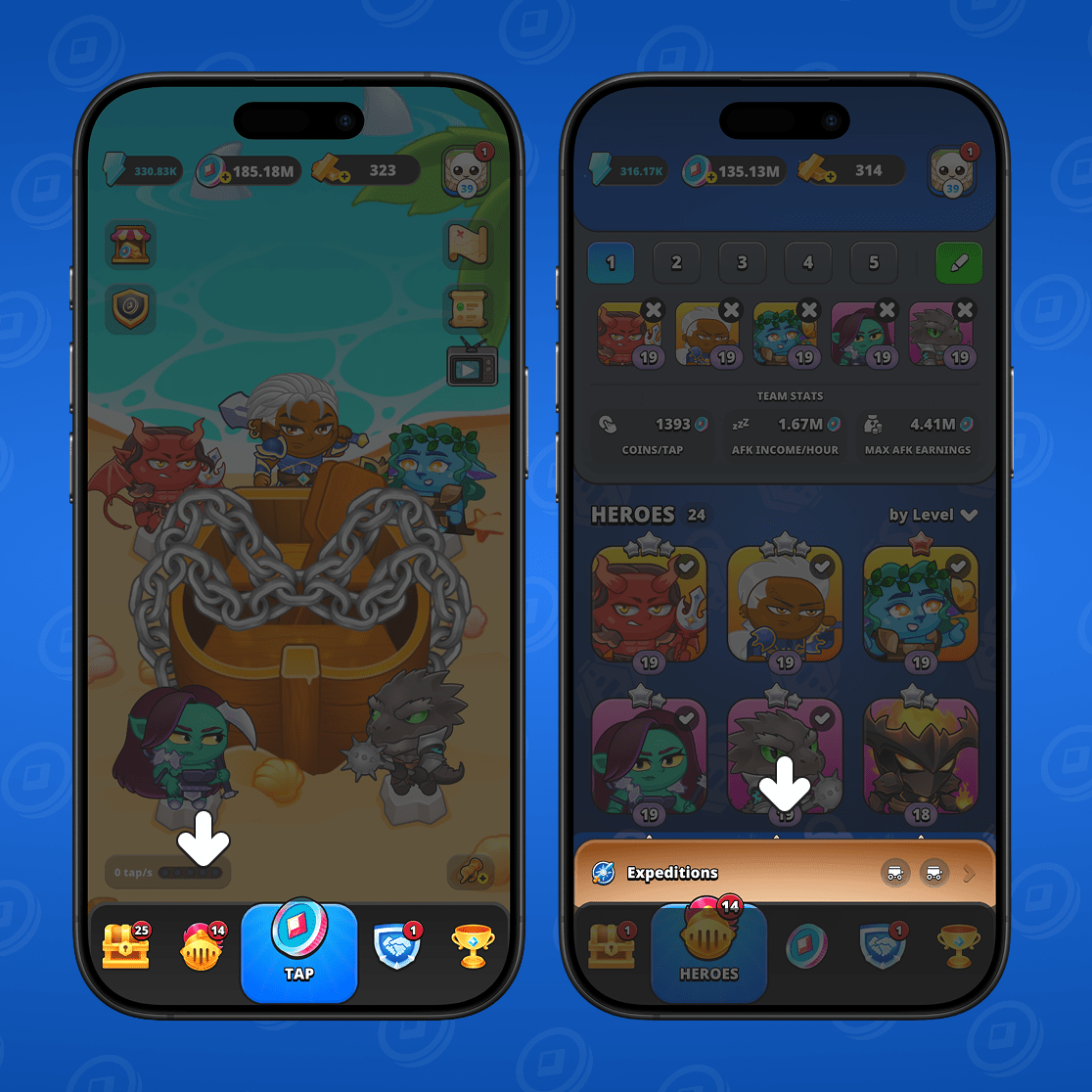
You will see the expeditions menu. To start, choose a wagon: Wooden, Gold, or Platinum. The Wooden wagon is available to all players from the start. The other wagons must be purchased first. See above for how to do this.
Once you've assembled your wagon, three locations will be available where you can send your heroes. You will be able to see the location name, how long the expedition will last and the type of reward.
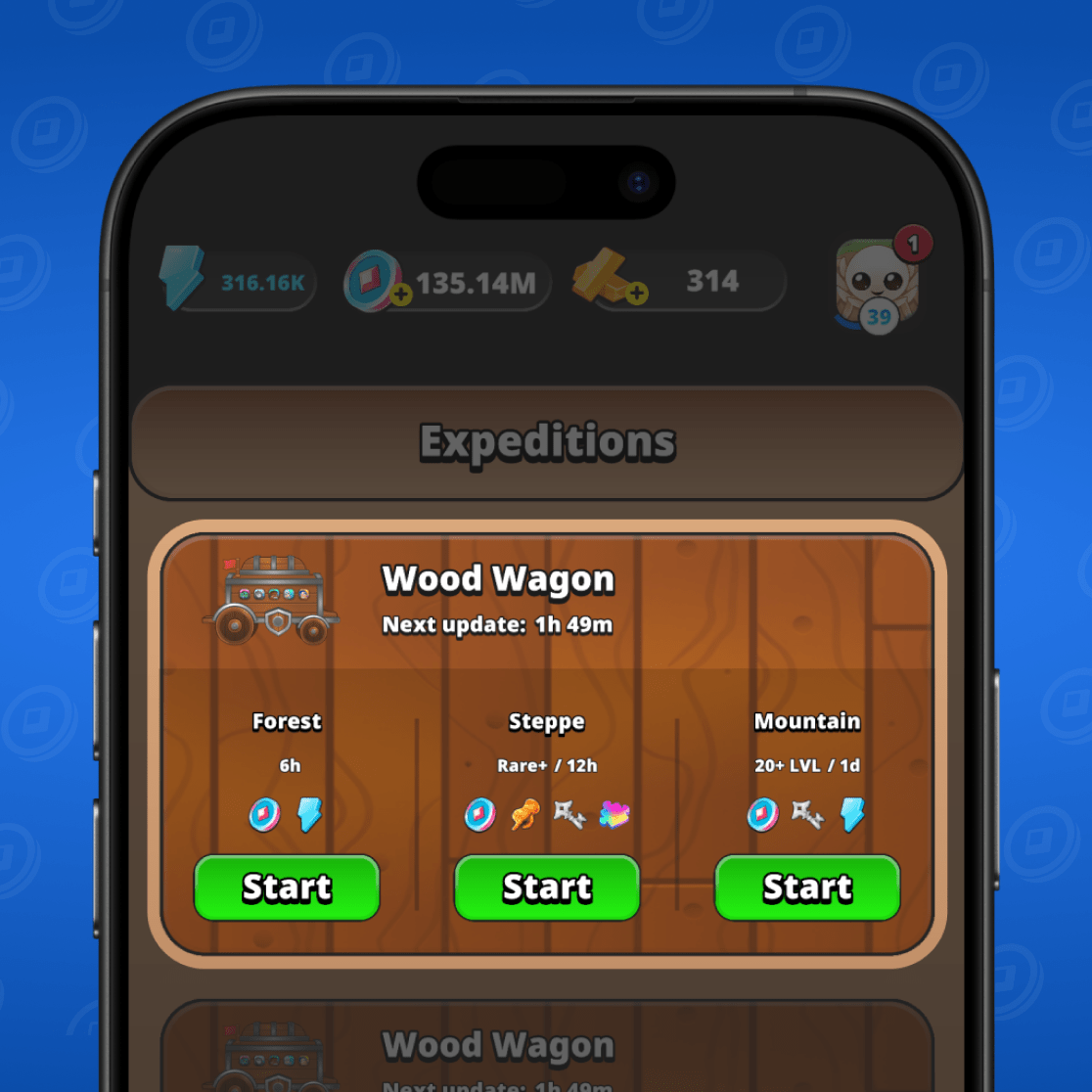
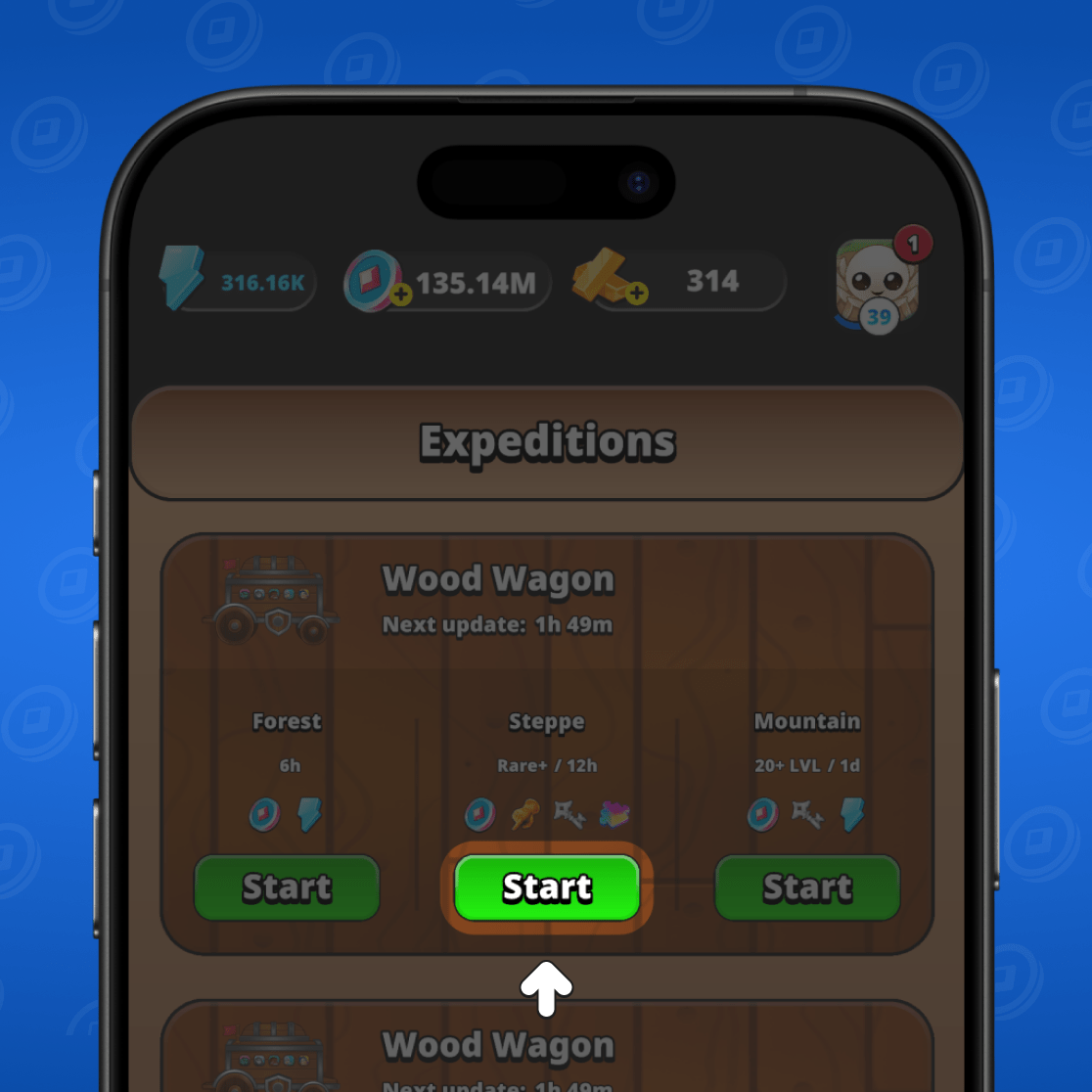
Choose which direction your heroes should go.
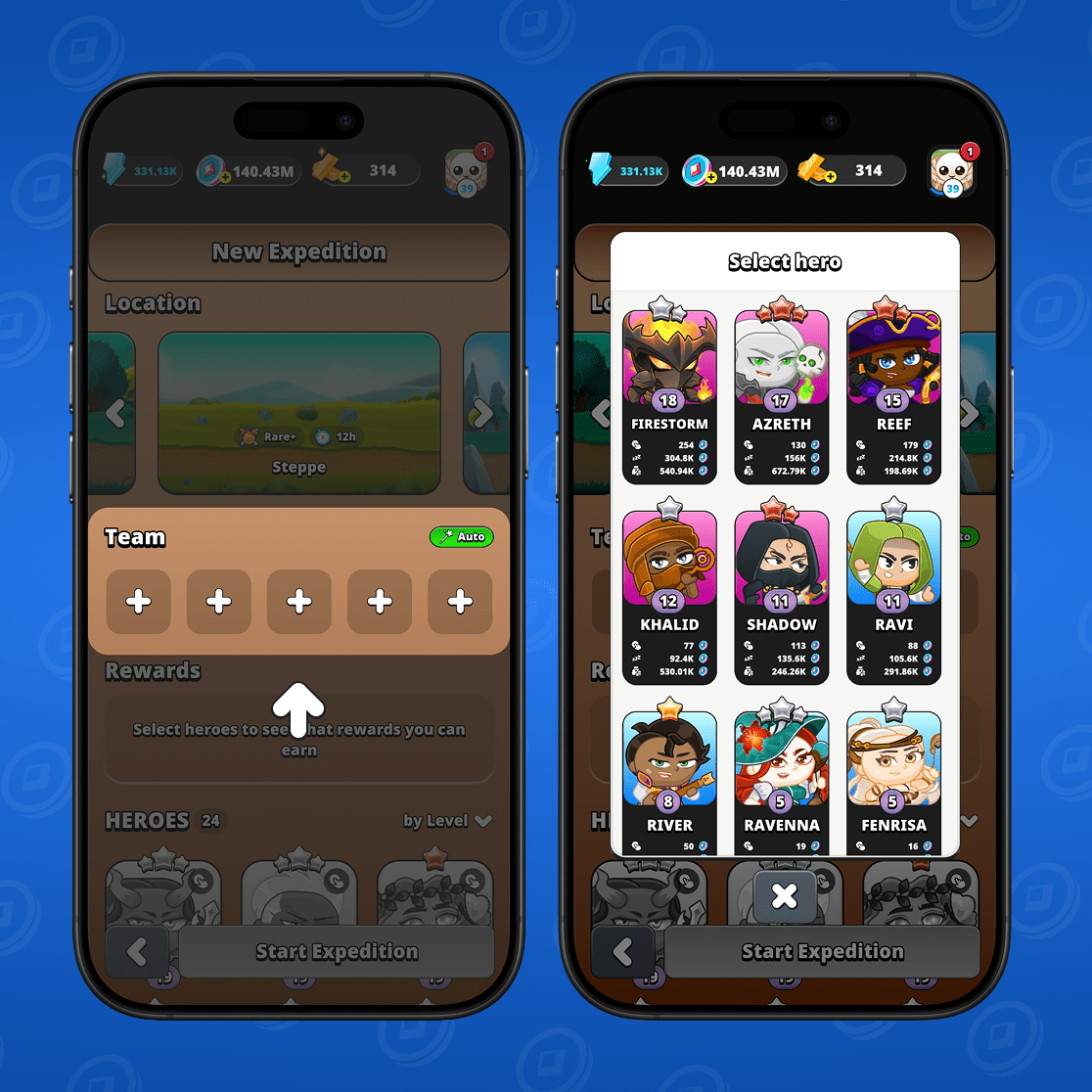
You will see the expedition setup menu. Select 5 heroes to send on the expedition. You can only send heroes who are not currently participating in tapping the button.
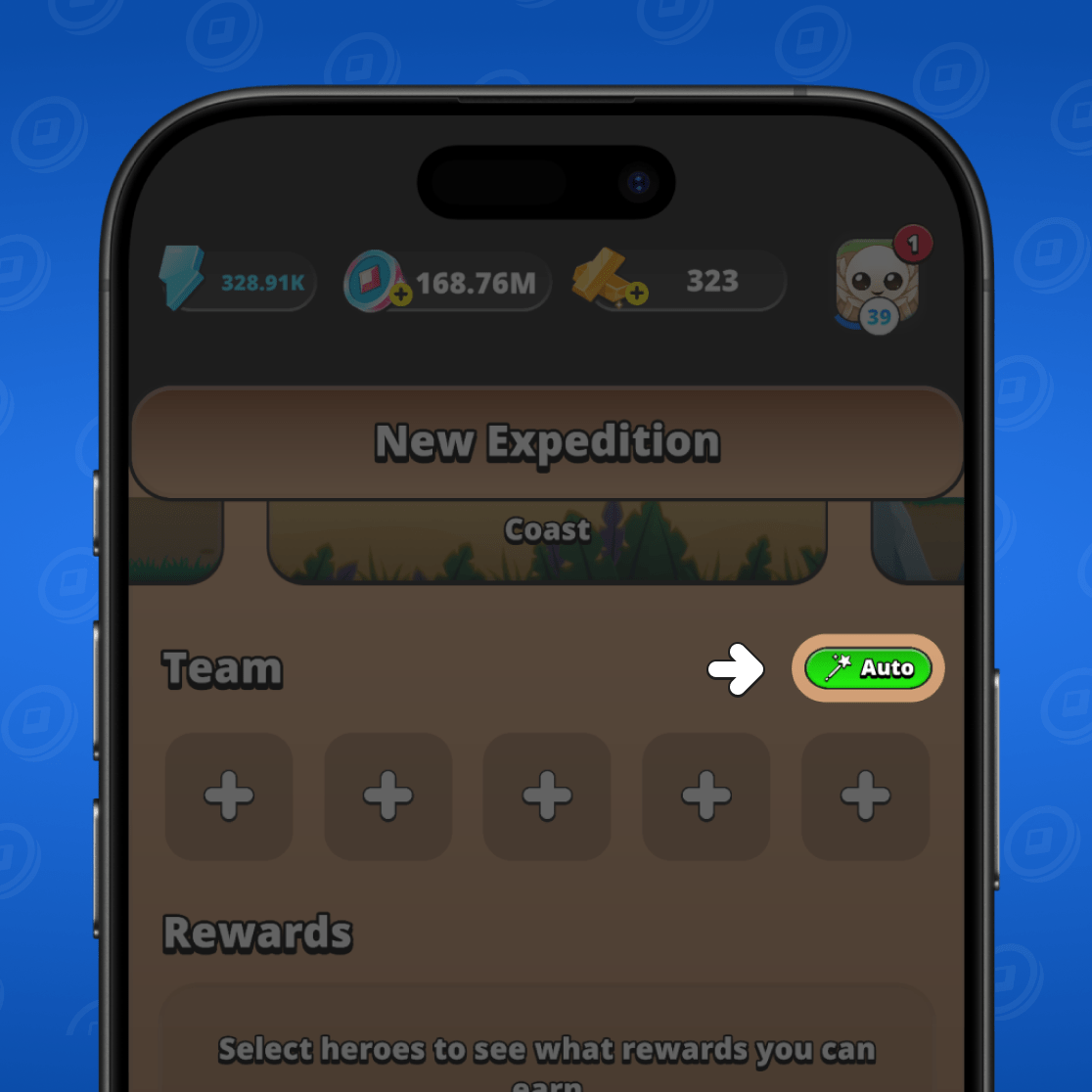
You can choose heroes manually, or just click the "Auto" button and the team will assemble automatically.
Once the heroes are selected, all you have to do is confirm the terms. In the updated window you will see all your heroes who will go on the expedition and the rewards you will receive upon completion.
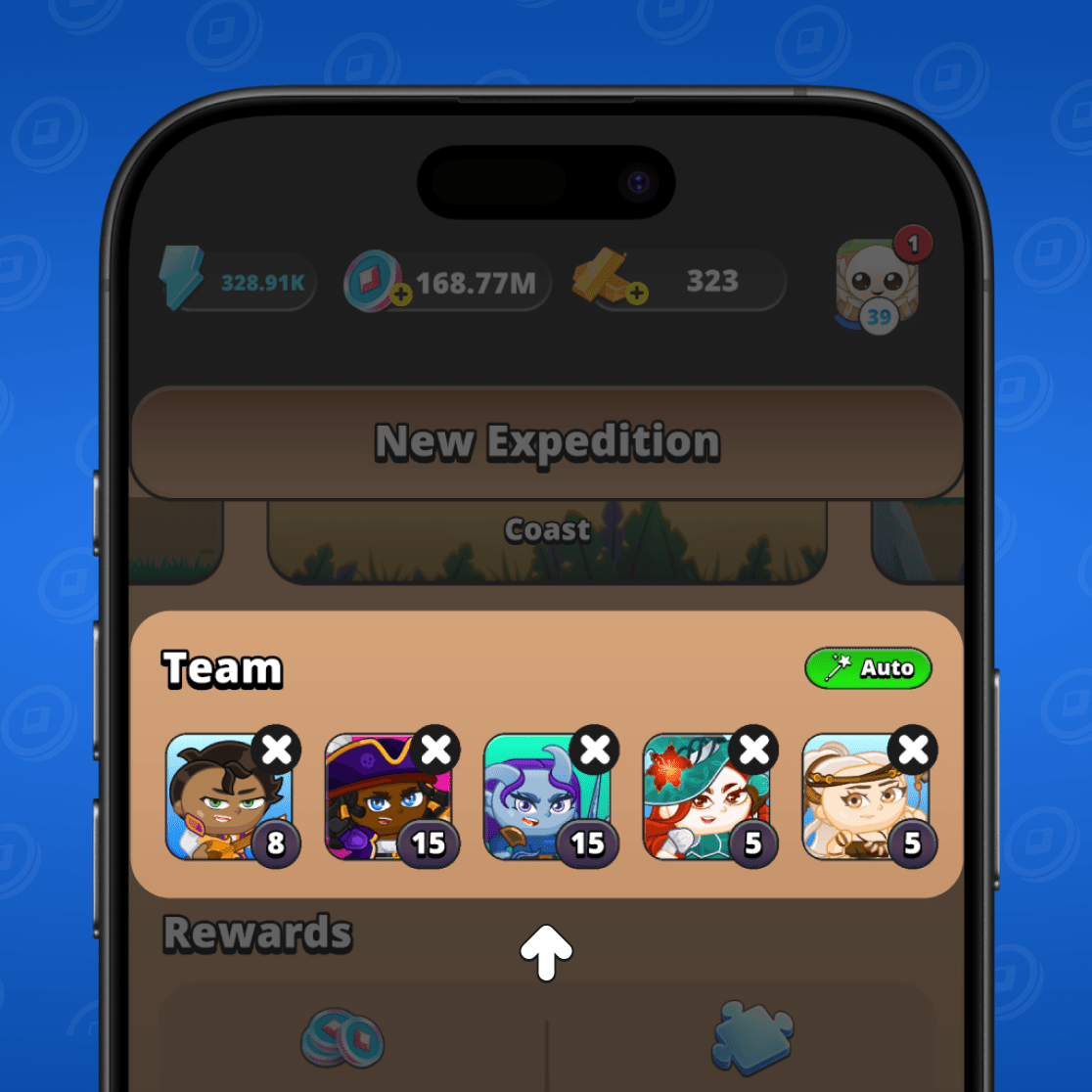
Next, simply click "Start Expedition."
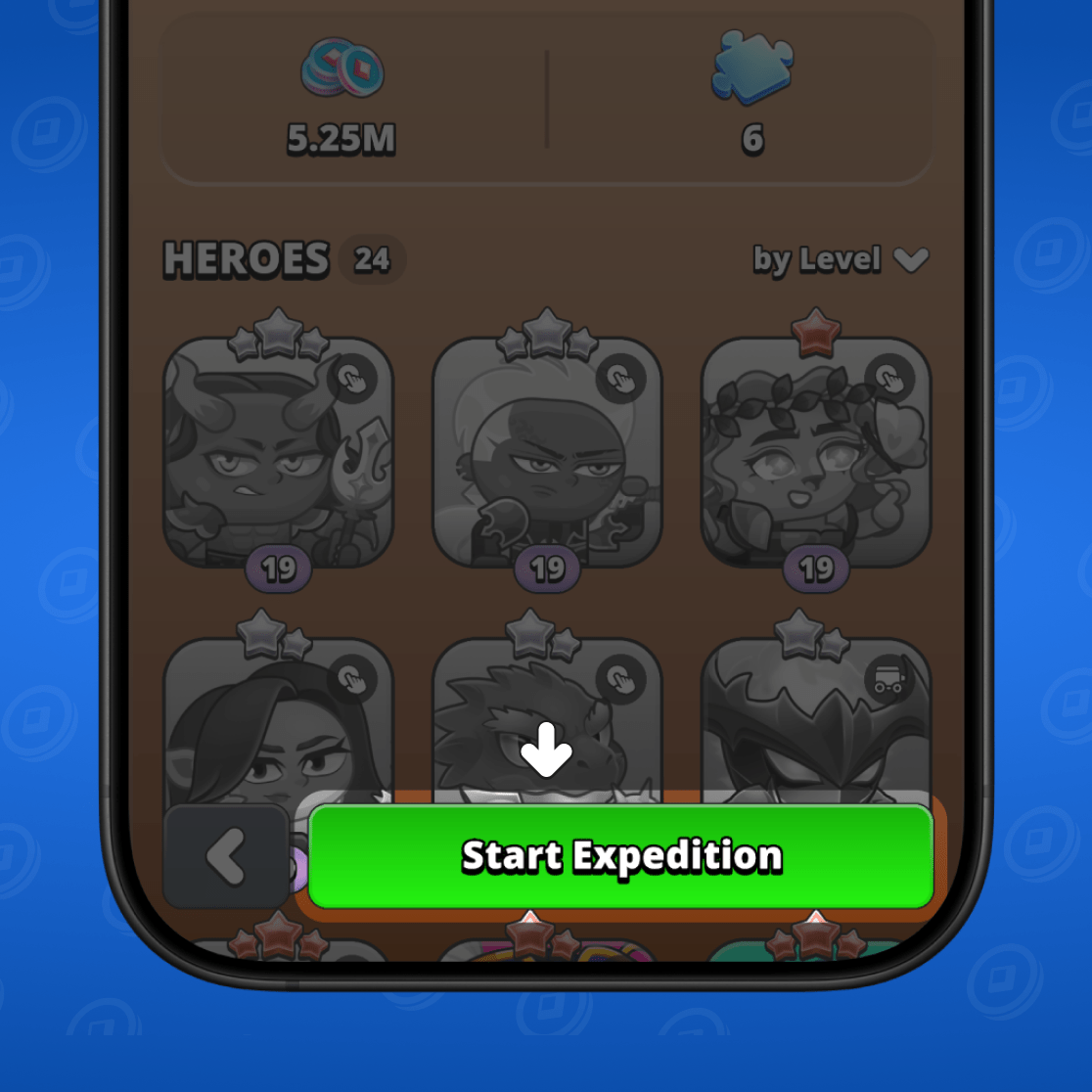
Done! Your heroes have set off on an expedition. While the expedition is in progress, you won't be able to use these heroes by tapping the button.
How to view the details of an active expedition
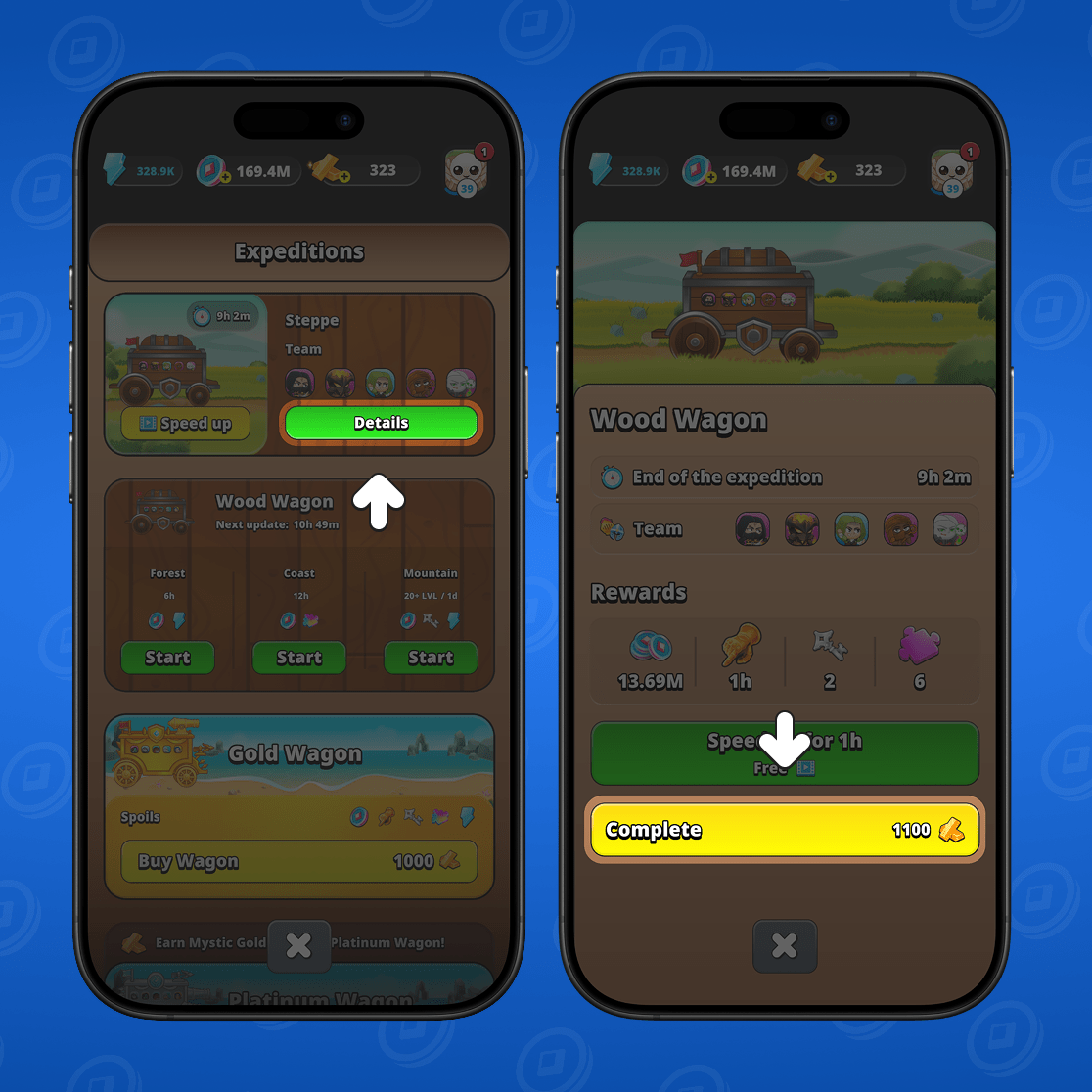
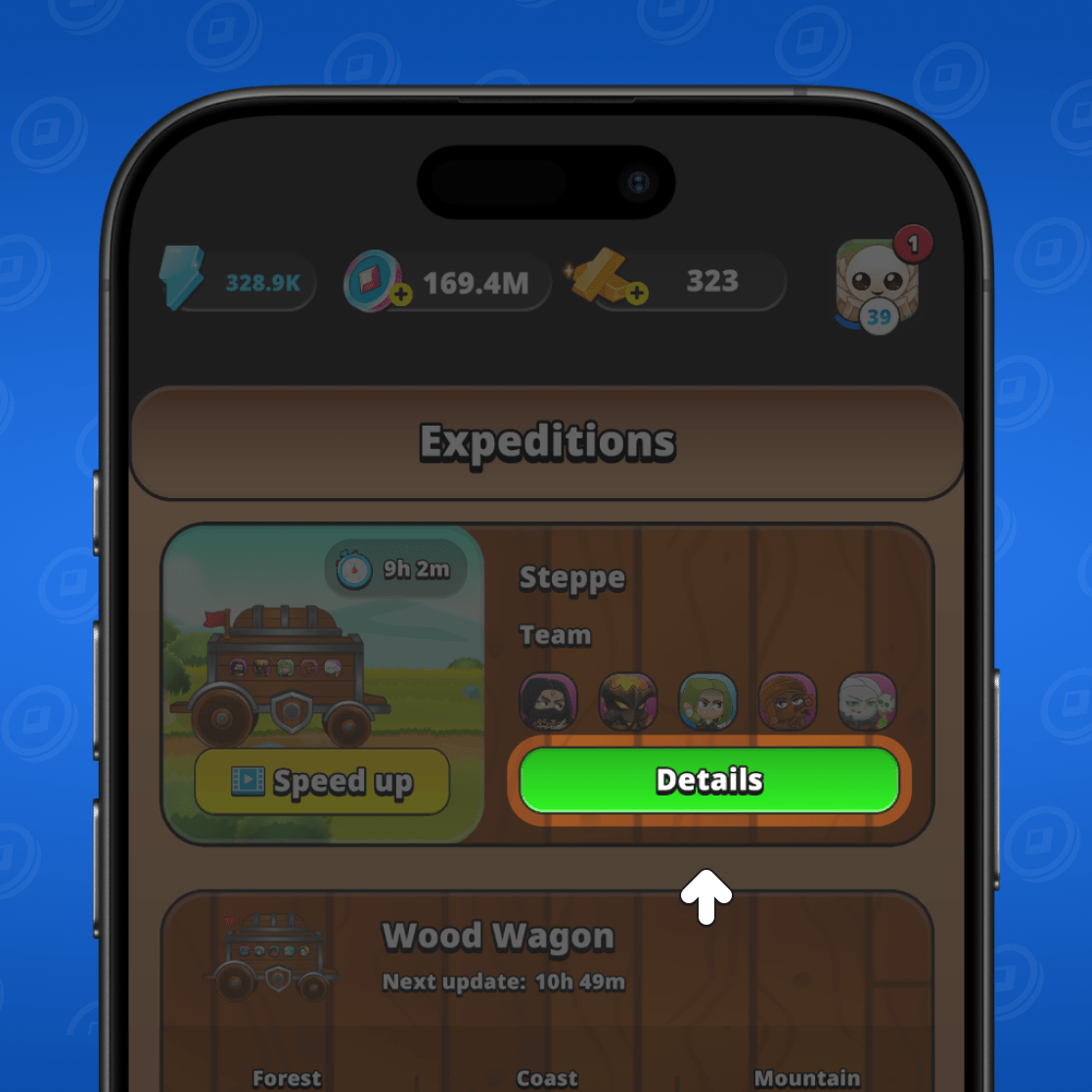
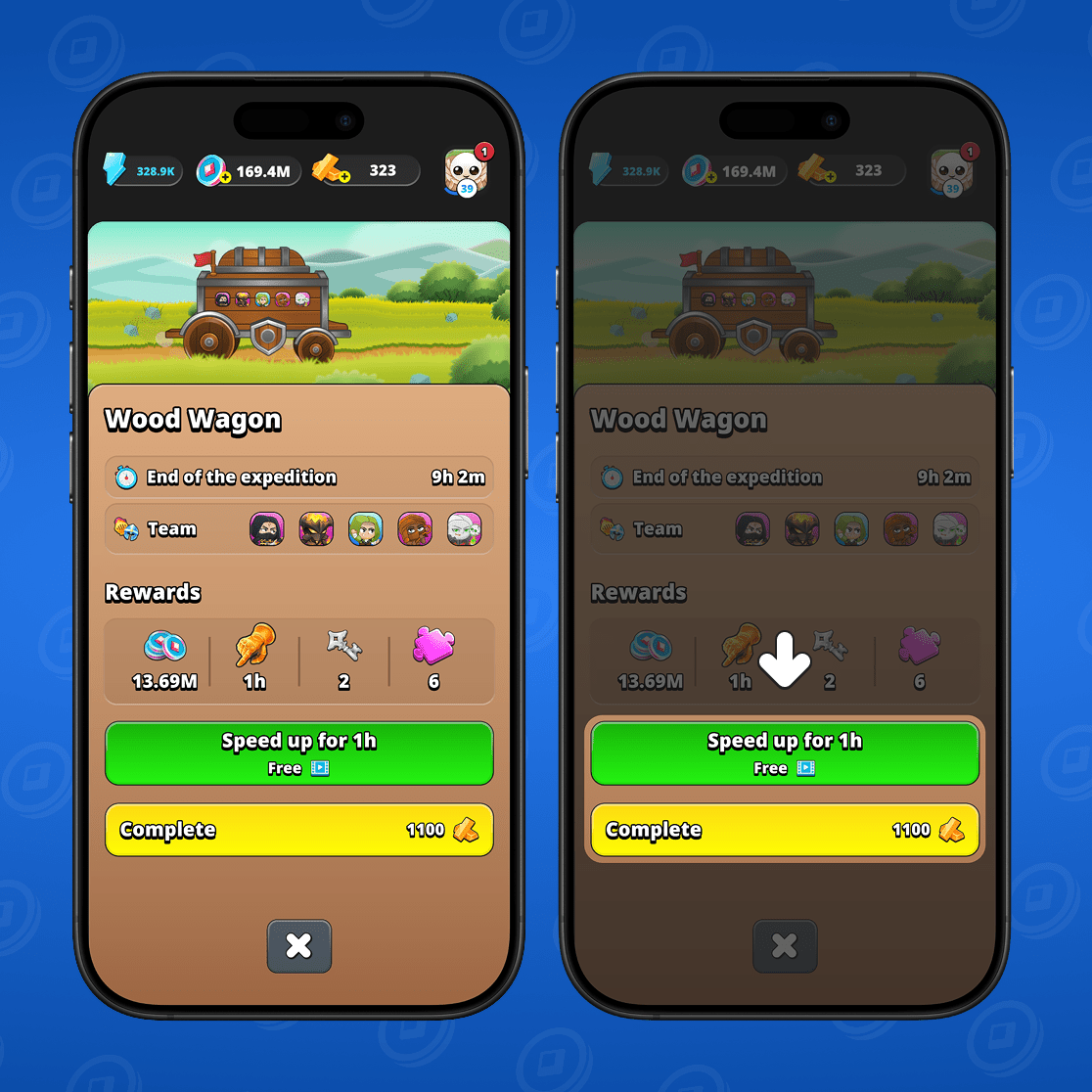
You can always view the details of an active expedition. To do this, click the "Details" button in the expedition window.
Here you will see all the information about the expedition: the team's composition, how much time is left until the expedition ends, and what reward you will receive.
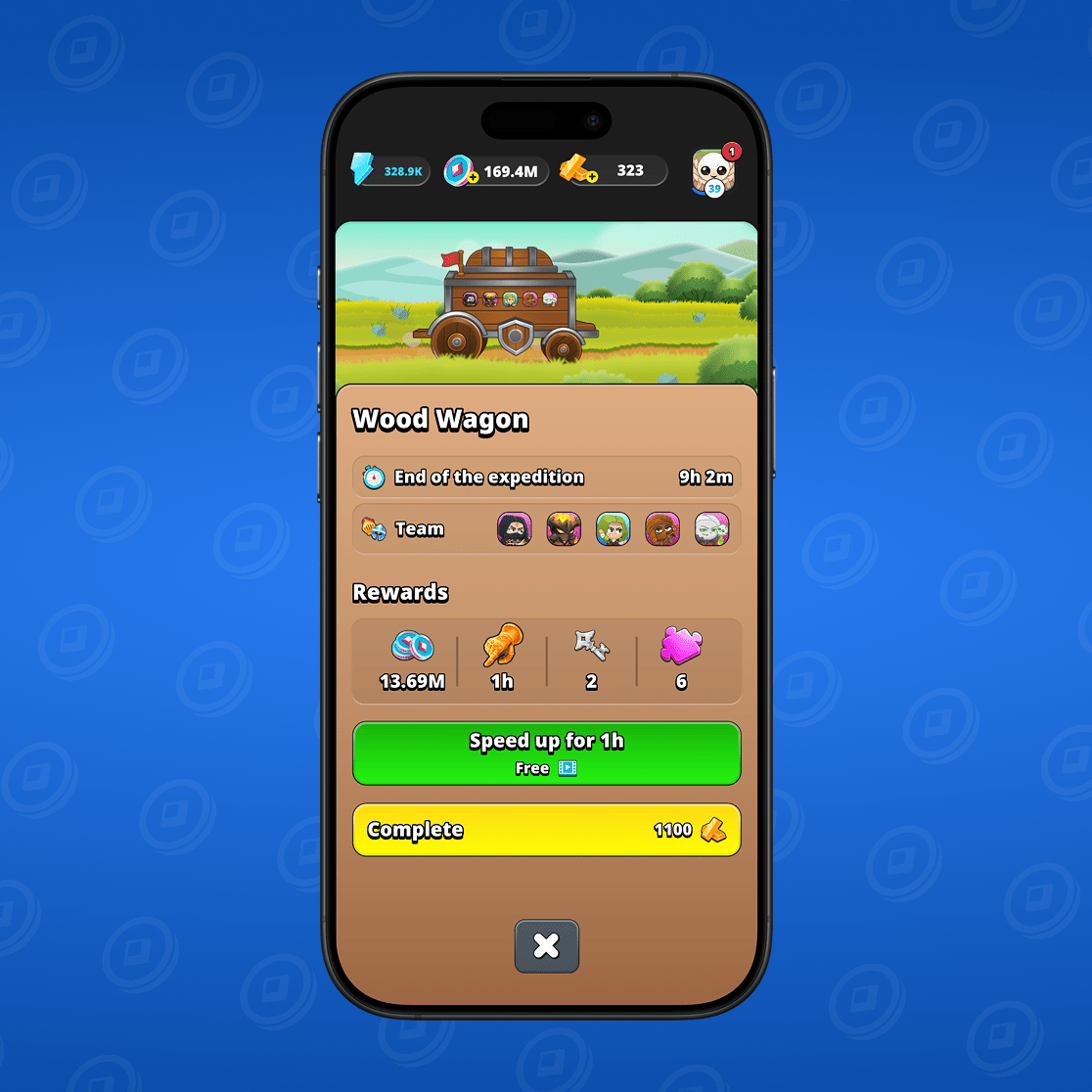
In this window you can also speed up the expedition by clicking the appropriate button, or finish the expedition immediately by paying for it with Mystic Gold.
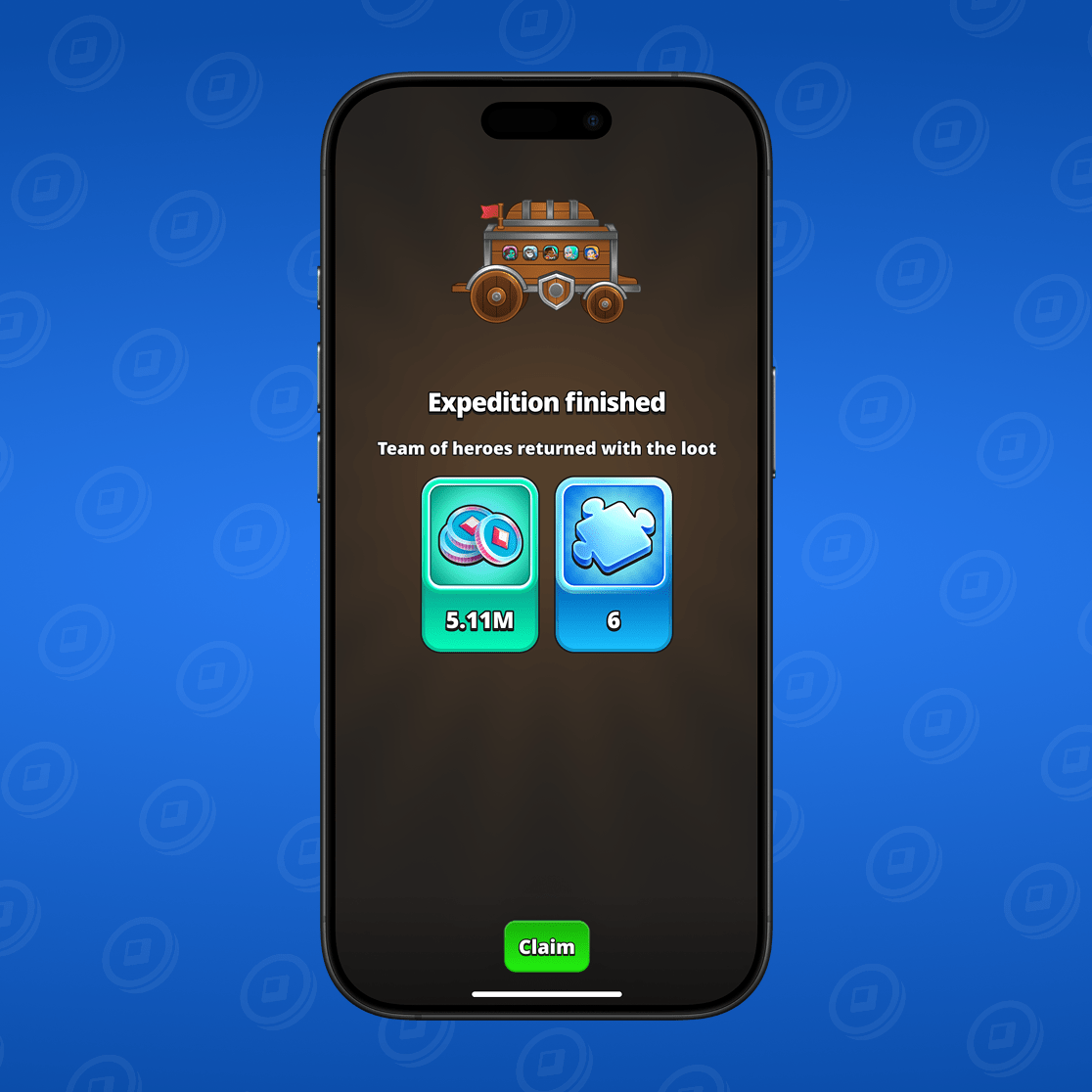
When the expedition is completed, you will receive a notification and can claim your reward!
How to speed up an expedition
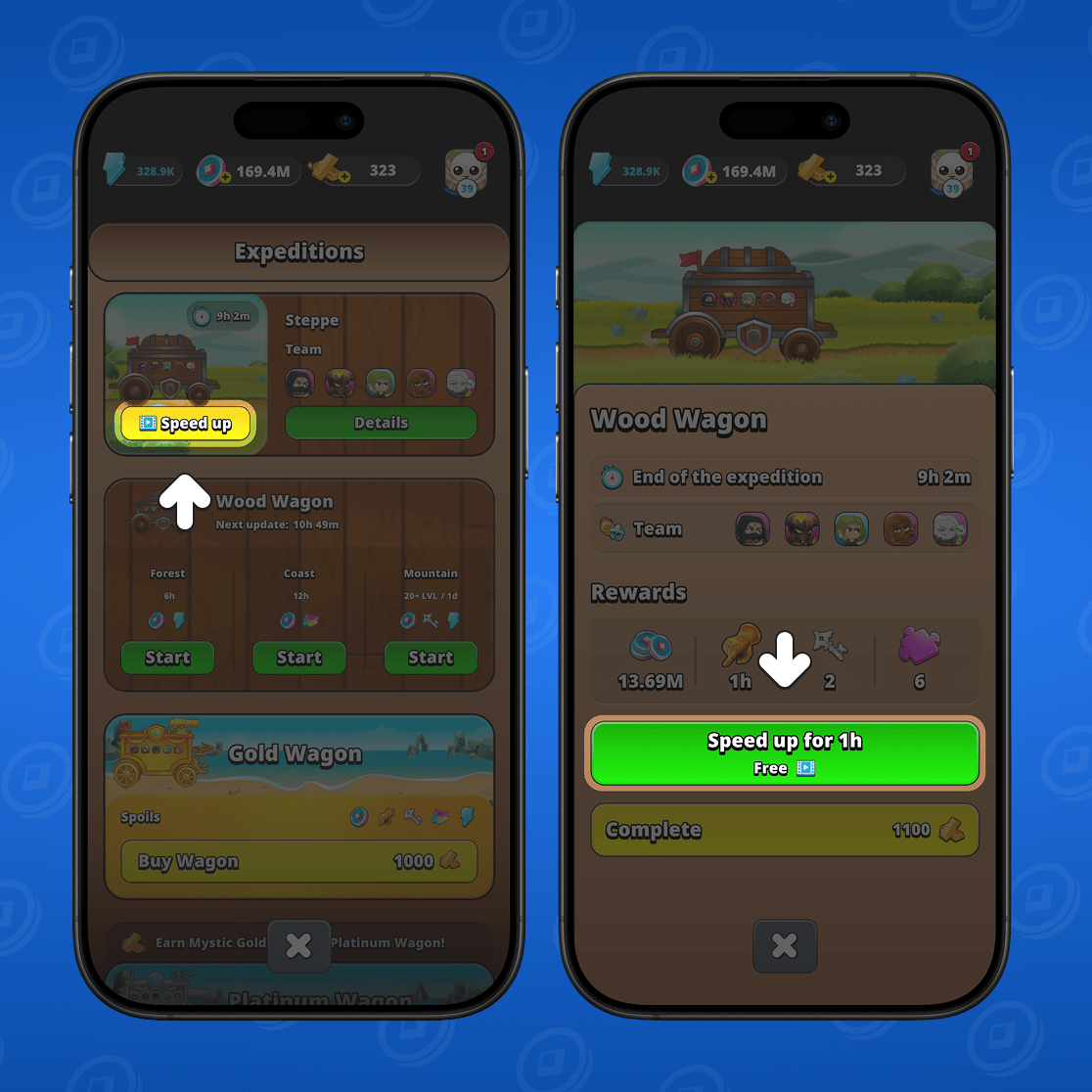
You can speed up an expedition by watching an ad. You can do this by tapping the corresponding button in the Expeditions window or in the Expedition Details window.
How to complete an expedition instantly
You can always finish an expedition immediately without having to wait. To do this, go to the "Details" section of the active expedition and click the "Complete" button. You will need to pay a certain amount of Mystic Gold.